<?xml version="1.0" encoding="utf-8"?><feed xmlns="http://www.w3.org/2005/Atom" ><generator uri="https://jekyllrb.com/" version="4.4.1">Jekyll</generator><link href="https://joelchrono.xyz/feeds/jekyll.xml" rel="self" type="application/atom+xml" /><link href="https://joelchrono.xyz/" rel="alternate" type="text/html" /><updated>2026-10-14T17:14:05-06:00</updated><id>https://joelchrono.xyz/feeds/jekyll.xml</id><title type="html">joelchrono’s blog</title><author><name>joelchrono</name><email>me@joelchrono.xyz</email></author><entry><title type="html">Verifying human authorship with human.json</title><link href="https://joelchrono.xyz/blog/implementing-human-json/" rel="alternate" type="text/html" title="Verifying human authorship with human.json" /><published>2026-04-03T09:44:11-06:00</published><updated>2026-04-03T09:44:11-06:00</updated><id>https://joelchrono.xyz/blog/implementing-human-json</id><content type="html" xml:base="https://joelchrono.xyz/blog/implementing-human-json/"><![CDATA[<p>I’ve decided to implement the <a href="https://codeberg.org/robida/human.json">human.json</a> protocol on my website as well.</p>

<p>Basically, this file is a way for websites to vouch for the human authorship of others. It comes with a web extension you can install that will let you know if a site is vouched by another.</p>

<p>I saw a couple of people doing it and decided to jump on the bandwagon, as it is part of what inspired me to write about <a href="/blog/unpolished-human-websites/">human websites before</a>.</p>

<p>Some of the people I saw implementing this protocol were <a href="https://axxuy.com/blog/2026/march-tinkering/">Axxuy</a>, <a href="https://burgeonlab.com/weeknotes/2026/w12/#link-roundup">Naty</a> and <a href="https://stfn.pl/blog/94-human-json/">STFN</a>, but I think the post that got me to pull the trigger was <a href="https://neilzone.co.uk/2026/03/implementing-the-somewhat-whimsical-human-json-protocol-on-my-website/">Neil’s</a>.</p>

<p>Handling json is not very human friendly, it’s one of the many funny quirks about this protocol, but alas, it’s just a fun thing to do so, whatever.</p>

<p>For now, I simply created a <code class="language-plaintext highlighter-rouge">humans.yml</code> file inside my Jekyll’s <code class="language-plaintext highlighter-rouge">_data</code> folder, and created a <code class="language-plaintext highlighter-rouge">human.json</code> file in my root directory with the following Liquid template:</p>

<div class="language-json highlighter-rouge"><div class="highlight"><pre class="highlight"><code><span class="err">---</span><span class="w">
</span><span class="err">layout:</span><span class="w"> </span><span class="err">none</span><span class="w">
</span><span class="err">permalink:</span><span class="w"> </span><span class="err">/human.json</span><span class="w">
</span><span class="err">---</span><span class="w">
</span><span class="p">{</span><span class="w">
	</span><span class="nl">"version"</span><span class="p">:</span><span class="w"> </span><span class="s2">"0.1.1"</span><span class="p">,</span><span class="w">
	</span><span class="nl">"url"</span><span class="p">:</span><span class="w"> </span><span class="s2">"{{ site.url }}"</span><span class="p">,</span><span class="w">
	</span><span class="nl">"vouches"</span><span class="p">:</span><span class="w"> </span><span class="p">[</span><span class="w">
		</span><span class="p">{</span><span class="err">%</span><span class="w"> </span><span class="err">for</span><span class="w"> </span><span class="err">human</span><span class="w"> </span><span class="err">in</span><span class="w"> </span><span class="err">site.data.humans</span><span class="w"> </span><span class="err">%</span><span class="p">}</span><span class="w">
		</span><span class="p">{</span><span class="w">
			</span><span class="nl">"url"</span><span class="p">:</span><span class="w"> </span><span class="s2">"{{ human.link }}"</span><span class="p">,</span><span class="w">
			</span><span class="nl">"vouched_at"</span><span class="p">:</span><span class="w"> </span><span class="s2">"{{ human.date }}"</span><span class="w">
		</span><span class="p">},</span><span class="w">
		</span><span class="p">{</span><span class="err">%</span><span class="w"> </span><span class="err">endfor</span><span class="w"> </span><span class="err">%</span><span class="p">}</span><span class="w">
		</span><span class="p">{</span><span class="w">
			</span><span class="nl">"url"</span><span class="p">:</span><span class="w"> </span><span class="s2">"https://examplefinalwebsite.com/"</span><span class="p">,</span><span class="w">
			</span><span class="nl">"vouched_at"</span><span class="p">:</span><span class="w"> </span><span class="s2">"2026-04-03"</span><span class="w">
		</span><span class="p">}</span><span class="w">
	</span><span class="p">]</span><span class="w">
</span><span class="p">}</span><span class="w">

</span></code></pre></div></div>

<p>The humans.yml file simply looks like this:</p>

<div class="language-yaml highlighter-rouge"><div class="highlight"><pre class="highlight"><code><span class="pi">-</span> <span class="na">link</span><span class="pi">:</span> <span class="s2">"</span><span class="s">https://example.com"</span>
  <span class="na">date</span><span class="pi">:</span> <span class="s">2026-04-03</span>
<span class="pi">-</span> <span class="na">link</span><span class="pi">:</span> <span class="s2">"</span><span class="s">https://example2.com"</span>
  <span class="na">date</span><span class="pi">:</span> <span class="s">2026-04-03</span>
<span class="pi">-</span> <span class="na">link</span><span class="pi">:</span> <span class="s2">"</span><span class="s">https://example3.com"</span>
  <span class="na">date</span><span class="pi">:</span> <span class="s">2026-04-03</span>
</code></pre></div></div>

<p>and last but not least, adding a <code class="language-plaintext highlighter-rouge">&lt;link&gt;</code> tag in the HTML <code class="language-plaintext highlighter-rouge">&lt;head&gt;</code> section:</p>

<div class="language-html highlighter-rouge"><div class="highlight"><pre class="highlight"><code><span class="nt">&lt;link</span> <span class="na">rel=</span><span class="s">"human-json"</span> <span class="na">href=</span><span class="s">"/path/to/human.json"</span><span class="nt">&gt;</span>
</code></pre></div></div>

<p>Of course, having a YAML file that gets turned into a JSON file is not the best thing ever, but it’s easier to edit and modify on the fly, it only gets generated at build time anyway.</p>

<p>Given what this project entails, I’ve been a bit conflicted on what websites would make it to my own list. The obvious ones are easy, but those that are real people who used generated content in one shape or another, even if the rest is human-made are harder to decide for me.</p>

<p>Part of me wants to be kind of gatekeepy and leave out websites just because they use an generated profile pic, or thumbnail here or there, or maybe they have written a couple of articles about using an LLM to generate some code, or whatever.</p>

<p>But well, I’ve decided to just go by feel for those cases that are hard to pinpoint exactly.</p>

<p>Another word can be said about having to do all of this in the first place. That humans are the ones having to prove themselves, instead of websites being clear about using generated content.</p>

<p>In any case, the project seems very fun. It will probably not be a big thing in most websites, but alas, I don’t mind doing this and vouching for other people. I’ll try to keep it updated over time, and be sure to let me know if you find a site I link that isn’t as human anymore.</p>

<p>This is day 45 of <a href="https://100daystooffload.com">#100DaysToOffload</a>.</p>]]></content><author><name>joelchrono</name><email>me@joelchrono.xyz</email></author><category term="community" /><category term="internet" /><category term="jekyll" /><summary type="html"><![CDATA[Vouching for other people's websites with this brand new protocol that I thought would be fun to implement!]]></summary></entry><entry><title type="html">Website changes: new section, music widget, and upvotes</title><link href="https://joelchrono.xyz/blog/website-changes-new-section-music-widget-and-upvotes/" rel="alternate" type="text/html" title="Website changes: new section, music widget, and upvotes" /><published>2026-03-28T08:29:42-06:00</published><updated>2026-03-28T08:29:42-06:00</updated><id>https://joelchrono.xyz/blog/website-changes-new-section-music-widget-and-upvotes</id><content type="html" xml:base="https://joelchrono.xyz/blog/website-changes-new-section-music-widget-and-upvotes/"><![CDATA[<h2 id="on-this-week-section">“On This Week” section</h2>

<p>I wanted to add an “On This Day” kind of thing to my website for a while, but even though I have made almost 600 posts as of the time of writing, I still have plenty of empty days where I’ve not made a post.</p>

<p>A In any case, the solution was simple, do it by week and call it done. I found <a href="https://www.joshbeckman.org/blog/implementing-on-this-day-feature-jekyll">a post</a> by <a href="https://mastodon.social/@joshbeckman">Josh Beckman</a> detailing how to do this by day. Using a similar logic, I made use of <code class="language-plaintext highlighter-rouge">%V</code> to get the week number and <code class="language-plaintext highlighter-rouge">%G</code> to get the year for that week—when a calendar week happens across different years.</p>

<p>You can find it live on my <a href="/#this-week-in-other-years">home page</a>, and here’s a simplified version of it with just the basics:</p>

<div class="language-liquid highlighter-rouge"><div class="highlight"><pre class="highlight"><code><span class="cp">{%</span><span class="w"> </span><span class="nt">assign</span><span class="w"> </span><span class="nv">current_week</span><span class="w"> </span><span class="o">=</span><span class="w"> </span><span class="nv">site</span><span class="p">.</span><span class="nv">time</span><span class="w"> </span><span class="p">|</span><span class="w"> </span><span class="nf">date</span><span class="p">:</span><span class="w"> </span><span class="s2">"%V"</span><span class="w"> </span><span class="cp">%}</span>
<span class="cp">{%</span><span class="w"> </span><span class="nt">assign</span><span class="w"> </span><span class="nv">current_week_year</span><span class="w"> </span><span class="o">=</span><span class="w"> </span><span class="nv">site</span><span class="p">.</span><span class="nv">time</span><span class="w"> </span><span class="p">|</span><span class="w"> </span><span class="nf">date</span><span class="p">:</span><span class="w"> </span><span class="s2">"%G"</span><span class="w"> </span><span class="cp">%}</span>

&lt;ul&gt;
<span class="cp">{%</span><span class="w"> </span><span class="nt">for</span><span class="w"> </span><span class="nv">post</span><span class="w"> </span><span class="nt">in</span><span class="w"> </span><span class="nv">site</span><span class="p">.</span><span class="nv">posts</span><span class="w"> </span><span class="cp">%}</span>
    <span class="cp">{%</span><span class="w"> </span><span class="nt">assign</span><span class="w"> </span><span class="nv">post_week</span><span class="w"> </span><span class="o">=</span><span class="w"> </span><span class="nv">post</span><span class="p">.</span><span class="nv">date</span><span class="w"> </span><span class="p">|</span><span class="w"> </span><span class="nf">date</span><span class="p">:</span><span class="w"> </span><span class="s2">"%V"</span><span class="w"> </span><span class="cp">%}</span>
    <span class="cp">{%</span><span class="w"> </span><span class="nt">assign</span><span class="w"> </span><span class="nv">post_week_year</span><span class="w"> </span><span class="o">=</span><span class="w"> </span><span class="nv">post</span><span class="p">.</span><span class="nv">date</span><span class="w"> </span><span class="p">|</span><span class="w"> </span><span class="nf">date</span><span class="p">:</span><span class="w"> </span><span class="s2">"%G"</span><span class="w"> </span><span class="cp">%}</span>
    <span class="cp">{%</span><span class="w"> </span><span class="nt">if</span><span class="w"> </span><span class="nv">post_week</span><span class="w"> </span><span class="o">==</span><span class="w"> </span><span class="nv">current_week</span><span class="w"> </span><span class="ow">and</span><span class="w"> </span><span class="nv">post_week_year</span><span class="w"> </span><span class="o">!=</span><span class="w"> </span><span class="nv">current_week_year</span><span class="w"> </span><span class="cp">%}</span>
        &lt;li&gt;<span class="cp">{{</span><span class="w"> </span><span class="nv">post</span><span class="p">.</span><span class="nv">date</span><span class="w"> </span><span class="p">|</span><span class="w"> </span><span class="nf">date</span><span class="p">:</span><span class="w"> </span><span class="s2">"%Y-%m-%d"</span><span class="w"> </span><span class="cp">}}</span> 
            &lt;a href="<span class="cp">{{</span><span class="w"> </span><span class="nv">post</span><span class="p">.</span><span class="nv">url</span><span class="w"> </span><span class="cp">}}</span>"&gt;<span class="cp">{{</span><span class="w"> </span><span class="nv">post</span><span class="p">.</span><span class="nv">title</span><span class="w"> </span><span class="cp">}}</span>&lt;/a&gt;
        &lt;/li&gt;
    <span class="cp">{%</span><span class="w"> </span><span class="nt">endif</span><span class="w"> </span><span class="cp">%}</span>
<span class="cp">{%</span><span class="w"> </span><span class="nt">endfor</span><span class="w"> </span><span class="cp">%}</span>
&lt;/ul&gt;
</code></pre></div></div>

<p>This is a live example of how the output looks like:</p>

<ul>


        <li>2025-10-16  
            <a href="/blog/i-wanna-do-it-but-then-i-dont/">I wanna do it but then I don't</a>
        </li>


        <li>2025-10-15  
            <a href="/blog/hyper-light-drifter/">Hyper Light Drifter</a>
        </li>


        <li>2025-10-15  
            <a href="/blog/rambling-about-scifi-books/">Rambling about Science Fiction books</a>
        </li>


        <li>2025-10-13  
            <a href="/blog/2025-w41/">I did not play Silksong - W41</a>
        </li>


        <li>2024-10-15  
            <a href="/blog/2024-10-15-i-thought-my-email-broke/">I thought my email broke</a>
        </li>


        <li>2023-10-18  
            <a href="/blog/ama-responses-1/">AMA Responses 1</a>
        </li>


        <li>2023-10-17  
            <a href="/blog/just-start-blogging/">Just start blogging</a>
        </li>


        <li>2022-10-18  
            <a href="/blog/every-day-carry-because-why-not/">My Every Day Carry because why not</a>
        </li>


</ul>

<h2 id="improved-music-widget">Improved music widget</h2>

<p>Yesterday I was playing around with the ListenBrainz API—which I use to display my last song I listened to—and realized that there was a way to get the song <em>currently playing</em> instead. <a href="/blog/small-website-updates/">I implemented my original script a while back</a>, but I got to work and modified it to get my currently listening song, and fallback to the latest one when nothing’s playing on my ears.</p>

<div class="language-js highlighter-rouge"><div class="highlight"><pre class="highlight"><code><span class="c1">// fetch json file based on given url</span>
<span class="k">async</span> <span class="kd">function</span> <span class="nf">fetchListen</span><span class="p">(</span><span class="nx">url</span><span class="p">)</span> <span class="p">{</span>
	<span class="k">try</span> <span class="p">{</span>
		<span class="kd">const</span> <span class="nx">response</span> <span class="o">=</span> <span class="k">await</span> <span class="nf">fetch</span><span class="p">(</span><span class="nx">url</span><span class="p">);</span>
		<span class="kd">const</span> <span class="nx">data</span> <span class="o">=</span> <span class="k">await</span> <span class="nx">response</span><span class="p">.</span><span class="nf">json</span><span class="p">();</span>
		<span class="k">return</span> <span class="nx">data</span><span class="p">.</span><span class="nx">payload</span><span class="p">.</span><span class="nx">listens</span><span class="p">[</span><span class="mi">0</span><span class="p">]</span> <span class="o">||</span> <span class="kc">null</span><span class="p">;</span>
	<span class="p">}</span>
	<span class="k">catch </span><span class="p">(</span><span class="nx">err</span><span class="p">){</span>
		<span class="nx">console</span><span class="p">.</span><span class="nf">error</span><span class="p">(</span><span class="dl">"</span><span class="s2">Unable to fetch</span><span class="dl">"</span><span class="p">,</span> <span class="nx">err</span><span class="p">);</span>
		<span class="k">return</span> <span class="kc">null</span><span class="p">;</span>
	<span class="p">}</span>
<span class="p">}</span>

<span class="kd">function</span> <span class="nf">printHtml</span><span class="p">(</span><span class="nx">container</span><span class="p">,</span> <span class="nx">content</span><span class="p">){</span>
	<span class="nx">container</span><span class="p">.</span><span class="nx">innerHTML</span> <span class="o">=</span> <span class="nx">content</span><span class="p">;</span>
<span class="p">}</span>

<span class="k">async</span> <span class="kd">function</span> <span class="nf">getListen</span><span class="p">(</span><span class="nx">username</span><span class="p">)</span> <span class="p">{</span>
    <span class="c1">// get html id to override later</span>
	<span class="kd">const</span> <span class="nx">container</span> <span class="o">=</span> <span class="nb">document</span><span class="p">.</span><span class="nf">getElementById</span><span class="p">(</span><span class="dl">'</span><span class="s1">latest-listen</span><span class="dl">'</span><span class="p">);</span>
	<span class="kd">const</span> <span class="nx">currentUrl</span> <span class="o">=</span> <span class="s2">`https://api.listenbrainz.org/1/user/</span><span class="p">${</span><span class="nx">username</span><span class="p">}</span><span class="s2">/playing-now`</span><span class="p">;</span>
	<span class="kd">const</span> <span class="nx">latestUrl</span> <span class="o">=</span> <span class="s2">`https://api.listenbrainz.org/1/user/</span><span class="p">${</span><span class="nx">username</span><span class="p">}</span><span class="s2">/listens?count=1`</span><span class="p">;</span>
	<span class="kd">const</span> <span class="nx">current</span> <span class="o">=</span> <span class="k">await</span> <span class="nf">fetchListen</span><span class="p">(</span><span class="nx">currentUrl</span><span class="p">);</span>

	<span class="k">if </span><span class="p">(</span><span class="nx">current</span><span class="p">)</span> <span class="p">{</span>
		<span class="kd">const</span> <span class="nx">track</span> <span class="o">=</span> <span class="nx">current</span><span class="p">.</span><span class="nx">track_metadata</span><span class="p">.</span><span class="nx">track_name</span><span class="p">;</span>
		<span class="kd">const</span> <span class="nx">artist</span> <span class="o">=</span> <span class="nx">current</span><span class="p">.</span><span class="nx">track_metadata</span><span class="p">.</span><span class="nx">artist_name</span><span class="p">;</span>
		<span class="k">return</span> <span class="nf">printHtml</span><span class="p">(</span><span class="nx">container</span><span class="p">,</span> <span class="s2">`&lt;b&gt;Currently listening:&lt;/b&gt;&lt;/br&gt;🎵 &lt;i&gt;</span><span class="p">${</span><span class="nx">track</span><span class="p">}</span><span class="s2">&lt;/i&gt; by &lt;i&gt;</span><span class="p">${</span><span class="nx">artist</span><span class="p">}</span><span class="s2">&lt;/i&gt;.`</span><span class="p">);</span>
	<span class="p">}</span>
	<span class="kd">const</span> <span class="nx">latest</span> <span class="o">=</span> <span class="k">await</span> <span class="nf">fetchListen</span><span class="p">(</span><span class="nx">latestUrl</span><span class="p">);</span>
	<span class="k">if </span><span class="p">(</span><span class="nx">latest</span><span class="p">)</span> <span class="p">{</span>
		<span class="kd">const</span> <span class="nx">track</span> <span class="o">=</span> <span class="nx">latest</span><span class="p">.</span><span class="nx">track_metadata</span><span class="p">.</span><span class="nx">track_name</span><span class="p">;</span>
		<span class="kd">const</span> <span class="nx">artist</span> <span class="o">=</span> <span class="nx">latest</span><span class="p">.</span><span class="nx">track_metadata</span><span class="p">.</span><span class="nx">artist_name</span><span class="p">;</span>
		<span class="kd">const</span> <span class="nx">listenedAt</span> <span class="o">=</span> <span class="k">new</span> <span class="nc">Date</span><span class="p">(</span><span class="nx">latest</span><span class="p">.</span><span class="nx">listened_at</span> <span class="o">*</span> <span class="mi">1000</span><span class="p">);</span> <span class="c1">// Convert timestamp</span>
		<span class="kd">const</span> <span class="nx">dateFormatted</span> <span class="o">=</span> <span class="nx">listenedAt</span><span class="p">.</span><span class="nf">toLocaleString</span><span class="p">();</span>
		<span class="k">return</span> <span class="nf">printHtml</span><span class="p">(</span><span class="nx">container</span><span class="p">,</span> <span class="s2">`&lt;b&gt;Last listened track:&lt;/b&gt;&lt;/br&gt;🎶 &lt;i&gt;</span><span class="p">${</span><span class="nx">track</span><span class="p">}</span><span class="s2">&lt;/i&gt; by &lt;i&gt;</span><span class="p">${</span><span class="nx">artist</span><span class="p">}</span><span class="s2">&lt;/i&gt;. &lt;br&gt;</span><span class="p">${</span><span class="nx">dateFormatted</span><span class="p">}</span><span class="s2">`</span><span class="p">);</span>
	<span class="p">}</span>
	<span class="nf">printHtml</span><span class="p">(</span><span class="nx">container</span><span class="p">,</span> <span class="s2">`&lt;b&gt;No music found&lt;/b&gt;`</span><span class="p">);</span>
<span class="p">}</span>

<span class="nf">getListen</span><span class="p">(</span><span class="dl">'</span><span class="s1">joel76</span><span class="dl">'</span><span class="p">);</span>

</code></pre></div></div>

<h2 id="an-upvote-button">An upvote button</h2>

<p>Naty shared <a href="https://burgeonlab.com/blog/add-appreciation-buttons-to-hugo-with-iine/">how to have upvotes on a blog</a> and I basically copy-pasted the entire thing. You only need to follow <a href="https://iine.to/#setup">the setup instructions</a> and it will literally just work.</p>

<p>You can find the upvote button in the <a href="#comments">comments sections</a> of every blogpost! Feel free to click or tap on it.</p>

<p>The one downside is that it’s a third party service, but it’s so simple I can’t really come up with a reason why not to try it out. If it ever breaks or stops being supported, it won’t really be that big of a deal.</p>

<hr />

<p>Anyway, those were a lot of changes done to my site for one week, I feel kinda cool about that. Feel free to borrow any of these ideas and make it your own.</p>

<p>This website has evolved and changed so much over time, I can feel the itch to start over creeping up, making it minimal while keeping as much of the features I got on it. Maybe a simple CSS overhaul will do the trick though…</p>

<p>This is day 42 of <a href="https://100daystooffload.com">#100DaysToOffload</a>.</p>]]></content><author><name>joelchrono</name><email>me@joelchrono.xyz</email></author><category term="jekyll" /><category term="webdev" /><summary type="html"><![CDATA[I made a couple of additions to my Jekyll site and decided to share them all here!]]></summary></entry><entry><title type="html">Share this post to Mastodon</title><link href="https://joelchrono.xyz/blog/share-this-post-to-mastodon/" rel="alternate" type="text/html" title="Share this post to Mastodon" /><published>2026-03-04T20:22:22-06:00</published><updated>2026-03-04T20:22:22-06:00</updated><id>https://joelchrono.xyz/blog/share-this-post-to-mastodon</id><content type="html" xml:base="https://joelchrono.xyz/blog/share-this-post-to-mastodon/"><![CDATA[<p>The people at Mastodon recently released a <a href="https://blog.joinmastodon.org/2026/03/a-new-share-button/">share button for websites!</a> and I think it works rather well, as it remembers the instance you selected for the next time you use it somewhere else.</p>

<p>I added the following button to the bottom of my articles! I made use of Jekyll’s <a href="https://jekyllrb.com/docs/liquid/">Liquid syntax</a>.</p>

<div class="language-html highlighter-rouge"><div class="highlight"><pre class="highlight"><code><span class="nt">&lt;a</span> <span class="na">class=</span><span class="s">"button"</span> <span class="na">href=</span><span class="s">"https://share.joinmastodon.org/#text=Check%20this%20blogpost%20by%20%40joel%40fosstodon.org! https://joelchrono.xyz{{ page.url | uri_scape }}"</span> <span class="na">target=</span><span class="s">"_blank"</span> <span class="na">rel=</span><span class="s">"noopener"</span><span class="nt">&gt;</span>Share on Mastodon<span class="nt">&lt;/a&gt;</span>
</code></pre></div></div>

<p>You can find this line in use on my <code class="language-plaintext highlighter-rouge">_includes/comments.html</code> file—available on my <a href="https://github.com/joelchrono12/website/blob/main/_includes/comments.html">git repo</a>, where I also have my <a href="https://joelchrono.xyz/blog/how-to-add-mastodon-comments-to-jekyll-blog/">Mastodon-based comments section</a>, just in case you are also interested on getting those set up on your static website!</p>

<p>Thought I’d make a shorter post for once. Could it just be part of <a href="/tags/weeknotes/">my weeknotes?</a> maybe, but I write whatever I want on my website. I actually realized this thanks to a <a href="http://82mhz.net/posts/2026/03/website-update-links-page/">short update post</a>, not too different to this one, on Andreas’ website. Cool stuff!</p>

<p>Anyway, I should go back to playing CrossCode before the day is over, I have a bunny to catch.</p>

<p>This is day 28 of <a href="https://100daystooffload.com">#100DaysToOffload</a></p>]]></content><author><name>joelchrono</name><email>me@joelchrono.xyz</email></author><category term="jekyll" /><category term="tutorial" /><category term="webdev" /><category term="short" /><summary type="html"><![CDATA[I added a share button for the people who read my stuff and share them! As well as some other small changes to my site]]></summary></entry><entry><title type="html">On changing blogging platforms and tools</title><link href="https://joelchrono.xyz/blog/on-blogging-platforms-and-tools/" rel="alternate" type="text/html" title="On changing blogging platforms and tools" /><published>2025-08-19T16:00:00-06:00</published><updated>2025-08-19T16:00:00-06:00</updated><id>https://joelchrono.xyz/blog/on-changing-blogging-platforms-and-tools</id><content type="html" xml:base="https://joelchrono.xyz/blog/on-blogging-platforms-and-tools/"><![CDATA[<p>During these past few weeks, some blogposts have popped up in my feed, where they are constantly switching blogging platforms, changing their note-taking systems, or similar.</p>

<p>Honestly, more power to you, it is absolutely fine to be interested in trying new things, start something from scratch or turning everything upside down, just because you can.</p>

<p>Or, you know, maybe don’t?</p>

<p>I should mention this post was inspired by Ava who wrote a great article about <a href="https://blog.avas.space/you-can-stick-with-it">just sticking with what you already have</a>, so go give it a read! I think it helped me form some of the thoughts I share here.</p>

<p>As for me, well, I am always a work in progress, I guess. While stagnating forever is not ideal in many situations, there are some things where it’s perfectly fine to not try to fix what isn’t broken.</p>

<p>I’ve been only blogging for a little more than four years now, since I started in 2021. It’s not much compared to those who’ve been doing it for literal decades, but it’s not nothing either.</p>

<p>So far, I’ve managed to be happy with what I have. Jekyll to generate my site, Neovim to edit my files, and some shellscripts to automate stuff have been plenty for my needs.</p>

<p><a href="https://jekyllrb.com">Jekyll</a> is one of the more traditional static site generators around, popularized because of its integration with GitHub pages and other hosting services, and because it’s simply really good at what it does.</p>

<p>It’s not the only option of course, and people adopt and switch around from one place to another. There are other SSGs like Hugo, Eleventy, Pelican, or Zola, and even CMS software like Kirby. There are also blogging platforms that take away the hosting and maintenance and let you just write, such as <a href="https://bearblog.dev">Bearblog</a>, <a href="https://pika.page">Pika</a> or <a href="https://pagecord.com/">Pagecord</a>, for example.</p>

<p>Despite everything, I’m still really satisfied with what Jekyll offers me. It has been a gratifying journey where I’ve created plenty of bash scripts, templates, key bindings, liquid snippets and even plugins to organize stuff exactly how I want it to. And once it was all setup, my <a href="/blog/my-static-site-workflow/">blogging workflow</a> has remained virtually unchanged, only with some small additions here and there.</p>

<p>Don’t get me wrong, there have been some hiccups here and there, when it comes to installing Ruby and running Jekyll locally, and when dealing with the Jekyll or Ruby version not matching the one set in the hosting service I use—it was usually my fault to be honest.</p>

<p>In the end, it’s still all leading to the same result. A static website built by uploading files to a GitHub repository.</p>

<p>If anything, some of my automation scripts are less used nowadays, because I have been editing my posts from my phone instead of my laptop, so all my fancy flourishes get skipped, but hey, the post gets published and that’s good enough for me.</p>

<p>I’ve felt the urge to switch things up from time to time, but if I ever feel that boredom creeping in, I am more than satisfied by creating a new website theme, cleaning up my existing stylesheet, or adding new pages. I think the moment I want to do something that cannot be achieved with Jekyll’s feature-set or a bash script, will be when I finally try something else, but that bar has not been reached so far, to be honest.</p>

<p>So, yeah, I think that the fun for me is in a couple things:</p>

<ol>
  <li>
    <p><strong>Just writing!</strong> - When everything is fine and good, I can just dedicate myself to writing, it doesn’t matter if it’s in my phone, or my own laptop with my fancy setup, or some other computer device, as long as I just write Markdown I don’t really care that much. Just publish the post to my website and trust I didn’t mess up a link or something. I can always fix it later anyway.</p>
  </li>
  <li>
    <p><strong>Working within limitations.</strong> - I have managed to achieve everything I’ve wanted thus far with my website. And sure there are things I haven’t bothered to try yet, like a search bar or a guestbook page. But I know there are ways to get them, I just need to take the time to set everything up, or not! It is my website after all.</p>
  </li>
</ol>

<p>In my experience, that’s what everything boils down to. Everyone sets their own bar wherever they want. Some find it easy to move to something else as soon as things get boring, or too difficult. Others just want to try new things, like how a Linux user keeps distro-hopping for years only to end up on Debian (or maybe Arch) in the end. And others, are up to the challenge, and are willing to stick with their choice and get familiar with it.</p>

<p>Obviously, there are some legitimate reasons to change platforms. Right now I’m pretty annoyed by the fact that my site is still primarily hosted on GitHub. I know of <a href="https://codeberg.org">Codeberg</a> and some other alternatives, but I haven’t gotten around to making the change, and I am not sure if <a href="https://vercel.com">Vercel</a>, my current hosting provider even supports building my site from something other than GitHub.</p>

<p>In the end, I’ve been happy with my setup for many years, for the most part, and I barely have to think about it nowadays, I’m just focusing on creating new pages and redesigning existing stuff, but I have no urge to do any drastic changes. I actually kind of dread it, given the amount of templates/plugins/features that for better or worse lock me down to Jekyll, but at the same time, if it’s not an issue, I don’t need to worry about it!</p>

<p>We’ll see how everything goes.</p>]]></content><author><name>joelchrono</name><email>me@joelchrono.xyz</email></author><category term="jekyll" /><category term="thoughts" /><category term="tech" /><summary type="html"><![CDATA[I've been using Jekyll for 4 years, but I've seen people switching things up a bit too much, and maybe, just slowing down is fine]]></summary></entry><entry><title type="html">More small website changes</title><link href="https://joelchrono.xyz/blog/more-small-website-changes/" rel="alternate" type="text/html" title="More small website changes" /><published>2025-08-10T22:28:10-06:00</published><updated>2025-08-10T22:28:10-06:00</updated><id>https://joelchrono.xyz/blog/more-small-website-changes</id><content type="html" xml:base="https://joelchrono.xyz/blog/more-small-website-changes/"><![CDATA[<p>I pretty much ran out of time to write something more substantial, since I spent my day doing a bunch of things, but I’ll save all of that for the week notes tomorrow.</p>

<p>For now, I’ll only do a quick list of multiple website changes I did this past week for the sake of cleaning up some stuff and making everything just a tidy bit better.</p>

<p>I already <a href="/blog/small-website-updates/">did one of these </a>, but I guess that writing so much and using my website even more often kinda gets me inspired to fix all the little caveats I find here and there, which is pretty cool</p>

<p>A lot of the changes are pretty unnoticeable, but at least I know they are there, which is what matters.</p>

<p>Most of this is relatively non-sensical words if you are unfamiliar with Jekyll and static site generators, but it’s really not a big deal.</p>

<ul>
  <li>Implemented <a href="https://microformats.org/">microformats</a> support for my main page and my articles.</li>
  <li>Turned the <a href="/more">more</a> section into a <code class="language-plaintext highlighter-rouge">more.yml</code>, placed it on the <code class="language-plaintext highlighter-rouge">_data</code> folder and used a for loop to generate it.</li>
  <li>Adjusted the CSS stylesheet so the <a href="/more">more</a> section looks like blocks instead of a regular list. Same class as the blogposts in the main page.</li>
  <li>Turned the navigation bar into a flex element, to make it more responsive, the gap between each list item is now equal.</li>
  <li>Added <a href="/blogroll">Blogroll</a> and <a href="/feed.xml">RSS</a> to the navigation bar.</li>
  <li>Removed the <code class="language-plaintext highlighter-rouge">whitespace</code> in between the navigation bar list elements by doing the for loop in a single line.</li>
  <li>Fixed and cleaned up the RSS Feed’s XSL <a href="/blog/improving-my-rss-feed/">human readable structure</a> which had been broken for a while.</li>
  <li>Made the avatar in my <a href="/about">about</a> page responsive.</li>
  <li>Fixed the blurry favicon issues with <a href="https://realfavicongenerator.net">Real Favicon Generator</a>.</li>
  <li>Added author and permalink to the bottom of the posts template.</li>
  <li>Fixed the <a href="https://xn--sr8hvo.ws/">IndieWeb Webring</a> setup with some extra <code class="language-plaintext highlighter-rouge">rel=me</code> link elements.</li>
  <li>Added some more buttons on my blogroll, and removed some dead links.</li>
</ul>

<p>I am probably missing a couple of things, but I am pretty happy with all these changes. No long explanations this time, I just want to go sleep and get ready for tomorrow!</p>

<p>A new week is upon us! and <a href="/blog/blaugust-2025">Blaugust2025</a> shall continue.</p>]]></content><author><name>joelchrono</name><email>me@joelchrono.xyz</email></author><category term="jekyll" /><category term="short" /><summary type="html"><![CDATA[I almost miss the post for today, so I wanted to at least write a listicle of some changes I've made this weekend]]></summary></entry><entry><title type="html">Small website updates</title><link href="https://joelchrono.xyz/blog/small-website-updates/" rel="alternate" type="text/html" title="Small website updates" /><published>2025-08-03T16:09:53-06:00</published><updated>2025-08-03T16:09:53-06:00</updated><id>https://joelchrono.xyz/blog/small-website-changes</id><content type="html" xml:base="https://joelchrono.xyz/blog/small-website-updates/"><![CDATA[<p>It’s been a while since I’ve made post talking about things I’ve messed around with on my website, so I may as well do one for my 3rd post for <a href="/blog/blaugust-2025">#Blaugust2025</a>!</p>

<h2 id="sharing-my-last-listened-track">Sharing my last listened track!</h2>

<p>I added a little bit of text to my landing page a long while ago, that shows the last song I listened to. This is done using the <a href="https://listenbrainz.org">Listebrainz</a> API and a small javascript function.</p>

<p>Again, this was already there but I never mentioned it anywhere so, may as well do it now.</p>

<div class="language-js highlighter-rouge"><div class="highlight"><pre class="highlight"><code><span class="k">async</span> <span class="kd">function</span> <span class="nf">getLatestListen</span><span class="p">(</span><span class="nx">username</span><span class="p">)</span> <span class="p">{</span>
	<span class="kd">const</span> <span class="nx">url</span> <span class="o">=</span> <span class="s2">`https://api.listenbrainz.org/1/user/</span><span class="p">${</span><span class="nx">username</span><span class="p">}</span><span class="s2">/listens?count=1`</span><span class="p">;</span>
	<span class="kd">const</span> <span class="nx">container</span> <span class="o">=</span> <span class="nb">document</span><span class="p">.</span><span class="nf">getElementById</span><span class="p">(</span><span class="dl">'</span><span class="s1">latest-listen</span><span class="dl">'</span><span class="p">);</span>
	<span class="k">try</span> <span class="p">{</span>
		<span class="kd">const</span> <span class="nx">response</span> <span class="o">=</span> <span class="k">await</span> <span class="nf">fetch</span><span class="p">(</span><span class="nx">url</span><span class="p">);</span>
		<span class="kd">const</span> <span class="nx">data</span> <span class="o">=</span> <span class="k">await</span> <span class="nx">response</span><span class="p">.</span><span class="nf">json</span><span class="p">();</span>
		<span class="k">if </span><span class="p">(</span><span class="nx">data</span><span class="p">.</span><span class="nx">payload</span> <span class="o">&amp;&amp;</span> <span class="nx">data</span><span class="p">.</span><span class="nx">payload</span><span class="p">.</span><span class="nx">listens</span> <span class="o">&amp;&amp;</span> <span class="nx">data</span><span class="p">.</span><span class="nx">payload</span><span class="p">.</span><span class="nx">listens</span><span class="p">.</span><span class="nx">length</span> <span class="o">&gt;</span> <span class="mi">0</span><span class="p">)</span> <span class="p">{</span>
			<span class="kd">const</span> <span class="nx">listen</span> <span class="o">=</span> <span class="nx">data</span><span class="p">.</span><span class="nx">payload</span><span class="p">.</span><span class="nx">listens</span><span class="p">[</span><span class="mi">0</span><span class="p">];</span>
			<span class="kd">const</span> <span class="nx">track</span> <span class="o">=</span> <span class="nx">listen</span><span class="p">.</span><span class="nx">track_metadata</span><span class="p">.</span><span class="nx">track_name</span><span class="p">;</span>
			<span class="kd">const</span> <span class="nx">artist</span> <span class="o">=</span> <span class="nx">listen</span><span class="p">.</span><span class="nx">track_metadata</span><span class="p">.</span><span class="nx">artist_name</span><span class="p">;</span>
			<span class="kd">const</span> <span class="nx">listenedAt</span> <span class="o">=</span> <span class="k">new</span> <span class="nc">Date</span><span class="p">(</span><span class="nx">listen</span><span class="p">.</span><span class="nx">listened_at</span> <span class="o">*</span> <span class="mi">1000</span><span class="p">);</span> <span class="c1">// Convert timestamp</span>
			<span class="kd">const</span> <span class="nx">dateFormatted</span> <span class="o">=</span> <span class="nx">listenedAt</span><span class="p">.</span><span class="nf">toLocaleString</span><span class="p">();</span>
			<span class="nx">container</span><span class="p">.</span><span class="nx">innerHTML</span> <span class="o">=</span> <span class="s2">`
	  &lt;b&gt;Last listened track:&lt;/b&gt;&lt;/br&gt;
	  &lt;i&gt;</span><span class="p">${</span><span class="nx">track</span><span class="p">}</span><span class="s2">&lt;/i&gt; by &lt;i&gt;</span><span class="p">${</span><span class="nx">artist</span><span class="p">}</span><span class="s2">&lt;/i&gt;. &lt;br&gt;</span><span class="p">${</span><span class="nx">dateFormatted</span><span class="p">}</span><span class="s2">
	`</span><span class="p">;</span>
		<span class="p">}</span> <span class="k">else</span> <span class="p">{</span>
			<span class="nx">container</span><span class="p">.</span><span class="nx">innerHTML</span> <span class="o">=</span> <span class="s2">`&lt;p&gt;No recent listens found.&lt;/p&gt;`</span><span class="p">;</span>
		<span class="p">}</span>
	<span class="p">}</span> <span class="k">catch </span><span class="p">(</span><span class="nx">error</span><span class="p">)</span> <span class="p">{</span>
		<span class="nx">console</span><span class="p">.</span><span class="nf">error</span><span class="p">(</span><span class="dl">"</span><span class="s2">Error fetching listen:</span><span class="dl">"</span><span class="p">,</span> <span class="nx">error</span><span class="p">);</span>
		<span class="nx">container</span><span class="p">.</span><span class="nx">innerHTML</span> <span class="o">=</span> <span class="s2">`&lt;p&gt;Failed to load latest listen.&lt;/p&gt;`</span><span class="p">;</span>
	<span class="p">}</span>
<span class="p">}</span>
<span class="nf">getLatestListen</span><span class="p">(</span><span class="dl">"</span><span class="s2">your_user</span><span class="dl">"</span><span class="p">);</span>

</code></pre></div></div>

<h2 id="avatar-in-main-page">Avatar in main page!</h2>

<p>Yesterday I decided to add my pixeart avatar to my landing page, this was actually done in a pretty peculiar way that not many of you may know!</p>

<p>If you download the photo, you’ll notice it’s actually 64x64 pixels. If you copy and paste it anywhere, it will probably look super small, and as soon as you scale it up, it will get aliased and look bad.</p>

<p>I don’t remember where I discovered how to make small resolution pixel art render correctly, but the first time I did it was for the badges at the <a href="#cool-badges">bottom of my website</a>, so I just applied the same CSS to this.</p>

<p>This is neat because it lets me use a much smaller file, taking up less resources than a high res scaled up version of the same thing!</p>

<p>Simply add the following CSS and you should be good:</p>

<div class="language-css highlighter-rouge"><div class="highlight"><pre class="highlight"><code><span class="nt">img</span> <span class="p">{</span>
    <span class="nl">image-rendering</span><span class="p">:</span> <span class="o">-</span><span class="n">moz-crisp-edges</span><span class="p">;</span>
    <span class="nl">image-rendering</span><span class="p">:</span> <span class="o">-</span><span class="n">o-crisp-edges</span><span class="p">;</span>
    <span class="nl">image-rendering</span><span class="p">:</span> <span class="o">-</span><span class="n">webkit-optimize-contrast</span><span class="p">;</span>
    <span class="nl">-ms-interpolation-mode</span><span class="p">:</span> <span class="n">nearest-neighbor</span><span class="p">;</span>
    <span class="nl">image-rendering</span><span class="p">:</span> <span class="n">crisp-edges</span><span class="p">;</span>
<span class="p">}</span>
</code></pre></div></div>

<h2 id="new-webring">New webring!</h2>

<p>I added myself to <a href="https://polyring.club">Polyring</a>, a webring started by <a href="https://dusanmitrovic.rs/">Dušan</a> a long while ago. As of the time of this blog’s publication, I’m probably not approved yet, but well, it’ll get sorted out, <em>right?</em></p>

<p>Fun thing, adding my avatar to the main page was actually an idea I stole from Dušan’s landing page as well, oops.</p>

<h2 id="external-resources-vs-a-single-file">External resources vs a single file</h2>

<p>Another change I did recently was loading a couple things I used to have hard-coded in the html of my website.</p>

<p>First, <strong>the logo</strong> used to be an embedded vector graphic in my header section, but now I decided to source the svg file instead.</p>

<p>The listenbrainz script used to be in the html too, but now it isn’t.</p>

<p>In theory, those things should get cached, making subsequent page loads faster. Especially if you navigate around on my static site a lot, having to download the html with the svg embedded every single time might be eating a couple kilobytes, but now that it’s just a file, it <em>should</em> be faster.</p>

<p><del>However, I’ve noticed that it keeps loading everything, almost as if it was getting redownloaded whenever I switch to another section of my website. I can’t figure out why, but if you have an idea of what might be causing this behavior (or, if it’s not happening for you at all), please let me know!</del></p>

<p><strong>UPDATE:</strong> 5 minutes later, I discovered I only need to create a <code class="language-plaintext highlighter-rouge">vercel.json</code> file in my root directory with the following text, which should be changed according to the location of your static files and how long do you want them to stay cached (in seconds):</p>

<div class="language-json highlighter-rouge"><div class="highlight"><pre class="highlight"><code><span class="p">{</span><span class="w">
    </span><span class="nl">"headers"</span><span class="p">:</span><span class="w"> </span><span class="p">[</span><span class="w">
    </span><span class="p">{</span><span class="w">
        </span><span class="nl">"source"</span><span class="p">:</span><span class="w"> </span><span class="s2">"/assets/(.*)"</span><span class="p">,</span><span class="w">
            </span><span class="nl">"headers"</span><span class="p">:</span><span class="w"> </span><span class="p">[</span><span class="w">
            </span><span class="p">{</span><span class="w">
                </span><span class="nl">"key"</span><span class="p">:</span><span class="w"> </span><span class="s2">"Cache-Control"</span><span class="p">,</span><span class="w">
                </span><span class="nl">"value"</span><span class="p">:</span><span class="w"> </span><span class="s2">"public, max-age=2678400, immutable"</span><span class="w">
            </span><span class="p">}</span><span class="w">
            </span><span class="p">]</span><span class="w">
    </span><span class="p">}</span><span class="w">
    </span><span class="p">]</span><span class="w">
</span><span class="p">}</span><span class="w">
</span></code></pre></div></div>

<p>Thanks <a href="https://benjaminhollon.com">Amin</a> for pointing me in the right direction!</p>

<h2 id="a-booklog-update">A booklog update</h2>

<p>For some reason I hadn’t updated my read books in a while. I am already reading <em>Nemesis Games</em> and last time my booklog still showed <a href="/blog/the-big-time"><em>The Big Time</em></a> at 56%! So, that’s fixed now.</p>

<h2 id="final-thoughts">Final thoughts</h2>

<p>I keep wanting to make a more substantial website redesign, but I keep getting busy with other things, or just distracted, or playing videogames and stuff like that. Oh well, one day inspiration will strike, I’m sure.</p>

<p>For now, I still really like what I got going on, so, maybe don’t try to fix what isn’t broken?</p>

<p>At least I don’t have the itch to switch blogging platforms every two days like <a href="https://baty.net">some people out there</a>. 😉</p>]]></content><author><name>joelchrono</name><email>me@joelchrono.xyz</email></author><category term="jekyll" /><category term="blog" /><summary type="html"><![CDATA[I have made a couple of small changes to the structure of my website, ran into a couple problems, but everything seems fine now]]></summary></entry><entry><title type="html">Neat Mastodon links, spam wave, more Switch games</title><link href="https://joelchrono.xyz/blog/2024-10-08-mastodon-and-life-updates/" rel="alternate" type="text/html" title="Neat Mastodon links, spam wave, more Switch games" /><published>2024-10-08T22:27:52-06:00</published><updated>2024-10-08T22:27:52-06:00</updated><id>https://joelchrono.xyz/blog/mastodon-and-life-updates</id><content type="html" xml:base="https://joelchrono.xyz/blog/2024-10-08-mastodon-and-life-updates/"><![CDATA[<p>Quite a lot of stuff happened this week, and I kind of want to do some week notes style blog. This is very much not it just yet, but it is just a bunch of small things that happened all bundled together in a single blogpost.</p>

<h2 id="mastodon-update-cool-article-author-links">Mastodon update, cool article author links!</h2>

<p>So, Mastodon 4.3 just came out for Fosstodon, the instance I use and help moderate, and there’s now a pretty cool feature for bloggers and websites to display the Mastodon account of the author of articles and stuff!</p>

<p>So, I just added this line to my headers and let’s hope it works well!</p>

<div class="language-html highlighter-rouge"><div class="highlight"><pre class="highlight"><code><span class="nt">&lt;meta</span> <span class="na">property=</span><span class="s">"fediverse:creator"</span> <span class="na">content=</span><span class="s">"@joel@fosstodon.org"</span> <span class="nt">/&gt;</span>
</code></pre></div></div>

<p>I haven’t tested this just yet, but this blogpost should work already! It <a href="https://blog.joinmastodon.org/2024/07/highlighting-journalism-on-mastodon/">was introduced earlier in the year</a>, but it’s now available for everyone to try!</p>

<h2 id="a-spam-wave-is-upon-us">A spam wave is upon us</h2>

<p>At the same time, a huge wave of random spam accounts started popping up, and I gotta thank the people in Fosstodon for reporting all of those accounts, I had a good time spamming the ban hammer on them, it had been a while since the last time I used my moderation powers so frenetically.</p>

<h2 id="changing-my-urls-formatting">Changing my urls formatting</h2>

<p>Another thing I did out of nowhere is change my permalink format to <code class="language-plaintext highlighter-rouge">/date/YYYY-MM-DD-slug</code> which is something based on a post by [Bix Frankonis] on <a href="https://bix.blog/posts/link-me-like-one-of-your-french-urls">url formats and SEO pandering</a>. It’s a bit rambley and opinionated, but aren’t we all. But this line explains the main reasoning:</p>

<blockquote>
  <p>Blog permalinks should contain human-readable temporal data. It’s a hill on which I’m willing to die metaphorically.</p>
</blockquote>

<p>All of my old links will still work, thanks to the super neat <a href="https://github.com/jekyll/jekyll-redirect-from">jekyll-redirect-from</a> plugin, and to apply this change globally, I just had to add the following line to my <code class="language-plaintext highlighter-rouge">_config.yml</code></p>

<div class="language-yml highlighter-rouge"><div class="highlight"><pre class="highlight"><code><span class="na">permalink</span><span class="pi">:</span> <span class="s">/blog/:year-:month-:day-:title</span>
</code></pre></div></div>

<p>For more information on formatting permalinks on Jekyll, you can check <a href="https://jekyllrb.com/docs/permalinks/">their website’s documentation!</a></p>

<h2 id="new-switch-games">New Switch games!</h2>

<p>Ever since the article I wrote about my obsession with <a href="/blog/2024-09-24-physical-game-collecting-spree/">collecting Switch games</a> I have acquired <em>Castlevania Advance Collection</em>, <em>Dragon Quest XI S Echoes of an Elusive Age</em> and <em>Nintendo Switch Sports</em>. I also pre-ordered the pysical edition of <em>Balatro</em>, <em>Marvel vs Capcom Fighting Collection</em> and <em>Outer Wilds</em>—which is already out, but I wanted it for the free shipping. I also ordered <em>Pokémon Legends Arceus</em>, <em>Hades</em> and <em>Hollow Knight</em>. As well as pre-ordering—via LRG I’m sorry 🤢—<em>TMNT: Shredder’s Revenge Ultimate Edition</em> and <em>Castlevania Dominus Collection</em>.</p>

<p>I have already played almost 2 hours of <em>Dragon Quest</em> and I have to admit I am pleasantly surprised by it. I have been making progress on <em>Prince of Persia: The Lost Crown</em> a lot this past week, I am close to beating it, and then I’ll probably focus on another Metroidvania to play alongside DQ.</p>

<p>Regardless, I have gotten too many games now, and I really need to stop. But I can’t! <em>Mario &amp; Luigi Brothership</em> is coming soon!</p>

<p>This is day 79 of <a href="https://100daystooffload.com">#100DaysToOffload</a></p>]]></content><author><name>joelchrono</name><email>me@joelchrono.xyz</email></author><category term="ramble" /><category term="thoughts" /><category term="internet" /><category term="gaming" /><category term="jekyll" /><summary type="html"><![CDATA[Mastodon got a new coat of paint on its latest update, accompanied by a ton of spam coming from multiple instances, and I also got a lot of new games for Switch]]></summary></entry><entry><title type="html">Progress bars for my Booklog!</title><link href="https://joelchrono.xyz/blog/progress-bars-for-my-booklog/" rel="alternate" type="text/html" title="Progress bars for my Booklog!" /><published>2024-09-28T21:56:08-06:00</published><updated>2024-09-28T21:56:08-06:00</updated><id>https://joelchrono.xyz/blog/progress-bars-for-my-booklog</id><content type="html" xml:base="https://joelchrono.xyz/blog/progress-bars-for-my-booklog/"><![CDATA[<p>For some reason, I didn’t know how to make progress bars in HTML!</p>

<p>Turns out it’s very simple, just use the <code class="language-plaintext highlighter-rouge">&lt;progress&gt;</code> element! Pretty well documented on the <a href="https://developer.mozilla.org/en-US/docs/Web/HTML/Element/progress">MDN web docs</a> to be honest.</p>

<p>Simply by using something like the following:</p>

<div class="language-html highlighter-rouge"><div class="highlight"><pre class="highlight"><code><span class="nt">&lt;label</span> <span class="na">for=</span><span class="s">"progress"</span><span class="nt">&gt;</span>Progress:<span class="nt">&lt;/label&gt;</span>
<span class="nt">&lt;progress</span> <span class="na">id=</span><span class="s">"progress"</span> <span class="na">max=</span><span class="s">"100"</span> <span class="na">value=</span><span class="s">"70"</span><span class="nt">&gt;</span>70%<span class="nt">&lt;/progress&gt;</span>
</code></pre></div></div>

<p>We get something like this!</p>

<p><label for="progress">Progress:</label></p>
<progress id="progress" max="100" value="70">70%</progress>

<p>So, in order to add that <a href="/booklog">to my booklog</a>, I simply had to add a <code class="language-plaintext highlighter-rouge">progress</code> variable to the YAML file I use on <code class="language-plaintext highlighter-rouge">_data/books.yml</code> like so:</p>

<div class="language-yaml highlighter-rouge"><div class="highlight"><pre class="highlight"><code><span class="pi">-</span> <span class="na">title</span><span class="pi">:</span> <span class="s2">"</span><span class="s">Leviathan</span><span class="nv"> </span><span class="s">Wakes"</span>
  <span class="na">author</span><span class="pi">:</span> <span class="s2">"</span><span class="s">James</span><span class="nv"> </span><span class="s">S.A.</span><span class="nv"> </span><span class="s">Corey"</span>
  <span class="na">cover</span><span class="pi">:</span> <span class="s2">"</span><span class="s">/assets/img/books/leviathan-wakes.jpg"</span>
  <span class="na">start</span><span class="pi">:</span> <span class="s2">"</span><span class="s">2024-09-19"</span>
  <span class="na">end</span><span class="pi">:</span> <span class="s2">"</span><span class="s">In</span><span class="nv"> </span><span class="s">progress"</span>
  <span class="na">progress</span><span class="pi">:</span> <span class="m">16</span>
</code></pre></div></div>

<p>And of course, style the bar, which was a bit of a pain at least for the filled portion of it.</p>

<div class="language-css highlighter-rouge"><div class="highlight"><pre class="highlight"><code><span class="nt">progress</span><span class="nd">::-moz-progress-bar</span> <span class="p">{</span> <span class="nl">background</span><span class="p">:</span> <span class="nf">var</span><span class="p">(</span><span class="l">--border</span><span class="p">);</span> <span class="p">}</span>
<span class="nt">progress</span><span class="nd">::-webkit-progress-value</span> <span class="p">{</span> <span class="nl">background</span><span class="p">:</span> <span class="nf">var</span><span class="p">(</span><span class="l">--border</span><span class="p">);</span> <span class="p">}</span>
<span class="nt">progress</span> <span class="p">{</span>
    <span class="nl">color</span><span class="p">:</span> <span class="nf">var</span><span class="p">(</span><span class="l">--border</span><span class="p">);</span>
    <span class="nl">height</span><span class="p">:</span> <span class="m">12px</span><span class="p">;</span>
    <span class="nl">width</span><span class="p">:</span> <span class="m">80%</span><span class="p">;</span>
    <span class="nl">border</span><span class="p">:</span> <span class="m">0px</span><span class="p">;</span>
    <span class="nl">background-color</span><span class="p">:</span> <span class="nf">var</span><span class="p">(</span><span class="l">--bg</span><span class="p">);</span>
    <span class="nl">border-radius</span><span class="p">:</span> <span class="m">8px</span><span class="p">;</span>
<span class="p">}</span>
</code></pre></div></div>

<p>And in the end, we end up with something like this!</p>

<style>
progress.css::-moz-progress-bar { background: var(--border); }
progress.css::-webkit-progress-value { background: var(--border); }
progress.css {
    color: var(--border);
    height: 12px;
    width: 80%;
    border: solid 2px var(--border);
    background-color: var(--accent-bg);
}
</style>

<p><label class="css" for="book-progress">Book Progress:</label></p>
<progress class="css" id="book-progress" max="100" value="70">70%</progress>

<p>Here’s the complete liquid syntax for my booklog section! The complete file including the CSS styling can be found <a href="https://github.com/joelchrono12/joelchrono12.ml/blob/main/booklog.md">on my GitHub repo</a>.</p>

<div class="language-html highlighter-rouge"><div class="highlight"><pre class="highlight"><code>{% if site.data.books %}
  {% assign books_by_year = site.data.books | sort: 'end' | group_by_exp: "item", "item.end | date: '%Y'" %}
  {% for year_group in books_by_year reversed %}
  <span class="nt">&lt;h3&gt;</span>{{ year_group.name }}<span class="nt">&lt;/h3&gt;</span>
  <span class="nt">&lt;div</span> <span class="na">class=</span><span class="s">"responsive-grid"</span><span class="nt">&gt;</span>
  {% for item in year_group.items reversed %}
  <span class="nt">&lt;div</span> <span class="na">class=</span><span class="s">"book-cover-container"</span><span class="nt">&gt;</span>
  <span class="nt">&lt;div</span> <span class="na">class=</span><span class="s">"book-cover"</span><span class="nt">&gt;</span>
  <span class="nt">&lt;img</span> <span class="na">class=</span><span class="s">"book-cover"</span> <span class="na">src=</span><span class="s">"{{ item.cover }}"</span><span class="nt">&gt;</span>
  <span class="nt">&lt;/div&gt;</span>
  <span class="nt">&lt;div</span> <span class="na">class=</span><span class="s">"content"</span><span class="nt">&gt;</span>
      <span class="nt">&lt;div</span> <span class="na">class=</span><span class="s">"info"</span><span class="nt">&gt;</span>
      <span class="nt">&lt;div</span> <span class="na">class=</span><span class="s">"title"</span><span class="nt">&gt;&lt;i&gt;</span>{{ item.title }}<span class="nt">&lt;/i&gt;&lt;/div&gt;</span>
      <span class="nt">&lt;div</span> <span class="na">class=</span><span class="s">"artist"</span><span class="nt">&gt;</span>by {{ item.author }}<span class="nt">&lt;/div&gt;</span>
      <span class="nt">&lt;div</span> <span class="na">class=</span><span class="s">"dates"</span><span class="nt">&gt;</span>Started: {{ item.start }}<span class="nt">&lt;/div&gt;</span>
      {% if item.progress <span class="nt">&lt;</span> <span class="err">100</span> <span class="err">%}</span>
      <span class="err">&lt;</span><span class="na">div</span> <span class="na">class=</span><span class="s">"dates"</span><span class="nt">&gt;</span>
      <span class="nt">&lt;label</span> <span class="na">for=</span><span class="s">"file"</span><span class="nt">&gt;</span>Progress: {{ item.progress }}%<span class="nt">&lt;/label&gt;</span>
      <span class="nt">&lt;progress</span> <span class="na">id=</span><span class="s">"file"</span> <span class="na">value=</span><span class="s">"{{ item.progress }}"</span> <span class="na">max=</span><span class="s">"100"</span><span class="nt">&gt;</span>{{ item.progress }}%<span class="nt">&lt;/progress&gt;</span>
      <span class="nt">&lt;/div&gt;</span>
      {% else %}
      <span class="nt">&lt;div</span> <span class="na">class=</span><span class="s">"dates"</span><span class="nt">&gt;</span>Finished: {{ item.end }}<span class="nt">&lt;/div&gt;</span>
      {% endif %}
      <span class="nt">&lt;/div&gt;</span>
      <span class="nt">&lt;/div&gt;</span>
      <span class="nt">&lt;/div&gt;</span>
          {% endfor %}
  <span class="nt">&lt;/div&gt;</span>
  {% endfor %}
{% endif %}
</code></pre></div></div>

<p>Once again, you can see the whole thing in action on <a href="/booklog">my booklog</a>. Now I just have to remember to update it often!</p>

<p>This is day 76 of <a href="https://100daystooffload.com">#100DaysToOffload</a></p>]]></content><author><name>joelchrono</name><email>me@joelchrono.xyz</email></author><category term="jekyll" /><category term="webdev" /><category term="tutorial" /><category term="design" /><summary type="html"><![CDATA[Just a small change that I wanted to make to my booklog section on my website to keep track of my reading progress!]]></summary></entry><entry><title type="html">Website changes, Flexbox and stuff</title><link href="https://joelchrono.xyz/blog/website-changes-flexbox-and-stuff/" rel="alternate" type="text/html" title="Website changes, Flexbox and stuff" /><published>2024-03-11T19:37:21-06:00</published><updated>2024-03-11T19:37:21-06:00</updated><id>https://joelchrono.xyz/blog/layout-changes-flexbox-and-mono-fonts</id><content type="html" xml:base="https://joelchrono.xyz/blog/website-changes-flexbox-and-stuff/"><![CDATA[<p>If you are reading this from an RSS feed you may not notice the amount of changes my website has gone through in the past couple of weeks.</p>

<p>A series of events happened that somehow made me think <em>I really should dedicate a bunch of time to modifiying my website structure once again</em>.</p>

<p>I am <em>not quite sure</em> of what exactly triggered me to do this, but there are many things that made me keep going at it until today. Among them is sickness, and boredom and—Yep, pretty much that.</p>

<p>Last month I was <a href="https://kevquirk.com/penpals/joel-chrono">PenPals with Kev Quirk</a> and we exchanged quite a few emails, there I mentioned wanting to make my site more colorful and the like. I didn’t go that far just yet, but since Kev preferred a light mode, as well as many others, I decided to add one for my site.</p>

<p>I had a light theme months (maybe more than a year) ago, back when I was just using <a href="https://simplecss.org/">SimpleCSS</a> with some colors changed and minimal changes. At some point—probably just to save some bytes of data or some random reason—I decided to get rid of the light colors and left the site with my dark Tokyo-Night based color theme. Regardless, it is back now for those who may need it! I am not the biggest fan of it, but it works well enough now—I think.</p>

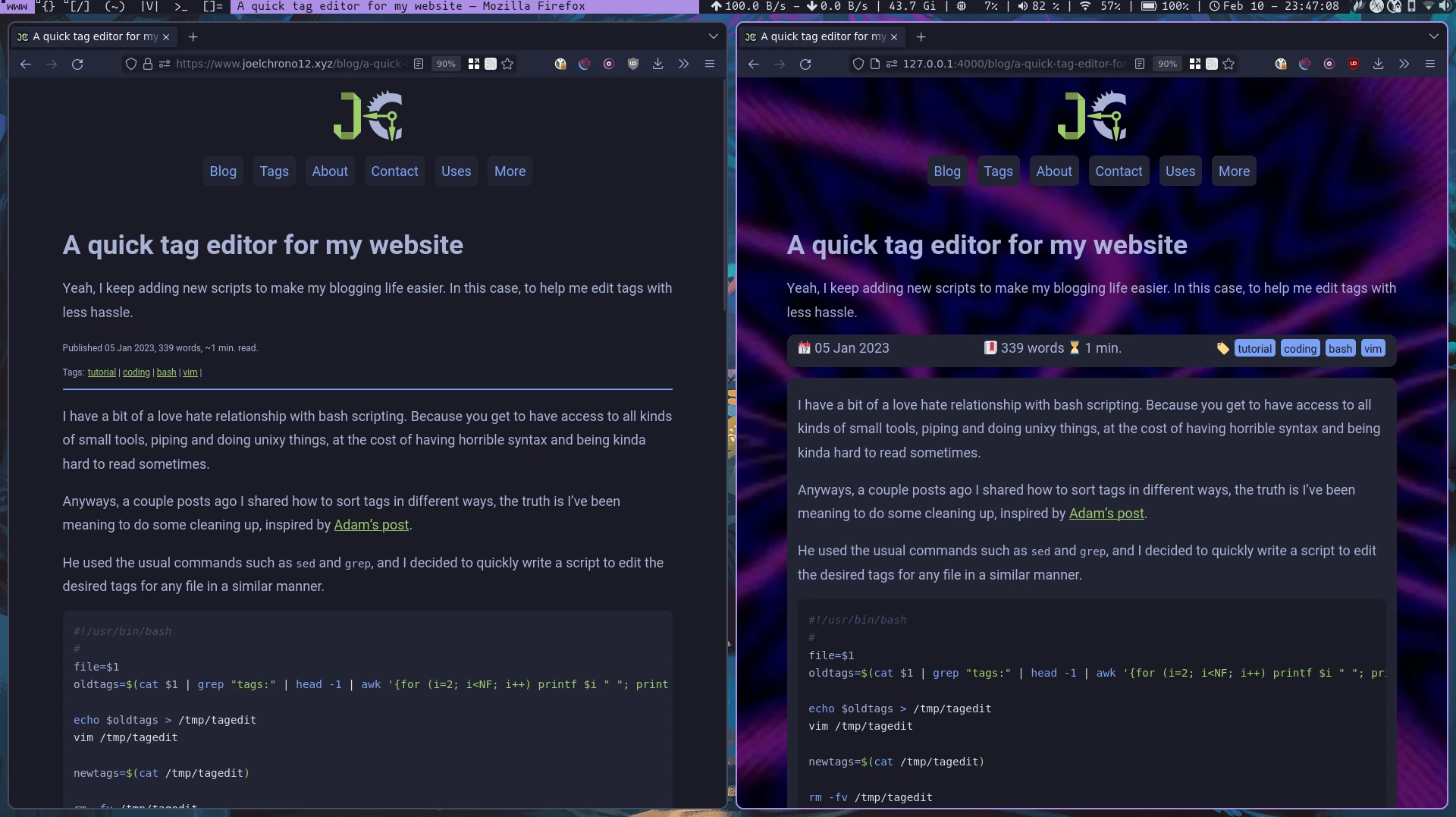
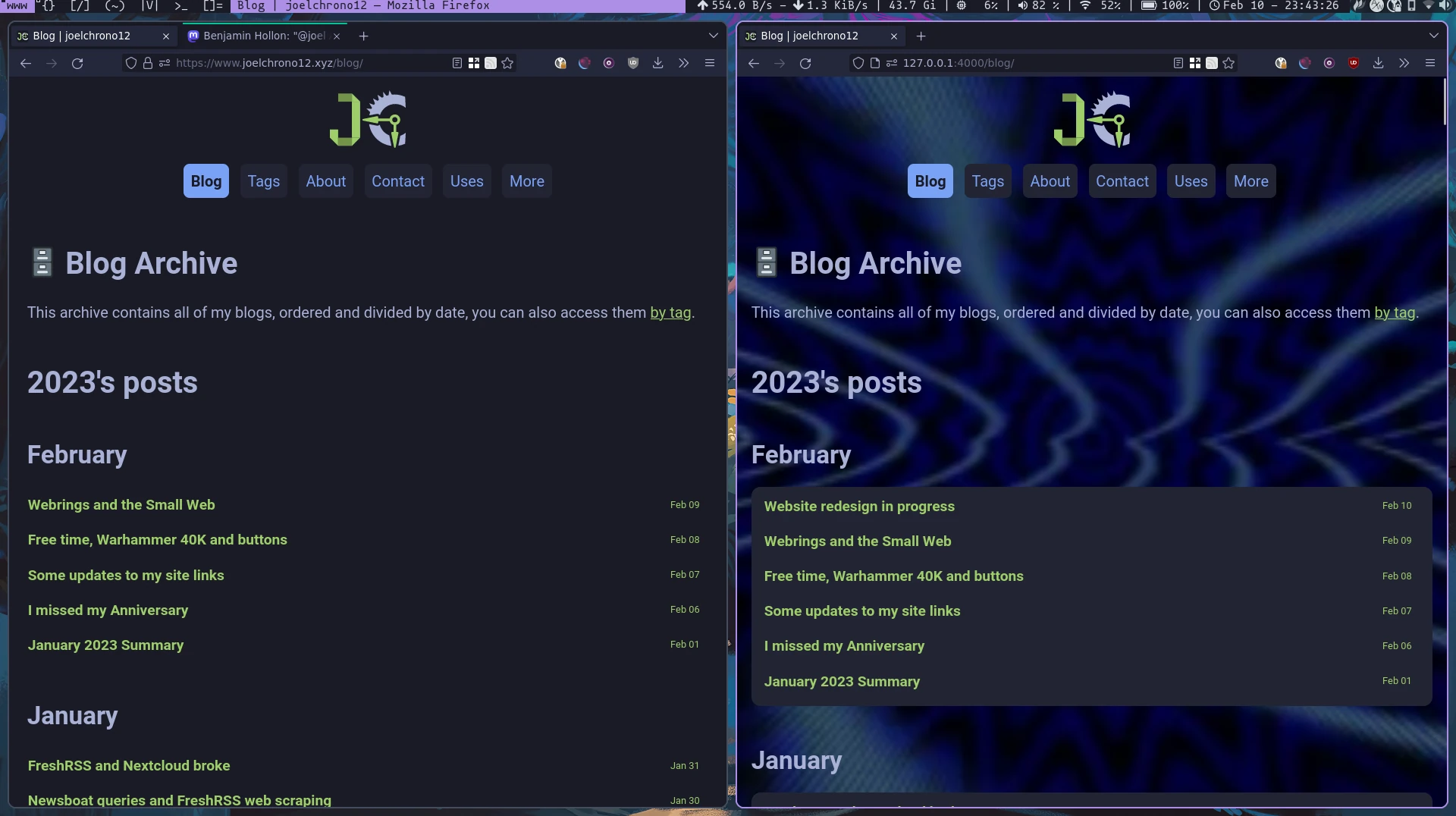
<p>Another change that I made quite recently was trying to go for a more semantic use of HTML. I usually used <code class="language-plaintext highlighter-rouge">&lt;div&gt;</code> elements whenever I wanted not much, but more than I actually needed. This time I decided to go for a more proper approach. Still making use of them when necessary, but not as much as before. Thanks to Jekyll, just by modifying the base layouts I already had 99% of the work done, and only a some pages had to be changed by hand.</p>

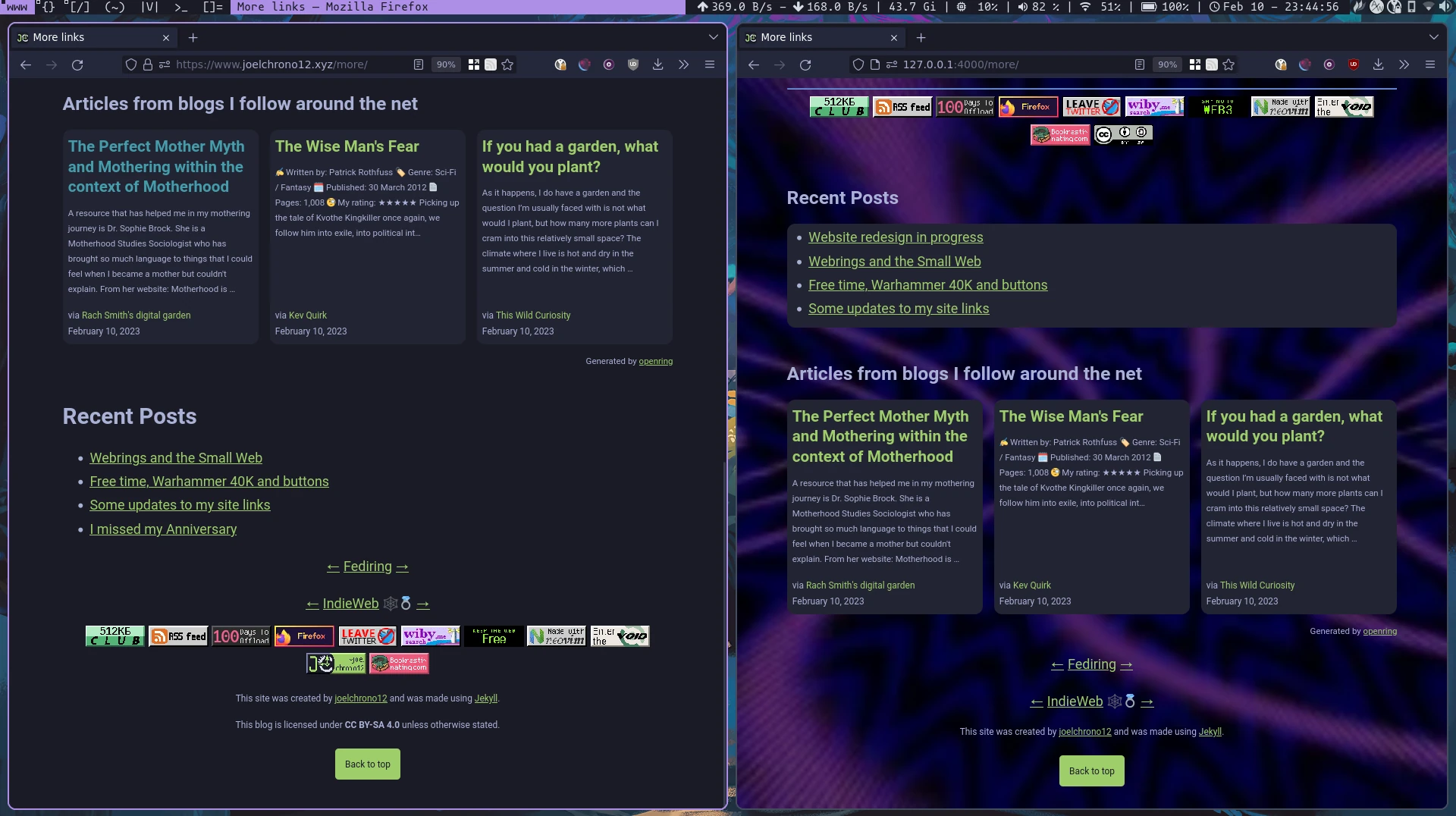
<p>I created some new bits to make my site a bit flashier too, thanks to <a href="https://developer.mozilla.org/en-US/docs/Web/CSS/CSS_flexible_box_layout/Basic_concepts_of_flexbox">Flexbox</a> I modified my <a href="/">homepage</a>, my <a href="/more/blogroll">blogroll</a> and my <a href="/more/booklog">booklog</a> to fit more content and have it wrap nicely.</p>

<p>Finally, inspired by the site <a href="https://noisydeadlines.net/">Noisy Deadlines</a>, I also went ahead to something I used to have before, which is a Monospace font! My personal choice this time around is IBM Plex Mono, its been a favorite of mine for quite a while and I quite love its <em>italics.</em></p>

<p>Anyway, feel free to look around the site, I also added some breadcrumbs to the top section, right under the header, a move inspired by <a href="https://benjaminhollon.com/">Benjamin Hollon</a>’s site, that has gone through some changes as well recently!</p>

<p>Sorry for the delay between posts, as I’ve mentioned, I was a bit sick, and I am still a little bit. So, I am delayed with my writing, with work and also some commissions from my Ko-Fi page, so if you requested one from me, please have patience, I’ll get to it as soon as I can!</p>

<p>This is day 21 of <a href="https://100daystooffload.com">#100DaysToOffload</a></p>]]></content><author><name>joelchrono</name><email>me@joelchrono.xyz</email></author><category term="jekyll" /><category term="webdev" /><category term="blog" /><summary type="html"><![CDATA[I decided to do a bit of a change on my website for once, and this is how its gone so far]]></summary></entry><entry><title type="html">Improving my RSS feed</title><link href="https://joelchrono.xyz/blog/improving-my-rss-feed/" rel="alternate" type="text/html" title="Improving my RSS feed" /><published>2024-02-19T13:21:31-06:00</published><updated>2024-02-19T13:21:31-06:00</updated><id>https://joelchrono.xyz/blog/improving-my-rss-feed</id><content type="html" xml:base="https://joelchrono.xyz/blog/improving-my-rss-feed/"><![CDATA[<p>Playing around with Jekyll is great, or with any static site generator in general! But there can also be many ways to do things wrong! And while this is not really a problem most of the time, you could end up making a mess for your future self, like I’ve done this time.</p>

<p>However, I don’t see this as a failure, but as a way to keep improving myself, and something to write about in the process! So, I corrected the way I add a “reply via email (and fediverse) link” to each feed item, and also made my feed human-readable!</p>

<h1 id="adding-reply-via-email-and-fediverse-properly">Adding Reply via Email (and Fediverse!) properly</h1>

<p>Features such as includes and templates, can lead one towards the wrong path, and such was the case when I implemented email replies. I originally created an file in the <code class="language-plaintext highlighter-rouge">_include</code> folder, and I simply included it in every single article at the end, the contents of that file were hidden via CSS with <code class="language-plaintext highlighter-rouge">display:none</code>, it was a rushed and ugly way of doing this.</p>

<p>I decided to check what the rest of my friends were doing. And that’s where I noticed that in <a href="https://kevquirk.com">kevquirk.com</a>’s <a href="https://github.com/kevquirk/kq-jekyll/blob/main/feed.xml">source code</a> for its Jekyll version, the <code class="language-plaintext highlighter-rouge">feed.xml</code> file was simply, a customized feed template that included the reply via email button at the end. In his case, he escapes the XML and pasted it directly:</p>

<div class="language-xml highlighter-rouge"><div class="highlight"><pre class="highlight"><code><span class="nt">&lt;description&gt;</span>
{{ post.content | xml_escape }}
<span class="ni">&amp;lt;</span>p style=<span class="ni">&amp;quot;</span>font-size:1.3rem<span class="ni">&amp;quot;&amp;gt;&amp;lt;</span>a href=<span class="ni">&amp;quot;</span>mailto:{{ site.email | xml_escape }}?subject={{ post.title | xml_escape }}<span class="ni">&amp;quot;&amp;gt;</span>Reply to this post via email<span class="ni">&amp;lt;</span>/a<span class="ni">&amp;gt;&amp;lt;</span>/p<span class="ni">&amp;gt;</span>
<span class="nt">&lt;/description&gt;</span>
</code></pre></div></div>

<p>I was using the <code class="language-plaintext highlighter-rouge">jekyll-feed</code> plugin for this, but I decided to change it for my own custom template too, but I am using the Atom format, instead of RSS 2.0. Since my current feed was using the Atom format, I didn’t want to break something by changing it too much.</p>

<p>As for the way I implemented the reply link, I went for a different—maybe more elegant—method, where I can still edit the proper HTML easily via an include, and capturing its output in a variable that I can then escape. Here is what it looks like:</p>

<div class="language-liquid highlighter-rouge"><div class="highlight"><pre class="highlight"><code>&lt;content type="html" xml:base="<span class="cp">{{</span><span class="w"> </span><span class="nv">post</span><span class="p">.</span><span class="nv">url</span><span class="w"> </span><span class="p">|</span><span class="w"> </span><span class="nf">absolute_url</span><span class="w"> </span><span class="cp">}}</span>"&gt;
    <span class="cp">{{</span><span class="w"> </span><span class="nv">post</span><span class="p">.</span><span class="nv">content</span><span class="w"> </span><span class="p">|</span><span class="w"> </span><span class="nf">xml_escape</span><span class="w"> </span><span class="cp">}}</span>
    <span class="cp">{%</span><span class="w"> </span><span class="nt">capture</span><span class="w"> </span><span class="nv">replies</span><span class="w"> </span><span class="cp">%}{%</span><span class="w"> </span><span class="nt">include</span><span class="w"> </span>replies.html<span class="w"> </span><span class="cp">%}{%</span><span class="w"> </span><span class="nt">endcapture</span><span class="w"> </span><span class="cp">%}</span>
    <span class="cp">{{</span><span class="w"> </span><span class="nv">replies</span><span class="w"> </span><span class="p">|</span><span class="w"> </span><span class="nf">xml_escape</span><span class="w"> </span><span class="cp">}}</span>
&lt;/content&gt;
</code></pre></div></div>

<p>Now the end of every article contains a link to reply to it, just like on the website!</p>

<h1 id="customizing-the-look-of-my-rss-feed-with-xslt">Customizing the look of my RSS feed with XSLT</h1>

<p>Now, after doing the reply via email thing, I wasn’t feeling like only sharing a blogpost with one single website change that isn’t even that noticeable to begin with!</p>

<p>This is why I also decided to work on making my RSS feed <strong>human-readable</strong>, inspired by <a href="https://minutestomidnight.co.uk/blog/build-a-human-readable-rss-with-jekyll/">this post from Minutes to Midnight</a>—although I recall seeing this applied on some other people’s feeds—I finally went ahead and tried XSLT templating!</p>

<p>This was quite a great excercise, but it proved to be harder than expected given the fact that Simone Silvestroni used RSS 2.0 like Kev. Therefore, I couldn’t just copy and paste—I had to find out how to apply this to my Atom feed. After some research online, it wasn’t that difficult—here’s what my template looks like now:</p>

<div class="language-xml highlighter-rouge"><div class="highlight"><pre class="highlight"><code>---
layout: none
title: rss feed | joelchrono
permalink: "/feed.xsl"
---
<span class="cp">&lt;?xml version="1.0" encoding="utf-8"?&gt;</span>
<span class="nt">&lt;xsl:stylesheet</span> 
<span class="na">version=</span><span class="s">"1.0"</span> 
<span class="na">xmlns:xsl=</span><span class="s">"http://www.w3.org/1999/XSL/Transform"</span>
<span class="na">xmlns:atom=</span><span class="s">"http://www.w3.org/2005/Atom"</span>
<span class="na">exclude-result-prefixes=</span><span class="s">"atom"</span>
<span class="nt">&gt;</span>
<span class="nt">&lt;xsl:output</span> <span class="na">method=</span><span class="s">"html"</span> <span class="na">version=</span><span class="s">"1.0"</span> <span class="na">encoding=</span><span class="s">"UTF-8"</span> <span class="na">indent=</span><span class="s">"yes"</span><span class="nt">/&gt;</span>
<span class="nt">&lt;xsl:template</span> <span class="na">match=</span><span class="s">"/"</span><span class="nt">&gt;</span>
  <span class="nt">&lt;html</span> <span class="na">xmlns=</span><span class="s">"http://www.w3.org/1999/xhtml"</span><span class="nt">&gt;</span>
    {% include head.html %}
    <span class="nt">&lt;body&gt;</span>
      <span class="nt">&lt;header&gt;</span>
        <span class="nt">&lt;center</span> <span class="na">class=</span><span class="s">"home-top"</span><span class="nt">&gt;&lt;a</span> <span class="na">href=</span><span class="s">"/"</span><span class="nt">&gt;</span>
            <span class="nt">&lt;svg</span> <span class="na">width=</span><span class="s">"80"</span> <span class="na">height=</span><span class="s">"60.5"</span> <span class="na">version=</span><span class="s">"1.1"</span> <span class="na">viewBox=</span><span class="s">"0 0 80 60.5"</span> <span class="na">xmlns=</span><span class="s">"http://www.w3.org/2000/svg"</span><span class="nt">&gt;&lt;g</span> <span class="na">transform=</span><span class="s">"matrix(1.76 0 0 1.76 -2.4 -12.1)"</span><span class="nt">&gt;&lt;g</span> <span class="na">fill=</span><span class="s">"#a9b1d6"</span><span class="nt">&gt;&lt;path</span> <span class="na">d=</span><span class="s">"m36.9 6.84-0.79 4.5 2.77-0.913z"</span><span class="nt">/&gt;&lt;path</span> <span class="na">d=</span><span class="s">"m33.2 7.73 0.288 4.14 2.66-0.523z"</span><span class="nt">/&gt;&lt;path</span> <span class="na">d=</span><span class="s">"m29.9 9.46 1.1 4.2 2.5-1.79z"</span><span class="nt">/&gt;&lt;path</span> <span class="na">d=</span><span class="s">"m27.1 11.7 1.75 4.28 2.13-2.32z"</span><span class="nt">/&gt;&lt;path</span> <span class="na">d=</span><span class="s">"m24.8 14.5 2.6 4.2 1.4-2.68z"</span><span class="nt">/&gt;&lt;path</span> <span class="na">d=</span><span class="s">"m23.1 17.6 3.71 3.53v-3.15z"</span><span class="nt">/&gt;&lt;path</span> <span class="na">d=</span><span class="s">"m39.9 9.33a15.3 15.4 0 0 0-15 12.5l4.42-0.877a1.88 1.88 0 0 1 1.91 0.77 9.69 9.74 0 0 1 9.18-6.69 9.69 9.74 0 0 1 6.22 2.27l-0.345-6.53a15.3 15.4 0 0 0-6.38-1.4zm-15.1 17.7a15.3 15.4 0 0 0 13.3 13l-1.24-6.24a9.69 9.74 0 0 1-5.74-6.45 1.88 1.88 0 0 1-1.79 0.617zm21.9 5.15a9.69 9.74 0 0 1-3.22 1.78l-1.18 5.96a15.3 15.4 0 0 0 4.05-1.2z"</span> <span class="na">stop-color=</span><span class="s">"#000000"</span><span class="nt">/&gt;&lt;/g&gt;&lt;g</span> <span class="na">fill=</span><span class="s">"#9ece6a"</span><span class="nt">&gt;&lt;g</span> <span class="na">stroke-linecap=</span><span class="s">"round"</span> <span class="na">stroke-linejoin=</span><span class="s">"round"</span><span class="nt">&gt;&lt;path</span> <span class="na">d=</span><span class="s">"m30.1 23.6a0.792 0.792 0 0 0-0.792 0.792 0.792 0.792 0 0 0 0.792 0.792h7.69a0.792 0.792 0 0 0 0.792-0.792 0.792 0.792 0 0 0-0.792-0.792z"</span> <span class="na">color=</span><span class="s">"#000000"</span><span class="nt">/&gt;&lt;path</span> <span class="na">class=</span><span class="s">"a"</span> <span class="na">d=</span><span class="s">"m29.7 26.1-8.41-1.67 8.41-1.67z"</span> <span class="na">stroke=</span><span class="s">"#9ece6a"</span><span class="nt">/&gt;&lt;path</span> <span class="na">d=</span><span class="s">"m40.2 21.2c-1.75 0-3.19 1.43-3.19 3.18s1.44 3.18 3.19 3.18 3.19-1.43 3.19-3.18-1.44-3.18-3.19-3.18zm0 1.58c0.897 0 1.61 0.706 1.61 1.59 0 0.886-0.708 1.59-1.61 1.59s-1.61-0.706-1.61-1.59c0-0.886 0.708-1.59 1.61-1.59z"</span> <span class="na">color=</span><span class="s">"#000000"</span><span class="nt">/&gt;&lt;path</span> <span class="na">d=</span><span class="s">"m40.9 32.3a0.792 0.591 0 0 1-0.792 0.591 0.792 0.591 0 0 1-0.792-0.591v-5.74a0.792 0.591 0 0 1 0.792-0.591 0.792 0.591 0 0 1 0.792 0.591z"</span> <span class="na">color=</span><span class="s">"#000000"</span><span class="nt">/&gt;&lt;path</span> <span class="na">class=</span><span class="s">"a"</span> <span class="na">d=</span><span class="s">"m38.5 32.2 1.67 8.41 1.67-8.41z"</span> <span class="na">stroke=</span><span class="s">"#9ece6a"</span><span class="nt">/&gt;&lt;/g&gt;&lt;path</span> <span class="na">d=</span><span class="s">"m1.36 30.2v4.89l4.93 4.89v-9.77z"</span><span class="nt">/&gt;&lt;/g&gt;&lt;path</span> <span class="na">d=</span><span class="s">"m6.25 40h8.35v-4.89h-8.35z"</span> <span class="na">fill=</span><span class="s">"#739449"</span><span class="nt">/&gt;&lt;path</span> <span class="na">d=</span><span class="s">"m6.35 13.6h8.2v-4.89h-8.2z"</span> <span class="na">fill=</span><span class="s">"#739449"</span><span class="nt">/&gt;&lt;g</span> <span class="na">fill=</span><span class="s">"#9ece6a"</span><span class="nt">&gt;&lt;path</span> <span class="na">d=</span><span class="s">"m14.5 40h0.0928l4.84-4.89h-4.93z"</span><span class="nt">/&gt;&lt;path</span> <span class="na">d=</span><span class="s">"m14.6 8.74v4.89h4.93z"</span><span class="nt">/&gt;&lt;path</span> <span class="na">d=</span><span class="s">"m14.5 13.6v21.5h4.93v-21.5h-4.89z"</span><span class="nt">/&gt;&lt;/g&gt;&lt;/g&gt;&lt;/svg&gt;</span>
        <span class="nt">&lt;/a&gt;&lt;/center&gt;</span>
        <span class="nt">&lt;center&gt;</span>
          {% include navigation.html %}
        <span class="nt">&lt;/center&gt;</span>
        <span class="nt">&lt;p&gt;</span>This is a web feed that can be viewed in the browser. <span class="nt">&lt;b&gt;</span>Subscribe for free<span class="nt">&lt;/b&gt;</span> by copying the URL <span class="nt">&lt;code&gt;</span> joelchrono.xyz/feed.xml <span class="nt">&lt;/code&gt;</span> into your RSS reader. <span class="nt">&lt;/p&gt;</span>

        <span class="nt">&lt;p&gt;</span>Read how <span class="nt">&lt;a</span> <span class="na">href=</span><span class="s">"/blog/improving-my-rss-feed/"</span><span class="nt">&gt;</span>I improved this feed, and made it <span class="nt">&lt;b&gt;</span>human-readable<span class="nt">&lt;/b&gt;&lt;/a&gt;</span>.<span class="nt">&lt;/p&gt;</span>
      <span class="nt">&lt;/header&gt;</span>
      <span class="nt">&lt;main&gt;</span>
        <span class="nt">&lt;h2&gt;&lt;svg</span> <span class="na">xmlns=</span><span class="s">"http://www.w3.org/2000/svg"</span> <span class="na">width=</span><span class="s">"24"</span> <span class="na">height=</span><span class="s">"24"</span> <span class="na">viewBox=</span><span class="s">"0 0 455.731 455.731"</span> <span class="na">xml:space=</span><span class="s">"preserve"</span><span class="nt">&gt;</span> <span class="nt">&lt;path</span> <span class="na">style=</span><span class="s">"fill:#f78422"</span> <span class="na">d=</span><span class="s">"M0 0h455.731v455.731H0z"</span><span class="nt">/&gt;</span> <span class="nt">&lt;path</span> <span class="na">style=</span><span class="s">"fill:#fff"</span> <span class="na">d=</span><span class="s">"M296.208 159.16C234.445 97.397 152.266 63.382 64.81 63.382v64.348c70.268 0 136.288 27.321 185.898 76.931 49.609 49.61 76.931 115.63 76.931 185.898h64.348c-.001-87.456-34.016-169.636-95.779-231.399z"</span><span class="nt">/&gt;</span> <span class="nt">&lt;path</span> <span class="na">style=</span><span class="s">"fill:#fff"</span> <span class="na">d=</span><span class="s">"M64.143 172.273v64.348c84.881 0 153.938 69.056 153.938 153.939h64.348c0-120.364-97.922-218.287-218.286-218.287z"</span><span class="nt">/&gt;</span> <span class="nt">&lt;circle</span> <span class="na">style=</span><span class="s">"fill:#fff"</span> <span class="na">cx=</span><span class="s">"109.833"</span> <span class="na">cy=</span><span class="s">"346.26"</span> <span class="na">r=</span><span class="s">"46.088"</span><span class="nt">/&gt;</span> <span class="nt">&lt;/svg&gt;</span> Latest 20 posts<span class="nt">&lt;/h2&gt;</span>
        <span class="nt">&lt;xsl:apply-templates</span> <span class="na">select=</span><span class="s">"atom:feed/atom:entry[position() &amp;lt;= 20]"</span><span class="nt">/&gt;</span>
      <span class="nt">&lt;/main&gt;</span>
      {% include footer.html %}
    <span class="nt">&lt;/body&gt;</span>
  <span class="nt">&lt;/html&gt;</span>
  <span class="nt">&lt;/xsl:template&gt;</span>
  <span class="nt">&lt;xsl:template</span> <span class="na">match=</span><span class="s">"atom:entry"</span><span class="nt">&gt;</span>
    <span class="nt">&lt;article</span> <span class="na">class=</span><span class="s">"posts wrapper"</span><span class="nt">&gt;</span>
      <span class="nt">&lt;p</span> <span class="na">class=</span><span class="s">"blog-data"</span><span class="nt">&gt;&lt;a</span> <span class="na">href=</span><span class="s">"{atom:link[@rel='alternate']/@href}"</span><span class="nt">&gt;&lt;b&gt;&lt;xsl:value-of</span> <span class="na">select=</span><span class="s">"atom:title"</span><span class="nt">/&gt;&lt;/b&gt;&lt;/a&gt;&lt;/p&gt;</span>
      <span class="nt">&lt;div&gt;&lt;xsl:value-of</span> <span class="na">select=</span><span class="s">"atom:summary"</span> <span class="na">disable-output-escaping=</span><span class="s">"yes"</span> <span class="nt">/&gt;&lt;/div&gt;</span>
      <span class="nt">&lt;small</span> <span class="na">class=</span><span class="s">"post-date"</span><span class="nt">&gt;</span>
        <span class="c">&lt;!--Display the date in YYYY-MM-DD format--&gt;</span>
        <span class="nt">&lt;xsl:variable</span> <span class="na">name=</span><span class="s">"year"</span> <span class="na">select=</span><span class="s">"substring(atom:published, 1, 4)"</span><span class="nt">/&gt;</span>
        <span class="nt">&lt;xsl:variable</span> <span class="na">name=</span><span class="s">"month"</span> <span class="na">select=</span><span class="s">"substring(atom:published, 6, 2)"</span><span class="nt">/&gt;</span>
        <span class="nt">&lt;xsl:variable</span> <span class="na">name=</span><span class="s">"day"</span> <span class="na">select=</span><span class="s">"substring(atom:published, 9, 2)"</span><span class="nt">/&gt;</span>
        <span class="nt">&lt;xsl:value-of</span> <span class="na">select=</span><span class="s">"concat($year, '-', $month, '-', $day)"</span><span class="nt">/&gt;</span>
      <span class="nt">&lt;/small&gt;</span>
    <span class="nt">&lt;/article&gt;</span>
  <span class="nt">&lt;/xsl:template&gt;</span>
<span class="nt">&lt;/xsl:stylesheet&gt;</span>
</code></pre></div></div>

<p>You can check out how my RSS feed like in any browser! You will probably not be able to tell it is an xml file, but when you paste it into your RSS feed reader, it will be recognized like any other!</p>

<h1 id="final-thoughts">Final thoughts</h1>

<p>The new features in my RSS feed are honestly quite simple, and seem pretty easy to achieve now that I put my mind into it. I wonder why didn’t I do this sooner. Now I have to go back and edit the last line of every single markdown file in my posts folder, containing the include I no longer need…</p>

<p>Or I can write a script, and then blog about that :P</p>

<p>This is day 14 of <a href="https://100daystooffload.com">#100DaysToOffload</a></p>]]></content><author><name>joelchrono</name><email>me@joelchrono.xyz</email></author><category term="blog" /><category term="jekyll" /><category term="coding" /><category term="rss" /><summary type="html"><![CDATA[I did some changes to my website once again, and I changed the way my RSS feed works!]]></summary></entry><entry><title type="html">Giving context to my blogroll</title><link href="https://joelchrono.xyz/blog/giving-context-to-my-blogroll/" rel="alternate" type="text/html" title="Giving context to my blogroll" /><published>2024-02-12T12:34:00-06:00</published><updated>2024-02-12T12:34:00-06:00</updated><id>https://joelchrono.xyz/blog/giving-context-to-my-blogroll</id><content type="html" xml:base="https://joelchrono.xyz/blog/giving-context-to-my-blogroll/"><![CDATA[<p><a href="https://sonomu.club/@m2m">Simone Silvestroni</a> inspired me to improve my blogroll with <a href="https://minutestomidnight.co.uk/blog/giving-context-to-a-blogroll/">this post</a> months ago, but things got in the way, and I promptly forgot about it, until now!</p>

<p><a href="https://hachyderm.io/@molly0xfff/111908268704676868">A thread</a> by Molly White, ended up being the nail in the head where I decided to update my blogroll and make it better, adding context and a nicer design than before.</p>

<p>Anyway, I already wrote <strong>A TON</strong> of descriptions—around 30 or so—and also did quite a bit of HTML and liquid templating. So I don’t want to write much more right now.</p>

<p>Go check out my <a href="/blogroll">updated blogroll</a> and feel free to check the <a href="https://github.com/joelchrono12/joelchrono12.ml">source code</a> of this website if you want to implement something similar on Jekyll! The important files are in the root folder (<code class="language-plaintext highlighter-rouge">blogroll.md</code>, and <code class="language-plaintext highlighter-rouge">blogroll.opml</code>), except for the one located at <code class="language-plaintext highlighter-rouge">_data/blogroll.yaml</code></p>

<p>I hope the people who find themselves mentioned there have a chuckle with my descriptions, no harm is intended! Coming up with what to say, for the decent amount of sites that could simply have been “a random dude who likes tech and blogs about blogging”… let’s say that it was quite the task!</p>

<p>If you feel that I forgot you, <strong>PLEASE LET ME KNOW!</strong>, I edited a bunch and I tried to see if everyone was there but, sometimes things go unnoticed. If you’re there let me know what you think of your descriptions! I am quite interested in reading your thoughts.</p>

<p>This is day 12 of <a href="https://100daystooffload.com">#100DaysToOffload</a></p>]]></content><author><name>joelchrono</name><email>me@joelchrono.xyz</email></author><category term="blog" /><category term="community" /><category term="jekyll" /><summary type="html"><![CDATA[I decided to turn my grocery list style blogroll, into something more meaningful, and rather cool!]]></summary></entry><entry><title type="html">My Static Site Workflow (2023)</title><link href="https://joelchrono.xyz/blog/my-static-site-workflow/" rel="alternate" type="text/html" title="My Static Site Workflow (2023)" /><published>2023-02-27T13:56:29-06:00</published><updated>2023-02-27T13:56:29-06:00</updated><id>https://joelchrono.xyz/blog/my-static-site-workflow</id><content type="html" xml:base="https://joelchrono.xyz/blog/my-static-site-workflow/"><![CDATA[<p>This is obviously inspired by Kev Quirk’s <a href="https://kevquirk.com/my-static-site-workflow/">latest</a> post,
I decided that, instead of a replying via email,
I can just share with everyone my own way of doing these things. 
I have already talked about how I deal with many of the shortcomings of static site generators,
In my case, Jekyll.</p>

<p>To kick things off, I will share how I fix the problems mentioned by Kev’s article, one by one!
Here they are:</p>

<ol>
  <li>Easily insert links to my other posts</li>
  <li>Drag &amp; drop images into posts</li>
  <li><del>Preview my posts without running a local server</del> (I don’t care about this one)</li>
  <li>Publish with a single command/button click</li>
</ol>

<h1 id="inserting-link-to-other-posts">Inserting link to other posts</h1>

<p>Following the same logic as Kev, 
as long as I have the link in my clipboard, I have these couple of lines in my vim config</p>

<div class="language-vim highlighter-rouge"><div class="highlight"><pre class="highlight"><code>nnoremap <span class="p">&lt;</span>Leader<span class="p">&gt;</span><span class="m">3</span> ciw<span class="p">[&lt;</span>C<span class="p">-</span><span class="k">r</span><span class="p">&gt;</span>"<span class="p">]()&lt;</span>Esc<span class="p">&gt;</span>
vnoremap <span class="p">&lt;</span>Leader<span class="p">&gt;</span><span class="m">3</span> <span class="k">c</span><span class="p">[&lt;</span>C<span class="p">-</span><span class="k">r</span><span class="p">&gt;</span>"<span class="p">]()&lt;</span>Esc<span class="p">&gt;</span>
nnoremap <span class="p">&lt;</span>Leader<span class="p">&gt;</span><span class="m">4</span> ciw<span class="p">[&lt;</span>C<span class="p">-</span><span class="k">r</span><span class="p">&gt;</span><span class="s2">"](&lt;Esc&gt;"</span>*pli<span class="p">)&lt;</span>Esc<span class="p">&gt;</span>
vnoremap <span class="p">&lt;</span>Leader<span class="p">&gt;</span><span class="m">4</span> <span class="k">c</span><span class="p">[&lt;</span>C<span class="p">-</span><span class="k">r</span><span class="p">&gt;</span><span class="s2">"](&lt;Esc&gt;"</span>*pli<span class="p">)&lt;</span>Esc<span class="p">&gt;</span>
</code></pre></div></div>

<p>These keybindings will add the Markdown syntax for a link.
Be it for a single word (when in normal mode) or in selected text (in visual mode).
Pretty handy!</p>

<h1 id="drag-and-drop-images-into-posts">Drag and drop images into posts</h1>

<p>I already talked about this in a previous post,
which happened to <em>also</em> be a response to Kev.</p>

<p>In short, I just right click the image from my file manager (Thunar),
click the prompt in the right-click menu, paste my clipboard content on VIM, and call it a day.</p>

<p>The script does the following:</p>

<ol>
  <li>Prompt rofi to add a title/caption to the image</li>
  <li>Optimize image using ImageMagick’s <code class="language-plaintext highlighter-rouge">convert</code></li>
  <li>Copy the image to my assets folder</li>
  <li>Generate a WEBP version of the image</li>
  <li>Copy the text to add it to my post easily</li>
</ol>

<p>Here it is, in case you are interested.</p>

<div class="language-bash highlighter-rouge"><div class="highlight"><pre class="highlight"><code><span class="c">#!/bin/bash</span>

<span class="c">### AIJK (Add image to Jekyll)</span>
<span class="c">### By joelchrono12</span>

<span class="nv">pic</span><span class="o">=</span><span class="nv">$1</span>
<span class="nv">name</span><span class="o">=</span><span class="si">$(</span>rofi <span class="nt">-l</span> 0 <span class="nt">-width</span> 50 <span class="nt">-p</span> <span class="s2">"Title"</span> <span class="nt">-dmenu</span><span class="si">)</span>
<span class="nv">filen</span><span class="o">=</span><span class="si">$(</span><span class="nb">echo</span> <span class="nv">$name</span> | <span class="nb">tr</span> <span class="s2">" ,.!"</span> <span class="s2">"-"</span>| <span class="nb">awk</span> <span class="s1">'{print tolower($0)}'</span><span class="si">)</span>
<span class="nv">today</span><span class="o">=</span><span class="si">$(</span><span class="nb">date</span> +<span class="s2">"%Y-%m-%d"</span><span class="si">)</span>
<span class="nv">filename</span><span class="o">=(</span><span class="nv">$today</span>-<span class="nv">$filen</span><span class="o">)</span>
<span class="nv">path</span><span class="o">=</span>/home/chrono/git/joelchrono12.ml <span class="c">#without / at the end</span>
<span class="nv">imgs</span><span class="o">=</span>/assets/img/blogs/ <span class="c">#example = /assets/img/blogs/</span>
<span class="c">#last_post=$(/bin/ls ${path}/_posts/*.md | sort -r | head -n 1)</span>

convert <span class="nv">$1</span> <span class="nt">-quality</span> 75 <span class="k">${</span><span class="nv">path</span><span class="k">}${</span><span class="nv">imgs</span><span class="k">}${</span><span class="nv">filename</span><span class="k">}</span>.png
cwebp <span class="nt">-q</span> 85 <span class="k">${</span><span class="nv">path</span><span class="k">}${</span><span class="nv">imgs</span><span class="k">}${</span><span class="nv">filename</span><span class="k">}</span>.png <span class="nt">-o</span> <span class="k">${</span><span class="nv">path</span><span class="k">}${</span><span class="nv">imgs</span><span class="k">}${</span><span class="nv">filename</span><span class="k">}</span>.webp

<span class="c">#printf "\n![${name}](${imgs}${filename}.png)"</span>
<span class="nb">printf</span> <span class="s2">"</span><span class="se">\n</span><span class="s2">{%% include img.html image='</span><span class="k">${</span><span class="nv">imgs</span><span class="k">}${</span><span class="nv">filename</span><span class="k">}</span><span class="s2">.png' caption='</span><span class="k">${</span><span class="nv">name</span><span class="k">}</span><span class="s2">' %%}"</span> | xclip <span class="nt">-selection</span> clipboard
</code></pre></div></div>

<p>The last line uses a Jekyll include, I commented a simpler version using regular Markdown syntax if you only need that. You can check why I use an include <a href="https://joelchrono.xyz/blog/vim-macros-and-jekyll-includes/">here</a>.</p>

<p>If you want you can also <a href="https://joelchrono.xyz/blog/add-images-to-markdown-files-(for-jekyll)">check the full post</a> about adding images to Jekyll, to learn how to use the script properly.</p>

<h1 id="single-command-publishing">Single command publishing</h1>

<p>As I stated, I don’t particularly care about previewing my posts in real time. So, how do I publish my posts with a single command?</p>

<p>Again, I already wrote about this a few times, but here’s my current implementation of the script:</p>

<p>It also shares my blog to Mastodon and gets the toot id to enable comments for that blogpost. You can learn how to add comments to your static site using Mastodon in <a href="https://www.joelchrono12.xyz/blog/add-images-to-markdown-files-(for-jekyll)/">this post</a>.</p>

<div class="language-bash highlighter-rouge"><div class="highlight"><pre class="highlight"><code><span class="c">#!/usr/bin/bash</span>
<span class="c"># Run at root directory of website</span>

<span class="c"># All markdown files start with YYYY-MM-DD</span>
<span class="nv">lastpost</span><span class="o">=</span><span class="si">$(</span>/usr/bin/ls ~/git/joelchrono12.ml/_posts/<span class="k">*</span>.md | <span class="nb">sort</span> <span class="nt">-r</span> | <span class="nb">head</span> <span class="nt">-n</span> 1<span class="si">)</span> 
<span class="c">#getdesc=$(grep "description:" $lastpost | cut -d " " -f2-)</span>
<span class="nv">geturl</span><span class="o">=</span><span class="si">$(</span><span class="nb">grep</span> <span class="s2">"permalink:"</span> <span class="nv">$lastpost</span> | <span class="nb">cut</span> <span class="nt">-d</span> <span class="s2">" "</span> <span class="nt">-f2-</span><span class="si">)</span>
<span class="c">#gettags=$(grep "tags:" $lastpost | cut -d " " -f2- | sed -r 's/([^ ]+)/#\1/g')</span>
<span class="nv">post</span><span class="o">=</span><span class="si">$(</span><span class="nb">echo</span> <span class="nt">-e</span> <span class="s2">"</span><span class="nv">$1</span><span class="se">\n\n</span><span class="s2">https://joelchrono12.xyz</span><span class="k">${</span><span class="nv">geturl</span><span class="k">}</span><span class="s2">"</span><span class="si">)</span>
<span class="nv">posturl</span><span class="o">=</span><span class="si">$(</span>toot post <span class="s2">"</span><span class="nv">$post</span><span class="s2">"</span> | <span class="nb">cut</span> <span class="nt">-d</span>/ <span class="nt">-f5</span><span class="si">)</span>
<span class="nb">echo</span> <span class="nv">$posturl</span>
<span class="nb">sed</span> <span class="nt">-i</span> <span class="s2">"s/109938904113012486/</span><span class="nv">$posturl</span><span class="s2">/g"</span> <span class="s2">"</span><span class="nv">$lastpost</span><span class="s2">"</span>

git add <span class="k">*</span>
git commit <span class="nt">-m</span> <span class="s2">"new post, with comments"</span>
git push

<span class="nb">exit</span>
</code></pre></div></div>

<h1 id="more-tools">More tools!</h1>

<p>Here is a link of different posts I’ve done to fix the following problems!</p>

<ul>
  <li><a href="https://joelchrono.xyz/blog/rofi-automated-blog/">Create new posts automatically</a></li>
  <li><a href="https://joelchrono.xyz/blog/sorting-tags-in-jekyll/">Sorting tags by name and post quantity</a></li>
  <li><a href="https://joelchrono.xyz/blog/a-quick-tag-editor-for-my-website/">Quick tag editing</a></li>
  <li><a href="https://joelchrono.xyz/blog/change-urls-without-breaking-old-links/">Editing URLs (without breaking old ones)</a></li>
  <li><a href="https://joelchrono.xyz/blog/using-jekyll-collections-to-share-origami.html">Jekyll collections</a></li>
  <li><a href="https://joelchrono.xyz/blog/changing-blog-sorting/">Sort blog archive by month and year</a></li>
</ul>

<p>I should probably make a tag for this specific topic, I haven’t done a great job separating these tutorials from the rest. For now, you can check the <a href="/tags/jekyll">jekyll</a>, <a href="/tags/coding">coding</a> and <a href="/tags/tutorial">tutorial</a> tags in case something interests you.</p>

<p>You can always check this <a href="https://github.com/joelchrono12/website">website’s source code</a> or message me in case you want help with something!</p>

<p>This is day 41 of <a href="https://100daystooffload.com">#100DaysToOffload</a></p>]]></content><author><name>joelchrono</name><email>me@joelchrono.xyz</email></author><category term="jekyll" /><category term="blog" /><category term="webdev" /><summary type="html"><![CDATA[How I managed to come up with a static site workflow, using Vim and bash scripts, a response]]></summary></entry><entry><title type="html">Website redesign in progress</title><link href="https://joelchrono.xyz/blog/website-redesign-in-progress/" rel="alternate" type="text/html" title="Website redesign in progress" /><published>2023-02-10T22:24:08-06:00</published><updated>2023-02-10T22:24:08-06:00</updated><id>https://joelchrono.xyz/blog/website-redesign-in-progress</id><content type="html" xml:base="https://joelchrono.xyz/blog/website-redesign-in-progress/"><![CDATA[<p>Alright, so, again, inspired by many of the websites I saw during my tour of the indie web and the like. I revamped my website quite a bit, changing some things, making it more fun and personal for me.</p>

<blockquote>
  <p>UPDATE: 
For the sake of accessibility, I added a button that uses javascript to disable the animation. Other metods to do so without it are mentioned below</p>
</blockquote>

<p>I spent so much time doing so many changes and fixes, that I am honestly too tired to do a proper explanation of everything I did. I was also so lazy that I worked on a single commit all the time just amending the changes I was doing on it. Don’t worry, I also did a good branch to test all the changes being done. I kind of want to figure out how to merge certain commits to a different branch and such, to, for example, move this article to a different branch but not move all the CSS and layout changes I’ve done.</p>

<p>Regardless, here are some of the changes I did in a simple list to call it a day and go mindlessly watch YouTube videos:</p>

<h1 id="background-change">Background change</h1>

<p>My background is now the Time Gate animation from Chrono Trigger. I googled a bit and found a very awesome HD version of it, which you can admire here:</p>

<div style="position:relative; padding-bottom:calc(56.25% + 44px)"><iframe src="https://gfycat.com/ifr/AnimatedSecretHectorsdolphin" frameborder="0" scrolling="no" width="100%" height="100%" style="position:absolute;top:0;left:0;" allowfullscreen=""></iframe></div>

<p>This animation comes from what’s effectively a loading screen from <strong>Chrono Trigger</strong>, my absolute favorite game of all time, the only one I’ve completed more than once and will probably be played again this year, its kind of an unwritten law.</p>

<p>Anyways, that video, converted to a GIF or WEBP animation, would still weight a ton. Therefore I decided to compress it quite a bit. Thankfully, I managed to go below the 512KB required by my club. So there’s that. I am probably going to lose my Green Team badge though. I found a different GIF that is actually quite smaller, to less than 90KB, but didn’t like it as much.</p>

<p>I also did a button using this animation, a lot simpler, without my logo, but kind of sick if I do say so myself.</p>

<p><a href="https://joelchrono12.xyz" target="_blank"><img class="badge" alt="Add my badge to your website! I'll add yours back!" src="/assets/img/badges/joelchrono12_2.gif" /></a></p>

<p>Thanks to a <a href="https://fosstodon.org/@benjaminhollon/109844074473887614">suggestion by Benjamin Hollon</a> you will be able to disable the animated background using the <code class="language-plaintext highlighter-rouge">@media (prefers-reduced-motion)</code> CSS media feature.</p>

<h1 id="rest-of-changes">Rest of changes</h1>

<p>As you can tell, I redesign the blog layout quite a bit, now almost everything is going to be inside its own solid colored container, to not make it all unreadable due to the animated background. It took a bit of time to add some divs to some of my Jekyll layouts. But after it was over, it was over for good.</p>

<ul>
  <li>Latest blogs will now show an excerpt of the content of the blogpost. its a bit more text, and I think it looks quite nice.</li>
  <li>The <a href="/contact">contact</a> section is now divided in Instant Messaging and Social Networks, and I added a few more accounts of mine in there.</li>
  <li>I added a couple more programs to my <a href="/uses/">uses</a> page.</li>
  <li>I redesigned the top section of posts, with the published date, word count, reading time and tags. It’s more responsive and compact, its also adapted to smaller screens such as phones.</li>
  <li>In the footer, I placed the buttons a bit higher, removed links that didn’t make much sense or were replaced by a buttons.</li>
  <li>The layout of the section for articles from blogs I follow now includes an excerpt from the article in question.</li>
</ul>

<p>There probably are some other small changes I forgot, but I think my site looks quite nice now. I may do even more changes in the future but I wanted to keep a similar layout and color scheme, because I still really like Tokyo-Night and how it looks. I feel like the background combines quite well with it, so I am happy with how it all turned out. I append a few images for you to compare the old layout with the new!</p>

<figure class="img">
  <picture>
    <source srcset="/assets/img/blogs/2023-02-09-redesign1.webp" type="image/webp" />
    <source srcset="/assets/img/blogs/2023-02-09-redesign1.webp" />
    <img class="mx-auto" src="/assets/img/blogs/2023-02-09-redesign1.webp" alt="Blog post example, old and new" />
  </picture>
  <figcaption class="caption">Blog post example, old and new</figcaption></figure>

<figure class="img">
  <picture>
    <source srcset="/assets/img/blogs/2023-02-09-redesign2.webp" type="image/webp" />
    <source srcset="/assets/img/blogs/2023-02-09-redesign2.webp" />
    <img class="mx-auto" src="/assets/img/blogs/2023-02-09-redesign2.webp" alt="Blog Archive page, old and new" />
  </picture>
  <figcaption class="caption">Blog Archive page, old and new</figcaption></figure>

<figure class="img">
  <picture>
    <source srcset="/assets/img/blogs/2023-02-09-redesign3.webp" type="image/webp" />
    <source srcset="/assets/img/blogs/2023-02-09-redesign3.webp" />
    <img class="mx-auto" src="/assets/img/blogs/2023-02-09-redesign3.webp" alt="Footer, old and new" />
  </picture>
  <figcaption class="caption">Footer, old and new</figcaption></figure>

<p>This is day 37 of <a href="https://100daystooffload.com">#100DaysToOffload</a></p>]]></content><author><name>joelchrono</name><email>me@joelchrono.xyz</email></author><category term="blog" /><category term="webdev" /><category term="jekyll" /><summary type="html"><![CDATA[You may be able to appreciate that I am redesigning my website. My era of suckless and minimalist is over, and I will now embrace the bloat.]]></summary><media:thumbnail xmlns:media="http://search.yahoo.com/mrss/" url="https://joelchrono.xyz/assets/img/blogs/2023-02-09-redesign1.webp" /><media:content medium="image" url="https://joelchrono.xyz/assets/img/blogs/2023-02-09-redesign1.webp" xmlns:media="http://search.yahoo.com/mrss/" /></entry><entry><title type="html">I somehow broke my blog (but I fixed it)</title><link href="https://joelchrono.xyz/blog/i-somehow-broke-my-blog-(but-i-fixed-it)/" rel="alternate" type="text/html" title="I somehow broke my blog (but I fixed it)" /><published>2023-01-08T22:39:53-06:00</published><updated>2023-01-08T22:39:53-06:00</updated><id>https://joelchrono.xyz/blog/i-somehow-broke-my-blog-(but-i-fixed-it)</id><content type="html" xml:base="https://joelchrono.xyz/blog/i-somehow-broke-my-blog-(but-i-fixed-it)/"><![CDATA[<p>I actually did a little bit of stuff, like submitting a couple of PRs to Void Linux to update a couple packages I use!</p>

<p>But I literally only had to change like 2 lines of code, and I don’t even know when the changes will be merged, if they don’t conflict with whatever checks they do to see if the update was done properly.</p>

<p>Other than that, I have finally managed to receive some feedback via email regarding my blog!</p>

<p>Funnily enough, both of them were about some part of my blog being utterly broken.</p>

<p>The first one was my fault, it looks like I had some misstyped html in one of my Jekyll layouts, I had <code class="language-plaintext highlighter-rouge">hfer</code> instead of <code class="language-plaintext highlighter-rouge">href</code> and that stayed like that for months, and only now someone noticed. Thank you kind stranger! You even used a gpg signature and you have my respect!</p>

<p>The second email was about something broken with my tags. They’re usually located at my website in <code class="language-plaintext highlighter-rouge">/tags/nameoftag</code>, <em>usually</em>. But they were not there anymore. I just couldn’t figure out what was going out, until I decided to try and add <code class="language-plaintext highlighter-rouge">.html</code> to the end of the url, and there it was. For some reason the behaviour of my local Jekyll build and the one used by Vercel was different.</p>

<p>I use a Jekyll plugin (a ruby script which can be found in this site’s <a href="https://github.com/joelchrono12/joelchrono12.ml">source code</a>) to generate the files that eventually get populated with articles that match the tags they got. Thankfully, I just had to modify it a bit, so now it adds a permalink to the file metadata, and now it works just fine.</p>

<p>Still, I am so confused, since locally and in Netlify this problem did not happen at all. I got no idea.</p>

<p>Anyways, maybe in the future I’ll also talk a bit about how I contributed a package to Void Linux. Its absolutely nothing special, but I have to write about something after all.</p>

<p>This is day 8 of my second run of <a href="https://100daystooffload.com">#100DaysToOffload</a></p>]]></content><author><name>joelchrono</name><email>me@joelchrono.xyz</email></author><category term="blog" /><category term="short" /><category term="jekyll" /><summary type="html"><![CDATA[I didn't do much today and I kinda had no ideas, so another post about tags yeeey]]></summary></entry><entry><title type="html">Sorting tags in Jekyll</title><link href="https://joelchrono.xyz/blog/sorting-tags-in-jekyll/" rel="alternate" type="text/html" title="Sorting tags in Jekyll" /><published>2023-01-03T16:31:39-06:00</published><updated>2023-01-03T16:31:39-06:00</updated><id>https://joelchrono.xyz/blog/sorting-tags-in-jekyll</id><content type="html" xml:base="https://joelchrono.xyz/blog/sorting-tags-in-jekyll/"><![CDATA[<p>So tags are quite a useful feature to loosely categorize posts in my blog. I’ve been using them for quite a while, but I never really liked the way they were shown in my website.</p>

<p>I had been showcasing a <em>tag cloud</em> in my home page for quite a while, I don’t know how many actually used it at all (let me know if you did please, I wanna know), but I decided to move it to my <a href="/tags">tags</a> section, which has been there for a while. However, I also decided to try and sort them in a better way.</p>

<p>So far, I think jekyll sorted my tags in whatever order they were created. This was clearly <strong>not</strong> ideal for me.</p>

<p>I took my time to look around online and see other ways to do this from different blogs such as <a href="https://mindthecode.com/blog/sorting-tags-in-jekyll/">this one</a>, (while writing this blog I came across <a href="https://lei1025.github.io/Implement-Sorting-Tags-by-Name-and-Value-in-Jekyll/">another similar post</a>). I found them kinda hard to understand so wrote this anyways. I think the code I found is kinda good but please, let me know if it can be improved!</p>

<p>Here’s how I can sort them alphabetically as well as based on the amount of posts each has.</p>

<h1 id="sorting-by-name">Sorting by name</h1>

<p>The following snippet will sort all tags by name and will also show the amount of posts they contain.</p>

<div class="language-liquid highlighter-rouge"><div class="highlight"><pre class="highlight"><code>&lt;ul&gt;
<span class="cp">{%</span><span class="w"> </span><span class="nt">assign</span><span class="w"> </span><span class="nv">sorted_tags</span><span class="w"> </span><span class="o">=</span><span class="w"> </span><span class="nv">site</span><span class="p">.</span><span class="nv">tags</span><span class="w"> </span><span class="p">|</span><span class="w"> </span><span class="nf">sort</span><span class="w"> </span><span class="cp">%}</span>
<span class="cp">{%</span><span class="w"> </span><span class="nt">for</span><span class="w"> </span><span class="nv">tag</span><span class="w"> </span><span class="nt">in</span><span class="w"> </span><span class="nv">sorted_tags</span><span class="w"> </span><span class="cp">%}</span>
<span class="cp">{%</span><span class="w"> </span><span class="nt">assign</span><span class="w"> </span><span class="nv">t</span><span class="w"> </span><span class="o">=</span><span class="w"> </span><span class="nv">tag</span><span class="w"> </span><span class="p">|</span><span class="w"> </span><span class="nf">first</span><span class="w"> </span><span class="cp">%}</span>
<span class="cp">{%</span><span class="w"> </span><span class="nt">assign</span><span class="w"> </span><span class="nv">posts</span><span class="w"> </span><span class="o">=</span><span class="w"> </span><span class="nv">tag</span><span class="w"> </span><span class="p">|</span><span class="w"> </span><span class="nf">last</span><span class="w"> </span><span class="cp">%}</span>
&lt;li&gt;&lt;a href="/tags/<span class="cp">{{</span><span class="w"> </span><span class="nv">tag</span><span class="p">[</span><span class="mi">0</span><span class="p">]</span><span class="w"> </span><span class="cp">}}</span>/"&gt;<span class="cp">{{</span><span class="w"> </span><span class="nv">tag</span><span class="p">[</span><span class="mi">0</span><span class="p">]</span><span class="cp">}}</span>&lt;/a&gt; has <span class="cp">{{</span><span class="w"> </span><span class="nv">tag</span><span class="p">[</span><span class="mi">1</span><span class="p">]</span><span class="w"> </span><span class="p">|</span><span class="w"> </span><span class="nf">size</span><span class="w"> </span><span class="cp">}}</span> posts&lt;/li&gt;
<span class="cp">{%</span><span class="w"> </span><span class="nt">endfor</span><span class="w"> </span><span class="cp">%}</span>
&lt;/ul&gt;
</code></pre></div></div>

<h1 id="sorting-by-post-quantity">Sorting by post quantity</h1>

<p>This one was a little trickier, but still quite simple to do.</p>

<div class="language-liquid highlighter-rouge"><div class="highlight"><pre class="highlight"><code>&lt;ul&gt;
<span class="cp">{%</span><span class="w"> </span><span class="nt">capture</span><span class="w"> </span><span class="nv">tags</span><span class="w"> </span><span class="cp">%}</span>
<span class="cp">{%</span><span class="w"> </span><span class="nt">for</span><span class="w"> </span><span class="nv">tag</span><span class="w"> </span><span class="nt">in</span><span class="w"> </span><span class="nv">site</span><span class="p">.</span><span class="nv">tags</span><span class="w"> </span><span class="cp">%}</span>
<span class="cp">{{</span><span class="w"> </span><span class="nv">tag</span><span class="p">[</span><span class="mi">1</span><span class="p">].</span><span class="nf">size</span><span class="w"> </span><span class="p">|</span><span class="w"> </span><span class="nf">plus</span><span class="p">:</span><span class="w"> </span><span class="mi">1000</span><span class="w"> </span><span class="cp">}}</span>#<span class="cp">{{</span><span class="w"> </span><span class="nv">tag</span><span class="p">[</span><span class="mi">0</span><span class="p">]</span><span class="w"> </span><span class="cp">}}</span>#<span class="cp">{{</span><span class="w"> </span><span class="nv">tag</span><span class="p">[</span><span class="mi">1</span><span class="p">].</span><span class="nf">size</span><span class="w"> </span><span class="cp">}}</span>
<span class="cp">{%</span><span class="w"> </span><span class="nt">endfor</span><span class="w"> </span><span class="cp">%}</span>
<span class="cp">{%</span><span class="w"> </span><span class="nt">endcapture</span><span class="w"> </span><span class="cp">%}</span>
<span class="cp">{%</span><span class="w"> </span><span class="nt">assign</span><span class="w"> </span><span class="nv">sortedtags</span><span class="w"> </span><span class="o">=</span><span class="w"> </span><span class="nv">tags</span><span class="w"> </span><span class="p">|</span><span class="w"> </span><span class="nf">split</span><span class="p">:</span><span class="s1">' '</span><span class="w"> </span><span class="p">|</span><span class="w"> </span><span class="nf">sort</span><span class="w"> </span><span class="cp">%}</span>
<span class="cp">{%</span><span class="w"> </span><span class="nt">for</span><span class="w"> </span><span class="nv">tag</span><span class="w"> </span><span class="nt">in</span><span class="w"> </span><span class="nv">sortedtags</span><span class="w"> </span><span class="na">reversed</span><span class="w"> </span><span class="cp">%}</span>
<span class="cp">{%</span><span class="w"> </span><span class="nt">assign</span><span class="w"> </span><span class="nv">tagitems</span><span class="w"> </span><span class="o">=</span><span class="w"> </span><span class="nv">tag</span><span class="w"> </span><span class="p">|</span><span class="w"> </span><span class="nf">split</span><span class="p">:</span><span class="w"> </span><span class="s1">'#'</span><span class="w"> </span><span class="cp">%}</span>
&lt;li&gt;&lt;a href="/tags/<span class="cp">{{</span><span class="w"> </span><span class="nv">tagitems</span><span class="p">[</span><span class="mi">1</span><span class="p">]</span><span class="w"> </span><span class="cp">}}</span>/"&gt;<span class="cp">{{</span><span class="w"> </span><span class="nv">tagitems</span><span class="p">[</span><span class="mi">1</span><span class="p">]</span><span class="cp">}}</span>&lt;/a&gt; has <span class="cp">{{</span><span class="w"> </span><span class="nv">tagitems</span><span class="p">[</span><span class="mi">2</span><span class="p">]</span><span class="w"> </span><span class="cp">}}</span> posts&lt;/li&gt;
<span class="cp">{%</span><span class="w"> </span><span class="nt">endfor</span><span class="w"> </span><span class="cp">%}</span>
&lt;/ul&gt;
</code></pre></div></div>

<h1 id="finishing-up">Finishing up</h1>

<p>So, that’s it. Did you expect me to explain it? This is not original material, I understand the first one maybe but I do not know what the <code class="language-plaintext highlighter-rouge">plus: 1000</code> does on the second snippet nor anything in that line. Regardless, it works just fine for me to be honest and perhaps it could work for you.</p>

<p>I still find Jekyll to be quite enjoyable, it seems to me like most blogs nowadays are either Hugo or plain old WordPress. Maybe its just my own bias and its nothing like that.</p>

<p>Besides, <strong><a href="https://github.com/void-linux/void-linux.github.io/">Void Linux itself</a>, the one above all</strong>, uses Jekyll. Therefore, I will do my duty and stay loyal to it… until I get bored, or something.</p>

<p>Also, this is gonna be day 3 of my second run of <a href="https://100daystooffload.com">#100DaysToOffload</a>, <em>always has been</em>.</p>]]></content><author><name>joelchrono</name><email>me@joelchrono.xyz</email></author><category term="jekyll" /><category term="tutorial" /><category term="blog" /><category term="coding" /><category term="webdev" /><summary type="html"><![CDATA[Jekyll allows you to make tags, which are quite useful. I've been working on reducing the amount of tags and changing the way I display them in my blog. So here's what's up]]></summary></entry><entry><title type="html">Vim macros and Jekyll includes</title><link href="https://joelchrono.xyz/blog/vim-macros-and-jekyll-includes/" rel="alternate" type="text/html" title="Vim macros and Jekyll includes" /><published>2022-06-30T10:53:30-05:00</published><updated>2022-06-30T10:53:30-05:00</updated><id>https://joelchrono.xyz/blog/vim-macros-and-jekyll-includes</id><content type="html" xml:base="https://joelchrono.xyz/blog/vim-macros-and-jekyll-includes/"><![CDATA[<p>Yesterday I talked about converting all my images to WebP, because it would help keep the file sizes smaller, improving loading times. However I have to say I agree with <a href="https://thenighthas.me/@isa">@isa</a> when she mentioned how annoying it is to not have a jpg or png file available to download since webp is still not as supported by Image viewers and the like, or if you dislike file formats that stick out from the standard.</p>

<p>So I decided to keep both webp and jpg files available. I am not sure of what makes a browser choose one over the other. For now, I pretty much copy pasted the solution used by <a href="https://minutestomidnight.co.uk/blog/implementing-webp-images-in-jekyll/">Simone on his blog</a>, I only added some code to support <code class="language-plaintext highlighter-rouge">.gif</code> files, since WebP supports animation too.</p>

<p>Implementing this was not difficult at all. I created a file inside of my <code class="language-plaintext highlighter-rouge">_includes</code> folder containing the following template:</p>

<div class="language-html highlighter-rouge"><div class="highlight"><pre class="highlight"><code><span class="nt">&lt;figure</span> <span class="na">class=</span><span class="s">"{{ include.class | default: 'img' }}"</span><span class="nt">&gt;</span>
  <span class="nt">&lt;picture&gt;</span>
    <span class="nt">&lt;source</span> <span class="na">srcset=</span><span class="s">"{{ include.image | replace:'.png','.webp' | replace:'.jpg','.webp' | replace:'.jpeg','.webp' | replace: '.gif','.webp' }}"</span> <span class="na">type=</span><span class="s">"image/webp"</span><span class="nt">&gt;</span>
    <span class="nt">&lt;source</span> <span class="na">srcset=</span><span class="s">"{{ include.image }}"</span> <span class="err">{%</span> <span class="na">if</span> <span class="na">include.image</span> <span class="na">contains</span> <span class="err">'.</span><span class="na">jpg</span><span class="err">'</span> <span class="na">or</span> <span class="na">include.image</span> <span class="na">contains</span> <span class="err">'.</span><span class="na">jpeg</span><span class="err">'</span> <span class="err">%}</span><span class="na">type=</span><span class="s">"image/jpeg"</span><span class="err">{%</span> <span class="na">elsif</span> <span class="na">include.image</span> <span class="na">contains</span> <span class="err">'.</span><span class="na">png</span><span class="err">'</span> <span class="err">%}</span><span class="na">type=</span><span class="s">"image/png"</span> <span class="err">{%</span><span class="na">elsif</span> <span class="na">include.image</span> <span class="na">contains</span> <span class="err">'.</span><span class="na">gif</span><span class="err">'%}</span><span class="na">type=</span><span class="s">"image/gif"</span><span class="err">{%</span> <span class="na">endif</span> <span class="err">%}</span><span class="nt">&gt;</span>
    <span class="nt">&lt;img</span> <span class="na">class=</span><span class="s">"mx-auto"</span> <span class="na">src=</span><span class="s">"{{ include.image }}"</span> <span class="na">alt=</span><span class="s">"{{ include.alt | default: include.caption }}"</span> <span class="err">{{</span> <span class="na">include.width</span> <span class="err">?</span> <span class="na">include.width</span> <span class="err">|</span> <span class="na">prepend:</span> <span class="err">'</span><span class="na">width=</span><span class="s">"' | append: '"</span><span class="err">'</span> <span class="err">}}</span> <span class="err">{{</span> <span class="na">include.height</span> <span class="err">?</span> <span class="na">include.height</span> <span class="err">|</span> <span class="na">prepend:</span> <span class="err">'</span><span class="na">height=</span><span class="s">"' | append: '"</span><span class="err">'</span> <span class="err">}}</span><span class="nt">&gt;</span>
  <span class="nt">&lt;/picture&gt;</span>
  {% if include.caption %}<span class="nt">&lt;figcaption</span> <span class="na">class=</span><span class="s">"caption"</span><span class="nt">&gt;</span>{{ include.caption }}<span class="nt">&lt;/figcaption&gt;</span>{% endif -%}
<span class="nt">&lt;/figure&gt;</span>
</code></pre></div></div>

<p>Now all I have to do when using an image in a blogpost is provide both a webp and a jpg/png/gif file with the same filename, and use the following template:</p>

<div class="language-liquid highlighter-rouge"><div class="highlight"><pre class="highlight"><code><span class="cp">{%</span><span class="w"> </span><span class="nt">include</span><span class="w"> </span>img.html<span class="w"> </span><span class="na">image</span><span class="o">=</span><span class="s2">"/path/to/assets/image.jpg"</span><span class="w"> </span><span class="na">width</span><span class="o">=</span><span class="s2">"512px"</span><span class="w"> </span><span class="na">alt</span><span class="o">=</span><span class="s2">"Alternate text"</span><span class="w"> </span><span class="na">caption</span><span class="o">=</span><span class="s2">"A caption"</span><span class="w"> </span><span class="cp">%}</span>
</code></pre></div></div>

<p>I was already using Jekyll’s includes for a lot of things, such as the comments system, the articles of blogs I follow and other things. Its a really powerful tool that I quite like. However, editing each existing file could take me a long time. I actually did a <a href="https://benign.town/@joel/108564145793713657">poll on mastodon</a> to see what people would do. As of the writing of this post, most people say they would handle this by hand. And, to be honest, that’s kinda what I did, but I had some tricks up my sleve.</p>

<h1 id="vim-macros-to-the-rescue">Vim macros to the rescue</h1>

<p>Using macros with Vim is simply fantastic, I took a while to mention them, for some reason, all I had to do was implement 2 macros for the different kinds of markup I’ve used. Be it plain markdown (<code class="language-plaintext highlighter-rouge">![title](source)</code>) or plain html (<code class="language-plaintext highlighter-rouge">&lt;figure&gt;&lt;img&gt;&lt;/img&gt;&lt;figcaption&gt;&lt;/figcaption&gt;&lt;/figure&gt;</code>). There were a couple of edge cases, like when I included links inside of the captions and such.</p>

<p>There are many examples and videos that talk about doign Vim macros, so I will just share some videos of how they worked out.</p>

<p>For Markdown, I pretty much look for <code class="language-plaintext highlighter-rouge">![</code> and then used Vim keybindings to go word for word <code class="language-plaintext highlighter-rouge">w</code>, to the end of the line <code class="language-plaintext highlighter-rouge">$</code> and such, rinse and repeat.</p>

<figure class="img">
  <picture>
    <source srcset="/assets/img/blogs/2022-06-30_macros.gif" type="image/webp" />
    <source srcset="/assets/img/blogs/2022-06-30_macros.gif" type="image/gif" />
    <img class="mx-auto" src="/assets/img/blogs/2022-06-30_macros.gif" alt="Macro used for Markdown syntax." />
  </picture>
  <figcaption class="caption">Macro used for Markdown syntax.</figcaption></figure>

<p>The steps to make a macro for HTML were a bit more complicated, but doable nonetheless.</p>

<figure class="img">
  <picture>
    <source srcset="/assets/img/blogs/2022-06-30_macros2.gif" type="image/webp" />
    <source srcset="/assets/img/blogs/2022-06-30_macros2.gif" type="image/gif" />
    <img class="mx-auto" src="/assets/img/blogs/2022-06-30_macros2.gif" alt="Macro used for HTML syntax." />
  </picture>
  <figcaption class="caption">Macro used for HTML syntax.</figcaption></figure>

<p>My macro had some problems, since I was doing <code class="language-plaintext highlighter-rouge">dt"</code> to <em>delete</em> the contents of something un<em>til</em> a <em>quote</em> showed up, along other similar things, adding a link to a <code class="language-plaintext highlighter-rouge">figcaption</code> broke my macro in a couple cases. But other than that, it worked alright. I also had to run my macro from a certain position relative to the HTML, or else other things would not work properly.</p>

<p>I guess doing macros is pretty much its own artform, I’ve seen some uses for them that blew me away. If you have not used them for anything before, you might want to give them a try next time you script something!</p>

<h1 id="finishing-thoughts">Finishing thoughts</h1>

<p>If I am honest, I still don’t know how I feel about it making use of includes in this way, since making the changes here was kinda annoying. But, thinking about it, it only took me like half an hour to do. I don’t know, maybe simply using something like <code class="language-plaintext highlighter-rouge">xclip</code> or <code class="language-plaintext highlighter-rouge">xdotool</code> to quickly access the plain HTML template would be a lot better to keep my markdown platform agnostic. I will think about it, but for now Jekyll is still my platform of choice.</p>]]></content><author><name>joelchrono</name><email>me@joelchrono.xyz</email></author><category term="webdev" /><category term="coding" /><category term="vim" /><category term="jekyll" /><category term="fediverse" /><category term="blog" /><summary type="html"><![CDATA[I've not talked about Vim in a while, but today it was quite handy while setting up WebP fallbacks to support old browsers using Jekyll's includes feature]]></summary></entry><entry><title type="html">WebP conversion and code highlighting</title><link href="https://joelchrono.xyz/blog/jpg-conversion-and-code-highlighting/" rel="alternate" type="text/html" title="WebP conversion and code highlighting" /><published>2022-06-29T16:49:25-05:00</published><updated>2022-06-29T16:49:25-05:00</updated><id>https://joelchrono.xyz/blog/webp-conversion-and-code-highlighting</id><content type="html" xml:base="https://joelchrono.xyz/blog/jpg-conversion-and-code-highlighting/"><![CDATA[<p>When I started this website I actually tried for a while to compress my images whenever I used them for a blogpost or something, but at some point I stopped caring about it. Even when I talked about <a href="https://joelchrono.xyz/blog/add-images-to-markdown-files-(for-jekyll)/">image management with Jekyll</a> I didn’t even mentioned using WebP, but simple ImageMagick commands.</p>

<h1 id="converting-images-to-webp">Converting images to WebP</h1>

<p>I decided to fix that today, by installing the <a href="https://developers.google.com/speed.jpg/download">WebP tools provided by Google</a>, and available in some repos (not Fedora, for some reason) and with some very simple bash scripts which pretty much did this:</p>

<div class="language-bash highlighter-rouge"><div class="highlight"><pre class="highlight"><code><span class="nv">$IMGFILES</span><span class="o">=</span><span class="s2">"/path/to/assets"</span>
<span class="nv">$POSTS</span><span class="o">=</span><span class="s2">"/path/to/posts"</span>

<span class="k">for </span>f <span class="k">in</span> <span class="nv">$FILES</span>
<span class="k">do
  </span><span class="nb">echo</span> <span class="s2">"Processing </span><span class="nv">$f</span><span class="s2"> file..."</span>
  <span class="c"># take action on each file. $f store current file name</span>
  .jpg <span class="nt">-q</span> 85 <span class="s2">"</span><span class="nv">$f</span><span class="s2">"</span> <span class="nt">-o</span> <span class="s2">"</span><span class="k">${</span><span class="nv">f</span><span class="p">%.*</span><span class="k">}</span><span class="s2">.jpg"</span><span class="p">;</span>
  <span class="c">#cat "$f"</span>
<span class="k">done

</span><span class="nb">sed</span> <span class="nt">-i</span> <span class="s1">'s/.jpg/.jpg/g'</span> <span class="nv">$POSTS</span>/<span class="k">*</span>
<span class="nb">sed</span> <span class="nt">-i</span> <span class="s1">'s/.png/.jpg/g'</span> <span class="nv">$POSTS</span>/<span class="k">*</span>
</code></pre></div></div>

<p>I would not recommend running this script. I actually had to take care of some posts that mentioned <code class="language-plaintext highlighter-rouge">.png</code> or <code class="language-plaintext highlighter-rouge">.jpg</code> somewhere without actually using an image, such as other scripts and stuff like that. I also had some images that were in other subfolders and such, so this took a couple extra minutes.</p>

<p>It really was nothing special though, the changes were done pretty quickly and now my website is overall lighter than before, which I guess its a good thing.</p>

<p>I was quite inspired by <a href="https://1mb.club/blog/batch.jpg-conversion/">this post</a> by <a href="https://tdarb.org/">Bradley Taunt</a>, so go check him out too, although you probably already know him if you are into web development and such.</p>

<h1 id="enabling-code-highlighting-on-my-website">Enabling Code Highlighting on my website</h1>

<p>Also, as you might have noticed on the code snipped above, I finally got code hightlighting to work. I had enabled it a long time ago, since its not really a hard feature to <a href="https://jekyllrb.com/docs/liquid/tags/#code-snippet-highlighting">add to Jekyll</a>, but all this time I never bothered to setup the CSS file, since I could not find one available, even though <a href="https://github.com/jwarby/jekyll-pygments-themes">there are other ones</a>. But I came across <a href="https://github.com/sbrisard/nord_pygments">this repo</a> and got it working, I had to <code class="language-plaintext highlighter-rouge">pip install pygments</code> and then run the instructions in the repo. To generate the CSS file I also ran this:</p>

<div class="language-bash highlighter-rouge"><div class="highlight"><pre class="highlight"><code>pygmentize <span class="nt">-S</span> nord <span class="nt">-f</span> html <span class="nt">-a</span> .highlight
</code></pre></div></div>

<p>You can pipe that into a CSS file, or paste it to your already existing file if you are lazy like me.</p>

<p>I am so happy I took the time to do this since now my <a href="https://joelchrono.xyz/tags/coding">coding</a> blogs are going to look a lot better, which is awesome. Sadly I have to manually check which code snippets do not define which language is used, since those are not gonna get colored. That’s a job for future me, I guess. If you check any post without syntax highlighting let me know by <a href="https://joelchrono.xyz/contact/">contacting me!</a></p>]]></content><author><name>joelchrono</name><email>me@joelchrono.xyz</email></author><category term="webdev" /><category term="jekyll" /><summary type="html"><![CDATA[I had been careless about image formats on my website, but I decided to put some work and convert them all to WebP. Also, I got the Nord color scheme to work on my code!]]></summary></entry><entry><title type="html">Change URLs without breaking old links in Jekyll</title><link href="https://joelchrono.xyz/blog/change-urls-without-breaking-old-links/" rel="alternate" type="text/html" title="Change URLs without breaking old links in Jekyll" /><published>2022-06-23T16:13:35-05:00</published><updated>2022-06-23T16:13:35-05:00</updated><id>https://joelchrono.xyz/blog/change-urls-without-breaking-old-links-in-jekyll</id><content type="html" xml:base="https://joelchrono.xyz/blog/change-urls-without-breaking-old-links/"><![CDATA[<p>When I started this blog using Jekyll I was amazed at the power it had, using simple plain markdown files and some yaml metadata. One of my favorite features is adding a custom permalink for each blog, which lets me change it from the default, for example, this post would normally have the following URL:</p>

<div class="language-plaintext highlighter-rouge"><div class="highlight"><pre class="highlight"><code>https://joelchrono12.xyz/2022/06/23/change-urls-without-breaking-old-links-in-jekyll.html
</code></pre></div></div>

<p>However, by setting a <code class="language-plaintext highlighter-rouge">permalink</code> in the yaml metadata, I can simply have something like:</p>

<div class="language-plaintext highlighter-rouge"><div class="highlight"><pre class="highlight"><code>https://joelchrono12.xyz/blog/change-urls-without-breaking-old-links/
</code></pre></div></div>

<p>Which is shorter and easier to type.</p>

<p>However, before doing my <a href="https://joelchrono.xyz/blog/rofi-automated-blog/">rofi script for automatic post creation</a> I initially created my markdown files by hand, and I didn’t really had a format to follow, some of my posts had <code class="language-plaintext highlighter-rouge">/blog/post.title</code>, others had no permalink set at all, and others just had <code class="language-plaintext highlighter-rouge">/post.title</code>.</p>

<p>This means that the generated static files are all over the place, and I kinda wanted to clean that up.</p>

<p>The solution is really simple. I just installed the <a href="https://github.com/jekyll/jekyll-redirect-from">jekyll-redirect-from</a> plugin. After reading the README in their repo, I realized this was exactly what I needed. I won’t really explain it here since its fairly easy to do, but feel free to ask me if you feel like it.</p>

<p>You can test out how the plugin works on my website, here are some of the old URLs that should now redirect you to the new one. You may also find some of those old posts of mine kinda interesting too!</p>

<ul>
  <li><a href="/newpipe-over-vanced/">A comparison on Newpipe and Youtube Vanced</a></li>
  <li><a href="/privacy-android-browsers/">Privacy focused browsers for Android</a></li>
  <li><a href="/request-forgiveness-for-small-things/">Asking for forgiveness for small things</a></li>
  <li><a href="/changing-android-rom/">Changing my Android custom rom</a></li>
</ul>

<p>Even in those old articles I link to some more posts that are still using a different format, which will be redirected too. If you found this useful please let me know!</p>]]></content><author><name>joelchrono</name><email>me@joelchrono.xyz</email></author><category term="tutorial" /><category term="jekyll" /><category term="webdev" /><summary type="html"><![CDATA[Using Jekyll and static site generators comes with its own set of problems, one of them is changing URL formats without breaking the previously used links. Thankfully, the solution is fairly simple.]]></summary></entry><entry><title type="html">Using Jekyll’s collections to share origami</title><link href="https://joelchrono.xyz/blog/using-jekyll-collections-to-share-origami/" rel="alternate" type="text/html" title="Using Jekyll’s collections to share origami" /><published>2022-05-29T19:50:12-05:00</published><updated>2022-05-29T19:50:12-05:00</updated><id>https://joelchrono.xyz/blog/using-jekyll-collections-to-share-origami</id><content type="html" xml:base="https://joelchrono.xyz/blog/using-jekyll-collections-to-share-origami/"><![CDATA[<p>So I had been meaning to add different forms of content on my blog, having sections for stuff that I don’t really consider a proper blogpost, but I never really had the time, and I didn’t really generate enough diverse content for me to try setting it up, until recently.</p>

<p>I have been working for my University during the last few months, but I don’t really have to do a lot of the time, so I recently picked up on my oldest hobby, origami.</p>

<p>I love origami, and I’ve been meaning to talk about it almost since I started this blog, but I’ve not put much effort into even trying. But since I had done quite a lot of folds lately, and had already taken a bunch of pictures of them, all I had to do was put them together and organize them a little bit.</p>

<p>This is not a tutorial, <a href="https://jekyllrb.com/docs/collections/">Jekyll’s documentation is pretty decent on this topic</a>, so I’ll just share the small changes I did for my use case.</p>

<p>My <code class="language-plaintext highlighter-rouge">_config.yml</code> file had these lines added</p>

<div class="language-yaml highlighter-rouge"><div class="highlight"><pre class="highlight"><code><span class="na">collections</span><span class="pi">:</span>
  <span class="na">origami</span><span class="pi">:</span>
    <span class="na">output</span><span class="pi">:</span> <span class="kc">true</span>
<span class="na">feed</span><span class="pi">:</span>
  <span class="na">collections</span><span class="pi">:</span>
    <span class="na">origami</span><span class="pi">:</span>
      <span class="na">path</span><span class="pi">:</span> <span class="s2">"</span><span class="s">/origami.xml"</span>
</code></pre></div></div>

<p>I am using the <a href="https://github.com/jekyll/jekyll-feed">jekyll-feed</a> plugin, which should already be used by your blog if you provide RSS feeds!</p>

<p>After doing those changes I created an <code class="language-plaintext highlighter-rouge">origami.md</code> file in my website’s root directory that served as a template. It has some metadata that is not really that important but this is the main thing. You can always access <a href="https://github.com/joelchrono12/joelchrono12.ml">my website’s source code</a> too.</p>

<div class="language-html highlighter-rouge"><div class="highlight"><pre class="highlight"><code><span class="nt">&lt;div&gt;</span>
 <span class="nt">&lt;table&gt;</span>
  <span class="nt">&lt;tr&gt;</span>
    <span class="nt">&lt;th&gt;</span>Model<span class="nt">&lt;/th&gt;</span>
    <span class="nt">&lt;th&gt;</span>Author<span class="nt">&lt;/th&gt;</span>
    <span class="nt">&lt;th&gt;</span>Tutorial<span class="nt">&lt;/th&gt;</span>
    <span class="nt">&lt;th</span> <span class="na">style=</span><span class="s">"text-align: right"</span><span class="nt">&gt;</span>Photo<span class="nt">&lt;/th&gt;</span>
  <span class="nt">&lt;/tr&gt;</span>
{% for origami in site.origami reversed %}
  <span class="nt">&lt;tr&gt;</span>
    <span class="nt">&lt;td&gt;&lt;a</span> <span class="na">href=</span><span class="s">"{{ origami.url }}"</span><span class="nt">&gt;</span>{{ origami.title }}<span class="nt">&lt;/a&gt;&lt;/td&gt;</span>
    <span class="nt">&lt;td&gt;&lt;a</span> <span class="na">href=</span><span class="s">"{{ origami.creator.site }}"</span><span class="nt">&gt;</span>{{ origami.creator.name }}<span class="nt">&lt;/a&gt;&lt;/td&gt;</span>
    {% if origami.tutorial %}
    <span class="nt">&lt;td&gt;&lt;a</span> <span class="na">href=</span><span class="s">"{{ origami.tutorial }}"</span><span class="nt">&gt;</span>Yes<span class="nt">&lt;/a&gt;&lt;/td&gt;</span>
    {% else%}
    <span class="nt">&lt;td&gt;</span>No<span class="nt">&lt;/td&gt;</span>
    {% endif %}
    <span class="nt">&lt;td</span> <span class="na">style=</span><span class="s">"text-align: right"</span><span class="nt">&gt;&lt;img</span> <span class="na">width=</span><span class="s">"210px"</span> <span class="na">src=</span><span class="s">"{{ origami.image }}"</span>
    <span class="na">alt=</span><span class="s">"{{ origami.description }}"</span> <span class="na">title=</span><span class="s">"{{ origami.description }}"</span><span class="nt">&gt;&lt;/td&gt;</span>
  <span class="nt">&lt;/tr&gt;</span>
{% endfor %}
<span class="nt">&lt;/table&gt;</span>
<span class="nt">&lt;/div&gt;</span>
</code></pre></div></div>

<p>Now all I had to do was create files inside a directory named <code class="language-plaintext highlighter-rouge">_origami</code>, add some metadata in YAML format, in between dashes, and call it a day. Like the following example.</p>

<div class="language-yaml highlighter-rouge"><div class="highlight"><pre class="highlight"><code><span class="na">layout</span><span class="pi">:</span> <span class="s">origami</span>
<span class="na">header</span><span class="pi">:</span> <span class="s">Owl by Nguyễn Hùng Cường</span>
<span class="na">title</span><span class="pi">:</span> <span class="s">Owl</span>
<span class="na">creator</span><span class="pi">:</span>
    <span class="na">name</span><span class="pi">:</span> <span class="s">Nguyễn Hùng Cường</span>
    <span class="na">site</span><span class="pi">:</span> <span class="s">https://www.flickr.com/people/blackscorpion/</span>
<span class="na">tutorial</span><span class="pi">:</span> <span class="s">https://youtu.be/DExjwwnKCAY</span>
<span class="na">date</span><span class="pi">:</span> <span class="s">2022-05-05</span>
<span class="na">description</span><span class="pi">:</span> <span class="s2">"</span><span class="s">An</span><span class="nv"> </span><span class="s">Owl</span><span class="nv"> </span><span class="s">with</span><span class="nv"> </span><span class="s">a</span><span class="nv"> </span><span class="s">great</span><span class="nv"> </span><span class="s">3D</span><span class="nv"> </span><span class="s">look,</span><span class="nv"> </span><span class="s">really</span><span class="nv"> </span><span class="s">smooth</span><span class="nv"> </span><span class="s">and</span><span class="nv"> </span><span class="s">clean</span><span class="nv"> </span><span class="s">looking."</span>
<span class="na">image</span><span class="pi">:</span> <span class="s">/assets/img/origami/owl_nhc.jpg</span>
</code></pre></div></div>

<p>So, anyways, its pretty simple to do. I wanted to get back into writing since it had been a while, so this is pretty much it. Thanks for reading!</p>]]></content><author><name>joelchrono</name><email>me@joelchrono.xyz</email></author><category term="art" /><category term="blog" /><category term="webdev" /><category term="jekyll" /><summary type="html"><![CDATA[I created a new section on my website to share my origami posts, which have taken over my Mastodon account lately. I decided to have a section where I share pictures of them and tutorials (if available).]]></summary></entry><entry><title type="html">Add images to Markdown files (for Jekyll)</title><link href="https://joelchrono.xyz/blog/add-images-to-markdown-files-(for-jekyll)/" rel="alternate" type="text/html" title="Add images to Markdown files (for Jekyll)" /><published>2022-01-27T10:16:00-06:00</published><updated>2022-01-27T10:16:00-06:00</updated><id>https://joelchrono.xyz/blog/add-images-to-markdown-files-(for-jekyll)</id><content type="html" xml:base="https://joelchrono.xyz/blog/add-images-to-markdown-files-(for-jekyll)/"><![CDATA[<p>So I have already done quite a lot of posts to make the creation of new posts easier. I find Jekyll to be a pretty decent static site generator, but this little script should work with whatever you got. As long as you customize it to your file structure.</p>

<p>The script comes as a request by <a href="https://fosstodon.org/@celia">Ru</a>, or at least this is what I hope she meant when <a href="https://fosstodon.org/@celia/107694900078045072">she posted</a>:</p>

<blockquote>
  <p>Static site users who embed images frequently – what’s your workflow for it? #AskFedi</p>
</blockquote>

<p>Well, my <em>previous workflow</em> was simple enough:</p>

<ol>
  <li>Take pictures.</li>
  <li>Move to assets folder.</li>
  <li>Rename them to something like $date-$filename_without_spaces.png.</li>
  <li>Add markdown syntax and type the whole thing.</li>
  <li>Cry because you messed up the directory path.</li>
</ol>

<p>So I went ahead and decided to work on a little script I named <code class="language-plaintext highlighter-rouge">aijk</code> (Add image to Jekyll), using bash and rofi, tools that I’ve used before with decent success. I am actually really happy of how it turned out.</p>

<h1 id="the-script">The script</h1>

<div class="language-bash highlighter-rouge"><div class="highlight"><pre class="highlight"><code><span class="c">#!/bin/bash</span>

<span class="c">### AIJK (Add image to Jekyll)</span>
<span class="c">### By joelchrono12</span>

<span class="nv">pic</span><span class="o">=</span><span class="nv">$1</span>
<span class="nv">name</span><span class="o">=</span><span class="si">$(</span>rofi <span class="nt">-l</span> 0 <span class="nt">-width</span> 50 <span class="nt">-p</span> <span class="s2">"Title"</span> <span class="nt">-dmenu</span><span class="si">)</span>
<span class="nv">filen</span><span class="o">=</span><span class="si">$(</span><span class="nb">echo</span> <span class="nv">$name</span> | <span class="nb">tr</span> <span class="s2">" ,.!"</span> <span class="s2">"-"</span>| <span class="nb">awk</span> <span class="s1">'{print tolower($0)}'</span><span class="si">)</span>
<span class="nv">today</span><span class="o">=</span><span class="si">$(</span><span class="nb">date</span> +<span class="s2">"%Y-%m-%d"</span><span class="si">)</span>
<span class="nv">filename</span><span class="o">=(</span><span class="nv">$today</span>-<span class="nv">$filen</span><span class="o">)</span>
<span class="nv">path</span><span class="o">=</span>/path/to/website <span class="c">#without / at the end</span>
<span class="nv">imgs</span><span class="o">=</span>/from/site_root/to/assets/ <span class="c">#example = /assets/img/blogs/</span>
<span class="nv">last_post</span><span class="o">=</span><span class="si">$(</span>/usr/bin/ls /path/to/markdown/files/<span class="k">*</span>.md | <span class="nb">sort</span> <span class="nt">-r</span> | <span class="nb">head</span> <span class="nt">-n</span> 1<span class="si">)</span>

convert <span class="nv">$1</span> <span class="nt">-quality</span> 75 <span class="k">${</span><span class="nv">path</span><span class="k">}${</span><span class="nv">imgs</span><span class="k">}${</span><span class="nv">filename</span><span class="k">}</span>.png

<span class="nb">printf</span> <span class="s2">"</span><span class="se">\n</span><span class="s2">![</span><span class="k">${</span><span class="nv">name</span><span class="k">}</span><span class="s2">](</span><span class="k">${</span><span class="nv">imgs</span><span class="k">}${</span><span class="nv">filename</span><span class="k">}</span><span class="s2">.png)"</span> <span class="o">&gt;&gt;</span> <span class="nv">$last_post</span>

</code></pre></div></div>

<h2 id="how-to-use">How to use</h2>

<p>Once added to your $PATH and making it executable, all you need is to change the required paths in the script, I think most of you will be able to figure it out on your own, but reach me out if you need help.</p>

<p>You can run it just by doing this:</p>

<div class="language-plaintext highlighter-rouge"><div class="highlight"><pre class="highlight"><code>aijk file.png
</code></pre></div></div>

<p>This is how it works:</p>

<ul>
  <li>Obtain picture file from argument.</li>
  <li>Add a Title to file via a rofi input.</li>
  <li>Create filename for file itself.</li>
  <li>Set paths to different required things (depends on your site).</li>
  <li>Get the latest markdown files from your site.</li>
  <li>Make changes to picture so its smaller or whatever (can be customized, requires ImageMagick).</li>
  <li>Print formatted markdown line to bottom of the latest markdown file.</li>
</ul>

<h2 id="adding-a-graphical-option-for-mouse-users">Adding a Graphical option for mouse users</h2>

<p>You can run this script with absolute ease from your terminal, if that’s what you want, but I also figured out a way to do it from a GUI if you are using Thunar as a file manager (might be possible with others, haven’t checked).</p>

<ol>
  <li>Open Thunar &gt; Edit &gt; Configure custom actions.</li>
  <li>Add a new entry for <code class="language-plaintext highlighter-rouge">aijk</code> and save it.</li>
</ol>
<figure class="img">
  <picture>
    <source srcset="/assets/img/blogs/2022-01-27-thunar-configuration.webp" type="image/webp" />
    <source srcset="/assets/img/blogs/2022-01-27-thunar-configuration.jpg" type="image/jpeg" />
    <img class="mx-auto" src="/assets/img/blogs/2022-01-27-thunar-configuration.jpg" alt="" />
  </picture>
  </figure>

<ol>
  <li>Set the appearance conditions to images only.</li>
  <li>Right click on any image to try it out!</li>
</ol>

<h1 id="final-thoughts">Final thoughts</h1>

<p>I am not completely happy with how this works. But this is usable and easy to expand, there could be a way to select the destination file instead of just getting the latest one. But I don’t normally add new images to old posts anyways, so I figured most people would be ok with how this works right now.</p>

<p>The script also assumes you want to start all your files with the date, and that your markdown files also start with the dates, since <code class="language-plaintext highlighter-rouge">sort</code>  will fail to place the line in the latest file, if such file is not the first in its output.</p>

<p>There is also no way to do this with multiple files as of now, I might be able to come up with something, I could just create another script that makes use of this one to make multiple additions at once.</p>

<p>Anyways, this is what I’ll do now to add images, I will simply right click, click again and give them a name!. Or do it properly in the terminal, whatever fits me best.</p>

<p>This has been day 95 of <a href="https://100daystooffload.com">#100DaysToOffload</a>. Make sure to check out <a href="https://rusingh.com/">Ru’s website</a>, since she single-handedly managed to inspire me to work on this quick script.</p>

<p><strong>NOTE: This is actually day 96, from here it all went wrong. If you don’t understand this note, [read here]</strong></p>]]></content><author><name>joelchrono</name><email>me@joelchrono.xyz</email></author><category term="tutorial" /><category term="coding" /><category term="bash" /><category term="linux" /><category term="webdev" /><category term="blog" /><category term="jekyll" /><summary type="html"><![CDATA[I decided to streamline the process of adding images to new posts quickly, how did I do it? Using bash scripts of course!]]></summary></entry></feed>