<?xml version="1.0" encoding="utf-8"?><feed xmlns="http://www.w3.org/2005/Atom" ><generator uri="https://jekyllrb.com/" version="4.4.1">Jekyll</generator><link href="https://joelchrono.xyz/feeds/emulation.xml" rel="self" type="application/atom+xml" /><link href="https://joelchrono.xyz/" rel="alternate" type="text/html" /><updated>2026-08-17T21:29:37-06:00</updated><id>https://joelchrono.xyz/feeds/emulation.xml</id><title type="html">joelchrono’s blog</title><author><name>joelchrono</name><email>me@joelchrono.xyz</email></author><entry><title type="html">GameCube in Nintendo Switch 2</title><link href="https://joelchrono.xyz/blog/gamecube-on-nintendo-switch-2/" rel="alternate" type="text/html" title="GameCube in Nintendo Switch 2" /><published>2025-04-08T21:04:44-06:00</published><updated>2025-04-08T21:04:44-06:00</updated><id>https://joelchrono.xyz/blog/gamecube-on-nintendo-switch-2</id><content type="html" xml:base="https://joelchrono.xyz/blog/gamecube-on-nintendo-switch-2/"><![CDATA[<p><em>This post was originally written on April 3, 2025. I apologize in advance for any outdated information.</em></p>

<p>The Nintendo Switch 2 Direct is finally upon us, we got a lot of announcements and games featured on it, and we’ve also obtained a price tag and some extra specifications on plenty of official sources and articles. I don’t have a lot to add, but I wanted to ramble about one of the features I’m somewhat mixed about.</p>

<p>As the title says, GameCube games are being added to the Nintendo Switch 2 via Nintendo’s subscription service.</p>

<p>For the most part, I am very excited for this system to be finally available in an official way, even though there’s no way to actually own them. For this reason, when I think about the many ways there are to play GameCube games, I’m afraid I may not enjoy it on Switch as much.</p>

<p>As a fan of <a href="/blog/miyoo-mini-plus-review/">retro handheld</a> <a href="/blog/the-gba-experience-i-wanted/">gaming consoles</a>, I’ve grown used to <a href="/blog/transferring-psp-ps1-savefiles-to-miyoo-mini-plus/">the control I have over all the games on them</a>. The emulation settings, the bios files, <a href="/blog/making-custom-videogame-covers/">the cover art</a>, the <a href="/blog/what-is-on-my-psp/">firmware and customization</a>, every file on them is easily accesible by plugging its microSD card on my computer, or even opening up an FTP connection if the hardware supports it.</p>

<p>I’ve been used to this since <a href="/blog/my-psp-is-back-in-shape/">I got my PSP in 2012</a>, where filesystem access was a built-in feature. Every game and save file can easily be accessed with a cable or Memory Stick adaptor.</p>

<p>The same is true for every game on my retro gaming devices, even more so when everything is <a href="https://www.retroarch.com/">RetroArch</a> under the hood.</p>

<p>Of course, Sony paid a heavy price making files so easy to access on the PSP, as hacking it to run custom firmware and game files is literally a matter of <a href="https://www.pspunk.com/ark-guide/">drag &amp; drop</a>. It’s not hard to see why Nintendo decided to not allow this on the Switch and its successor.</p>

<p>The one advantage Nintendo has? the ease of use and the dead simple multiplayer support. This alone outweighs the negatives for most regular Switch users, who don’t really care about—or aren’t even aware of—widescreen support<sup id="fnref:1"><a href="#fn:1" class="footnote" rel="footnote" role="doc-noteref">1</a></sup>, HD texture packs, and all the extra customization available to emulation sickos.</p>

<p>All of these limitations have been a thing since the service started though. All the previous systems available to play are just as locked down as the GameCube will be. So why do I feel uneasy until now?</p>

<p>To me, the retro games available via NSO have <em>always</em> just been a <em>nice to have.</em> Everything there is something I could lose at any point in time, and be OK with it. I’ve relegated it to multiplayer party games, beat’em ups and maybe platformers like Yoshi’s Island.</p>

<p>I haven’t really bothered to commit to longer, story-focused games like Ocarina of Time or Breath of Fire, which require a real investment to be put into them, <em>because</em> I could lose access to them, I repeat, <em>at any time</em>.</p>

<p>Obviously, Nintendo should be fine for plenty of years in the future, sure, but I still feel uneasy about making significant progress in a game without being able to back it up or do anything with it.</p>

<p>I know what some of you are thinking, I will literally lose all of my Nintendo Switch data at some point, when my device dies and Nintendo shuts down its servers. <em>But</em> there’s no other way for Switch games at least for now—other than dumping my games with a hacked Switch I guess. But in the case of emulation of older consoles, there are plenty of other options, so why not use them instead?</p>

<p>Another issue with GameCube games is, they take a lot more space. Compared to the max of 32 MB an N64 game could have, or the few kilobytes used by SNES, NES and the rest, the GameCube will eat through storage much faster. I wouldn’t be surprised if they let you download individual GameCube games, instead of the entire package getting installed like on other systems.</p>

<p>The fact that my super expensive MicroSD Express card is going to get filled by old games that I can only play by paying a subscription, is not very enticing to me. Add to that the extra storage needed for proper Switch 2 games because some of them <a href="https://en-americas-support.nintendo.com/app/answers/detail/a_id/68415/~/nintendo-switch%26nbsp%3B2-game-key-card-overview">won’t have true physical editions anymore</a>, storage could become a real pain if you can’t afford one of the big 1-2 TB cards that aren’t even in stock right now.</p>

<p>In the end, I already have a lot of games in my backlog, it’s not like I’m eager to play GameCube games right away. I didn’t think of it much until now, but I have never had the itch to setup a GameCube emulator on my phone or computer before, even though it would be nice. As I already said, plenty of other games to tackle first.</p>

<p>In any case, I am still super hyped for the Nintendo Switch 2, and maybe I will end up loving playing the GameCube on it, who knows? I’m only human.</p>

<p>This is day 45 of <a href="https://100daystooffload.com">#100DaysToOffload</a></p>
<div class="footnotes" role="doc-endnotes">
  <ol>
    <li id="fn:1">
      <p>Apparently some GameCube games will have widescreen support, but not all of them</p>
      <blockquote>
        <p>Nintendo Switch Online + Expansion Pack members will soon be able to play The Legend of Zelda™: The Wind Waker, F-ZERO™ GX, and SOULCALIBUR II on Nintendo Switch 2, with more games coming in the future. Some games include fun in-game options, like a retro screen filter and widescreen gameplay.
– <a href="https://www.nintendo.com/us/whatsnew/whats-new-with-nintendo-switch-online-on-nintendo-switch-2/">Nintendo</a></p>
      </blockquote>
      <p><a href="#fnref:1" class="reversefootnote" role="doc-backlink">&#8617;</a></p>
    </li>
  </ol>
</div>]]></content><author><name>joelchrono</name><email>me@joelchrono.xyz</email></author><category term="gaming" /><category term="emulation" /><category term="tech" /><summary type="html"><![CDATA[With the addition of the GameCube for the Switch 2, I wonder how worth it is when compared to existing emulation?]]></summary></entry><entry><title type="html">The GBA experience I wanted</title><link href="https://joelchrono.xyz/blog/the-gba-experience-i-wanted/" rel="alternate" type="text/html" title="The GBA experience I wanted" /><published>2024-09-22T15:05:00-06:00</published><updated>2024-09-22T15:05:00-06:00</updated><id>https://joelchrono.xyz/blog/the-gba-experience-i-wanted</id><content type="html" xml:base="https://joelchrono.xyz/blog/the-gba-experience-i-wanted/"><![CDATA[<p><a href="/blog/miyoo-mini-plus-review">I love the Miyoo Mini Plus</a>, it’s a fantastic device with a lovely form factor based on the original Game Boy, shrinked down in size but still relatively comfortable to hold. Not only is it cute and adorable, but it doesn’t sacrifice any of its functionality. It does what it wants to do wonderfully. This blogpost is about the console that replaced it for me just a month or so later, why?</p>

<p><em>It flips.</em></p>

<p>This is one of the things I was really looking for when I got into this retro handheld emulation bubble, I heard of things like the Retroid Flip—too expensive and flimsy—and I eventually found the Powkiddy V90—too cheap and weak—that were going for a clamshell design like the Game Boy Advance SP.</p>

<p>None of these options were exactly what I wanted, there were rumors and leaks of an upcoming device by Miyoo, and some promising pictures are out there at this point, but it had a weird analog stick in it, and there are still no news or release date announcements. However, Anbernic had its own plans.</p>

<h2 id="a-bit-of-backstory">A bit of backstory</h2>

<p>The GBA SP was the first handheld console I ever saw. A kid at church had one and always played awesome games such as Yoshi’s Island and Sonic Advance (1 or 2, no idea). I just loved watching him play those games, and having them on the go was incredible to me.</p>

<p>My parents did not like videogames that much, and we were not in a position to spend money on such things anyway. All I had was some computer games that came with cereal boxes, and one of those handheld clones with a screen and 999 games that were all pretty basic Snake, Tetris or simple blocky games playing on a DMG screen.</p>

<p>I saw a few more GBA SPs and normal GBAs later in my life, it was a fairly popular device after all, and there was a variety of games for it. But of course, the coolest thing about the SP was that it could <em>flip</em>.</p>

<p>At some point when I was 10 or 11 years old, a friend at another church gifted me his Game Boy Advance SP. He didn’t have many games, pretty much only Tony Hawk Underground 2, which—since it was all I had—got played a bunch by me. By then the Nintendo DS and the PSP had been around for a while, but that didn’t mean the GBA wasn’t fun. I wish I had had more carts, but I was pretty happy.</p>

<p>Sure THUG2 is a nice game with lots of fun missions, cheats and courses to skate on. However a single cart could only last me so long, and eventually I got my PSP, gifted by the same friend, and I stopped caring that much about it.</p>

<p>Despite it all, I always wanted to try more GBA games, which years later led me to installing emulators on my phone and my PSP as well. I managed to complete games such as <em>The Legend of Zelda: The Minish Cap</em> and <em>Metroid Zero Mission</em>. But still, playing them on the real thing would’ve been amazing.</p>

<h2 id="the-anbernic-r35xx-sp">The Anbernic R35XX SP</h2>

<p>I caved in with this device a month after it came out, I just saw it for 50 bucks on AliExpress and decided to just go for the silver model—since it’s the most nostalgic one for me—and patiently waited for it.</p>

<p>I have to say, I was pleasantly surprised with it, I saw tons of reviews praising it and I could see why. The hardware is good, although it feels slightly cheaper than an original GBA SP, it is still perfectly serviceable.</p>

<p>The buttons are clicky, not squishy like on the Miyoo Mini Plus, and while some reviews say they’re too noisy and hard to press, I don’t really consider it a problem.</p>

<p>Of course, the main feature of the XXSP is its form factor. Being almost identical to the GBA SP, it can be opened and closed, protecting the buttons and the screen from scratches and other dangers.</p>

<p>The lid has a magnetic sensor that can put the device to sleep when closed, and closing it shut is <em>extremely satisfying</em>.</p>

<p>The default OS is alright, but I pretty much swapped it immediately for <a href="https://muos.dev/">MuOS</a>, which is a pretty minimalistic alternative that works really well for a lot of Anbernic devices in the RGXXXX line.</p>

<p>It has quite a bit of features, such as</p>

<ul>
  <li>Custom behaviour when the lid is closed. Shut down after X minutes, etc</li>
  <li>Resuming games and auto-savig when turning the device on/off</li>
  <li>RetroArch and everything that implies</li>
  <li>A variety of themes</li>
</ul>

<p>Honestly, it can do pretty much everything OnionOS does, <em>except</em> for the quick game switching. However, theere is a history section which can work as a replacement. It still lacks a bunch of features such as Bluetooth functionality, Activity Tracking and a few others, but the essentials work really well.</p>

<p>The device can emulate up to PS1 with power to spare, and can run some Dreamcast, Nintendo 64 and PSP, but the performance is not the best.</p>

<figure class="img">
  <picture>
    <source srcset="/assets/img/blogs/2024-09-22-the-rg35xx-sp-in-all-its-glory--metroid-fusion-was-the-first-game-i-beat-on-it.webp" type="image/webp" />
    <source srcset="/assets/img/blogs/2024-09-22-the-rg35xx-sp-in-all-its-glory--metroid-fusion-was-the-first-game-i-beat-on-it.png" type="image/png" />
    <img class="mx-auto" src="/assets/img/blogs/2024-09-22-the-rg35xx-sp-in-all-its-glory--metroid-fusion-was-the-first-game-i-beat-on-it.png" alt="The RG35XX SP in all its glory, Metroid Fusion was the first game I beat on it" />
  </picture>
  <figcaption class="caption">The RG35XX SP in all its glory, Metroid Fusion was the first game I beat on it</figcaption></figure>

<h2 id="finishing-thoughts">Finishing thoughts</h2>

<p>I must admit, I am extremely happy with this device. Recently, my sister borrowed my Miyoo Mini Plus and proceeded to never give it back. I do miss some of the features, especially the Activity Tracking that allowed me to see how much time I played my games, but other than that, I have absolutely no problem with this being my only retro handheld.</p>

<p>Anbernic has been releasing tons of devices ever since the SP came out, the RG40XXH, the RGB40XXV, the RGCube, the RG406V, and many more. But the SP’s form factor remains unmatched, and even if one with a 4 inch screen came out, I don’t think it would hit the nostalgia factor as much as this one does.</p>

<p>Maybe the only form factor that really interests me is that of the Retroid Pocket 5, which already has pre-orders available. This is an Android based device and it can emulate much more powerful devices from a pretty much perfect PSP performance up to light Switch games, time will tell if I actually purchase it.</p>

<p>In the end, what I wanted was a GBA SP with tons of games, and Anbernic gave me that and much more, at the cost of a horrendous naming scheme.</p>

<p>This is day 72 of <a href="https://100daystooffload.com">#100DaysToOffload</a></p>]]></content><author><name>joelchrono</name><email>me@joelchrono.xyz</email></author><category term="gaming" /><category term="emulation" /><category term="gadget" /><category term="tech" /><summary type="html"><![CDATA[This is a review of the Anbernic RG35XX SP, but I was not going to disgrace my blog archive with such an ugly name as a title, so this will do.]]></summary><media:thumbnail xmlns:media="http://search.yahoo.com/mrss/" url="https://joelchrono.xyz/assets/img/blogs/2024-09-22-the-rg35xx-sp-in-all-its-glory--metroid-fusion-was-the-first-game-i-beat-on-it.webp" /><media:content medium="image" url="https://joelchrono.xyz/assets/img/blogs/2024-09-22-the-rg35xx-sp-in-all-its-glory--metroid-fusion-was-the-first-game-i-beat-on-it.webp" xmlns:media="http://search.yahoo.com/mrss/" /></entry><entry><title type="html">Miyoo Mini Plus Review</title><link href="https://joelchrono.xyz/blog/miyoo-mini-plus-review/" rel="alternate" type="text/html" title="Miyoo Mini Plus Review" /><published>2024-07-18T12:30:45-06:00</published><updated>2024-07-18T12:30:45-06:00</updated><id>https://joelchrono.xyz/blog/miyoo-mini-plus</id><content type="html" xml:base="https://joelchrono.xyz/blog/miyoo-mini-plus-review/"><![CDATA[<p>Ok, so I’ve carried this little device with me for a couple of months at this point and it’s been a great experience. The hardware is fantastic, and while the stock firmware is not the best, OnionOS completely turns the user experience into something unmatched by the rest.</p>

<p>In case you don’t know, the Miyoo Mini Plus is a retro handheld emulation device running Linux under the hood, which is able to run Retroarch and handle all kinds of games for multiple systems from Atari to the Play Station, and even the Nintendo DS.</p>

<figure class="img">
  <picture>
    <source srcset="/assets/img/blogs/2024-07-18-miyoo-mini-plus-playing-advance-wars.webp" type="image/webp" />
    <source srcset="/assets/img/blogs/2024-07-18-miyoo-mini-plus-playing-advance-wars.png" type="image/png" />
    <img class="mx-auto" src="/assets/img/blogs/2024-07-18-miyoo-mini-plus-playing-advance-wars.png" alt="Miyoo Mini Plus playing Advance Wars" />
  </picture>
  <figcaption class="caption">Miyoo Mini Plus playing Advance Wars</figcaption></figure>

<p>Miyoo has managed to grow a big community during the last couple years, thanks to the success of the original Miyoo Mini and the Plus, its succesor.</p>

<p>Thanks to both devices sharing the same CPU and internals, with the only differences being a bigger body, better ergonomics, and Wi-Fi. All of the software side of things was easy to apply on it, making the existing development and maturity easy to transfer to this.</p>

<h2 id="hardware">Hardware</h2>

<p>The body of the console feels great on the hands, it does not feel cheap at all and it has a nice weight to it. Maybe it’s because I’m not used to it, but since the screen takes pretty much the whole top of the device, I do think it can be easily broken if it falls, it has almost no bezel and while that’s not bad, I do feel like it’s somewhat fragile. I’ve seen some rubber cases available for it that would greatly diminish this risk. For now, I trust myself to not let it fall.</p>

<p>The buttons are very good in general. A friend of mine got one and they are all great, however, one of the buttons on mine is a bit squeaky, which is kind of annoying, it is not a big deal though and I forget about it 99% of the time.</p>

<p>The D-Pad is truly fantastic, I have no complainst about it, it feels just like an original SNES D-Pad. I like to use it even when the console is off just to fidget around.</p>

<p>The triggers are nice to press, but I think the positioning should have been much higher. It can get uncomfortable after a while.</p>

<p>If you have adult hands, and you plan to play games that make heavy use of those triggers, especially if you have to press buttons and shoulders at the same time, it’s probably better to get grip case to make holding it more comfortable.</p>

<p>Sound is decent but not amazing, there are mods out there to replace the speaker, but I don’t particularly mind it. I’ve played a couple of times with headphones (wired only) and it sounds much better. Note that I am not familiar with the original sound of many old games, but if you are, don’t expect a lot on this regard.</p>

<p>The screen looks really nice and crisp, it’s wonderful. However, in some cases the screen can come off of the plastic casing, and I have noticed mine getting a bit wobbly. It is not hard to fix if you have some double sided tape, or some B-7000 glue, and for the price, these quality issues should be expected.</p>

<h2 id="software">Software</h2>

<p>I am running OnionOS, I did not even try the stock firmware, but I’ve heard it’s decent if you just want to get up and running on this device. Still, every review seems to agree that Onion is superior in every way.</p>

<p>There are a lot of settings to tweak. It is wonderful and amazing pretty much all the time. Here are some of my favorite features:</p>

<ul>
  <li>Activity Tracker to know how much time you’ve spent on a game.</li>
  <li>Quick switching between games to go back to where you left off.</li>
  <li>Since things run on Retroarch, pretty much everything that does is here.</li>
  <li>Enable and disable systems quickly, hide apps you don’t care about.</li>
  <li>Plenty of themes and icon packs to choose from.</li>
  <li>Quick shutdown that saves state before turning off the device.</li>
  <li>Restores your last game and save state on boot.</li>
</ul>

<p>It should be noted that Onion OS is not a full operating sytem per se, but a set of scripts and modifications on top of the Stock OS that comes with the Miyoo. It can’t be ported to other devices, making it an exclusive but wonderful piece of software for the Miyoo Mini and Mini Plus.</p>

<h2 id="the-experience">The Experience</h2>

<p>So, the software is great, the hardware is pretty good. What about games?</p>

<p>I don’t have performance stats or anything, this is all just my experience
with the few systems I’ve played often, which are mostly GBA, PS1 and SNES.</p>

<p>Pretty much everything from the SNES and below is absolutely flawless. No
complaints at all.</p>

<p>The GBA is awesome too. I have played a bunch of games and I’ve had no
major problems with it for the most part. However, in some occasions I
noticed some flickering sprites, especially on Mario &amp; Luigi Superstar
Saga. This was noticeably reduced after going to RetroArch’s Core
options—the default core should be mGBA—and disabling the “Game Boy
Player” mode.</p>

<p>However, playing something like Golden Sun, which is much more demanding, I
saw no problems at all. Apparently the flickering sprites happen to make
some transparency effects. Whatever the case, it’s not that big of a deal.</p>

<p>PS1 emulation is wonderful, I’ve been playing Final Fantasy VII for 5 hours
or so without any hiccups or problems that wouldn’t be present in the
original. The only problem I have is I’m playing the Spanish version of the
game which is at 50Hz instead of 60Hz, and RetroAchievements don’t seem to
work for this version of the game specifically.</p>

<p>There is also no fast fowarding on PS1 emulation because of hardware
constraints. I think you can force it and overclock the machine, but I
don’t really want to risk it.</p>

<p>Overall, RetroAchievements are not that simple, they slowdown save states
and increase the boot times a bit, besides the device usually fails to
connect after booting up and I have to enter the quick switch menu and
select the game again for the login to work. I wish they didn’t need an
internet connection at all. I’ll probably just disable them in the future.</p>

<h2 id="finishing-thoughts">Finishing thoughts</h2>

<p>This device is fantastic, it is one of the best purchases I’ve made and
I’ve already played more than 60 hours on it.</p>

<p>While the Miyoo Mini Plus works well out of the box, I still think Onion OS
makes the experience so much better, it is a must have if you want to take
advantage of everything this little console has to offer.</p>

<p>This is day 62 of <a href="https://100daystooffload.com">#100DaysToOffload</a></p>]]></content><author><name>joelchrono</name><email>me@joelchrono.xyz</email></author><category term="gaming" /><category term="review" /><category term="emulation" /><category term="tech" /><category term="gadget" /><summary type="html"><![CDATA[Here's my review of this wonderful little gaming machine.]]></summary><media:thumbnail xmlns:media="http://search.yahoo.com/mrss/" url="https://joelchrono.xyz/assets/img/blogs/2024-07-18-miyoo-mini-plus-playing-advance-wars.webp" /><media:content medium="image" url="https://joelchrono.xyz/assets/img/blogs/2024-07-18-miyoo-mini-plus-playing-advance-wars.webp" xmlns:media="http://search.yahoo.com/mrss/" /></entry><entry><title type="html">More Emulation Memories</title><link href="https://joelchrono.xyz/blog/more-emulation-memories/" rel="alternate" type="text/html" title="More Emulation Memories" /><published>2024-06-15T08:14:47-06:00</published><updated>2024-06-15T08:14:47-06:00</updated><id>https://joelchrono.xyz/blog/more-emulation-memories</id><content type="html" xml:base="https://joelchrono.xyz/blog/more-emulation-memories/"><![CDATA[<p>A few weeks ago I shared some stories about some of <a href="/blog/first-contact-with-emulation/">my first experiences with emulation</a>, mainly related to Nintendo 64 emulation.</p>

<p>At the time, I didn’t even know you could emulate other systems, I guess I was simply too young and ignorant, and I didn’t learn about other emulators until much later.</p>

<p>I discovered GBA and SNES 4 or 5 years later. through an adult friend who had those emulators on his laptop, I’m of course talking about snes9x and VisualBoyAdvance. He had a lot of roms and he actually traferred all of it to my computer with a USB drive.</p>

<p>My friend introduced me to a few games, like The Teenage Mutant Ninja Turtles, and also Pokémon—maybe Gold or Crystal, it was definitely not a GBA one. But the most important discovery of them all, would be the Metroid series.</p>

<p>I knew of Samus thanks to Super Smash Bros, but I didn’t know anything about the games belonging to her franchise. I remember I surfed the web for a while looking for some sort of Metroid for the Nintendo 64 to try, without success.</p>

<p>To show me what’s up, my friend started a new game. There were a lot of platforms to jump on, and many rooms to explore. He got all the way to the first boss, a creature that turned into a ball and turned the floor on fire as well. After shooting it a while, it eventually turned into a giant virus cell, and after beating it, he unlocked the same ability to turn into a ball!—and the rest is history.</p>

<p>I already knew of Pokemon because of its popularity here in México, with the anime and also the tazos—a very popular toy in Mexico that came inside chips bags and we collected all the time. I knew it was about collecting monsters, but I didn’t know about its gameplay at all until then.</p>

<p>Despite all of this, I barely played those systems on my computer.</p>

<p>It wasn’t until I got my first Android phone, that I met someone in middle school who had an emulator on his phone, it was My Boy! for Android, and he was playing stuff like Pokemon Fire Red and also Fire Emblem.</p>

<p>This was neat, it was a GBA running on a phone, just as pocketable as the real thing, and with features like fast forward and savestates.</p>

<p>So—through some questionable sources—I started playing too!</p>

<p>I did quite a lot of progress on Pokemon Fire Red like that, and we even exchanged pokemons via Bluetooth. I also tried some Final Fantasy, and I recall asking my adult friend for help since I didn’t really understand the turn based combat of it, and everytime I died, I started all over again unlike on Pokemon! I didn’t even know you could just save anywhere in the overworld. Despite his help, I ended up abandoning the franchise back then.</p>

<p>Later on, I was gifted a PSP by a different friend, and I started gaming on it quite a bit. I only had some PSP games like Star Wars The Force Unleashed and Need for Speed Most Wanted. But one day, I lost my PSP charging brick, and I didn’t have enough money to get one.</p>

<p>A couple years went by until I finally got a new charger, but then another issue happened. My joystick was a mess! Because of this I tried to play games that only used the dpad. A lot of PSP titles worked very well, but I wanted to expand my library, and I ended up discovering hat emulation for the PSP was possible! I’ve written plenty about <a href="https://joelchrono.xyz/more/tags/psp">the software and adventures I’ve had with my PSP before</a>, so feel free to check those out.</p>

<p>There’s probably more stories to share here, memories to look back to, and I may write about them later on.</p>

<p>Today, I am quite happy playing on my Miyoo Mini Plus and emulating tons of games from the PS1 and below, and Pico-8 too!</p>

<p>This is day 58 of <a href="https://100daystooffload.com">#100DaysToOffload</a></p>]]></content><author><name>joelchrono</name><email>me@joelchrono.xyz</email></author><category term="emulation" /><category term="gaming" /><category term="storytime" /><summary type="html"><![CDATA[The time I discovered emulation of more retro consoles and the time I tried emulating them on my phone!]]></summary></entry><entry><title type="html">I made a theme for my Miyoo Mini Plus</title><link href="https://joelchrono.xyz/blog/i-made-a-theme-for-my-miyoo-mini-plus/" rel="alternate" type="text/html" title="I made a theme for my Miyoo Mini Plus" /><published>2024-05-30T19:46:19-06:00</published><updated>2024-05-30T19:46:19-06:00</updated><id>https://joelchrono.xyz/blog/my-miyoo-mini-plus-theme</id><content type="html" xml:base="https://joelchrono.xyz/blog/i-made-a-theme-for-my-miyoo-mini-plus/"><![CDATA[<p>So, after two weeks with this device, I still don’t write my review for it, I was going to do it today but I got some chores in the way, for now you can be happy and read <a href="https://flamedfury.com/posts/the-miyoo-mini-plus/">Flamed’s review of it</a> while you wait for mine! After you finish reading this short post of course.</p>

<p>A few days ago I wrote about <a href="https://joelchrono.xyz/blog/arcticons-for-miyoo-mini-plus/">making some icons for this device</a> and a few days later they even got added to <a href="https://github.com/OnionUI/Themes/blob/main/icons/Arcticons%20by%20joelchrono/">OnionOS’s themes repo</a>!</p>

<p>Because of this, I was inspired to keep working on a fully fledged theme for my device, which I wanted to do anyway, since nothing was quite my taste.</p>

<p>My favorite theme at the moment was <em>mini.os</em> and also <em>Analogue</em> but I still wanted something that actually followed the style of the Arcticons Icon Pack.</p>

<p>So I basically did more icons. Maybe the biggest problem was trying to keep the line thickness to be equal among the different sizes of the PNG files that represent the status icons, the main menu icons, the list icons and the like. But overall, I think I managed to strike a good balance to make it all look cohesive and minimalistic.</p>

<figure class="img">
  <picture>
    <source srcset="/assets/img/blogs/2024-05-30-main-menu-screen.webp" type="image/webp" />
    <source srcset="/assets/img/blogs/2024-05-30-main-menu-screen.png" type="image/png" />
    <img class="mx-auto" src="/assets/img/blogs/2024-05-30-main-menu-screen.png" alt="Main Menu Screen" />
  </picture>
  <figcaption class="caption">Main Menu Screen</figcaption></figure>

<p>Of course, I also went ahead and followed the color scheme from my website! Which is the wonderful <a href="https://github.com/zatchheems/tokyo-night-alacritty-theme">Tokyo-Night color palette</a>.</p>

<figure class="img">
  <picture>
    <source srcset="/assets/img/blogs/2024-05-30-app-list-screen.webp" type="image/webp" />
    <source srcset="/assets/img/blogs/2024-05-30-app-list-screen.png" type="image/png" />
    <img class="mx-auto" src="/assets/img/blogs/2024-05-30-app-list-screen.png" alt="App List Screen" />
  </picture>
  <figcaption class="caption">App List Screen</figcaption></figure>

<p>Because of this, I had to recolor all of the icons to follow the not so white color used in Tokyo-Night, for this I used this simple function and added it to the script.</p>

<div class="language-bash highlighter-rouge"><div class="highlight"><pre class="highlight"><code>
<span class="c"># Variable for the stroke color</span>
<span class="nv">STROKE_COLOR</span><span class="o">=</span><span class="s2">"#a9b1d6"</span> <span class="c"># Change this to the desired stroke color</span>

<span class="c"># Function to change stroke color in SVG files</span>
change_stroke_color<span class="o">()</span> <span class="o">{</span>
    <span class="nb">local </span><span class="nv">svg_file</span><span class="o">=</span><span class="nv">$1</span>
    <span class="nb">local </span><span class="nv">color</span><span class="o">=</span><span class="nv">$2</span>
    <span class="nb">sed</span> <span class="nt">-i</span> <span class="nt">-E</span> <span class="s2">"s/(stroke:)(#[0-9a-fA-F]{6}|#[0-9a-fA-F]{3})(;)/</span><span class="se">\1</span><span class="k">${</span><span class="nv">color</span><span class="k">}</span><span class="se">\3</span><span class="s2">/g"</span> <span class="s2">"</span><span class="nv">$svg_file</span><span class="s2">"</span>
    <span class="nb">sed</span> <span class="nt">-i</span> <span class="nt">-E</span> <span class="s2">"s/(fill:)(#[0-9a-fA-F]{6}|#[0-9a-fA-F]{3})(;)/</span><span class="se">\1</span><span class="k">${</span><span class="nv">color</span><span class="k">}</span><span class="se">\3</span><span class="s2">/g"</span> <span class="s2">"</span><span class="nv">$svg_file</span><span class="s2">"</span>
<span class="o">}</span>

</code></pre></div></div>

<p>Once those icons were dealt with, I created the rest of them on Inkscape as well. For some details, like the indicators of the focused icon or list item, I used GIMP.</p>

<figure class="img">
  <picture>
    <source srcset="/assets/img/blogs/2024-05-30-game-systems-screen.webp" type="image/webp" />
    <source srcset="/assets/img/blogs/2024-05-30-game-systems-screen.png" type="image/png" />
    <img class="mx-auto" src="/assets/img/blogs/2024-05-30-game-systems-screen.png" alt="Game Systems Screen" />
  </picture>
  <figcaption class="caption">Game Systems Screen</figcaption></figure>

<p>To avoid problems present in other themes, where the focused item can feel out of place alongside game covers, I decided to make the color fade to the background color, which looks rather elegant anyway, in my opinion.</p>

<figure class="img">
  <picture>
    <source srcset="/assets/img/blogs/2024-05-30-game-selection-screen.webp" type="image/webp" />
    <source srcset="/assets/img/blogs/2024-05-30-game-selection-screen.png" type="image/png" />
    <img class="mx-auto" src="/assets/img/blogs/2024-05-30-game-selection-screen.png" alt="Game Selection Screen" />
  </picture>
  <figcaption class="caption">Game Selection Screen</figcaption></figure>

<h2 id="finishing-thoughts">Finishing thoughts</h2>

<p>So, I am quite happy now, my theme is pretty much exactly how I want it, and that is awesome. There are still a few details I may update later in the future, but for now, I am very happy with how it turned out!</p>

<p>In case you want to apply it on your device, you can <a href="/assets/Tokyo-Night_by_joelchrono.zip">download it from here</a>!</p>

<p>This is day 53 of <a href="https://100daystooffload.com/">#100DaysToOffload</a>, and post 21 for <a href="https://weblog.anniegreens.lol/weblog-posting-month-2024">#WeblogPoMo2024</a>.</p>]]></content><author><name>joelchrono</name><email>me@joelchrono.xyz</email></author><category term="emulation" /><category term="gaming" /><category term="ricing" /><summary type="html"><![CDATA[I love this device, and I love thinkering with it so I made a theme for it, because why not?]]></summary><media:thumbnail xmlns:media="http://search.yahoo.com/mrss/" url="https://joelchrono.xyz/assets/img/blogs/2024-05-30-main-menu-screen.png" /><media:content medium="image" url="https://joelchrono.xyz/assets/img/blogs/2024-05-30-main-menu-screen.png" xmlns:media="http://search.yahoo.com/mrss/" /></entry><entry><title type="html">Making custom videogame covers</title><link href="https://joelchrono.xyz/blog/making-custom-videogame-covers/" rel="alternate" type="text/html" title="Making custom videogame covers" /><published>2024-05-14T22:57:53-06:00</published><updated>2024-05-14T22:57:53-06:00</updated><id>https://joelchrono.xyz/blog/making-my-retro-games-look-nice</id><content type="html" xml:base="https://joelchrono.xyz/blog/making-custom-videogame-covers/"><![CDATA[<p>Look, if you want to make your custom game covers in an easy, fast way. This is not a blog for you, and if you want to do them on your own, this is also not for you.</p>

<p>This time I just want to talk about the enjoyment I’ve gotten out of just, tidying my retro game collection and making each and every cover by hand, with various degrees of care put into them.</p>

<p>There are many online resources to scrape videogame art, usually the official cover art, or maybe some generated automatically with XML and similar things, a popular tool for this is <a href="https://www.skraper.net/">Skraper</a> and websites like <a href="https://www.screenscraper.fr/">ScreenScraper</a> that facilitate this task.</p>

<p>But I wasn’t really that happy, not only would those covers not be exactly what I wanted (2D rectangles), but Skraper is a weird program that needs mono to work on Linux, and it is rather weird to install from the tutorials I saw.</p>

<p>So I just found a <a href="https://www.deviantart.com/brfa98/art/PS1-Cover-Template-HD-Remake-670864142">PS1 cover template</a> online, made it fit inside a 250x360 resolution, and looked for covers, fanart and logos to fill the rest myself.</p>

<p>Most of the games for the PS1 are made to fit in CD style boxes, making their shape more like square rather than the vertical rectagle, made even thinner due to the PS1 logo on the side. For some games it was simple enough, to find cover art that came out for newer consoles, or just posters and similar things that had a more ideal shape.</p>

<p>I also looked for some transparent logos to use in case the included one wasn’t enough. This proved a surprisingly easy task, as well as finding the logos from Squaresoft and other game development companies.</p>

<p>Some of the games were harder than others. I wasn’t happy with any of the MediEvil covers, neither looked good and I ended up using completely different art on both, on Resident Evil 3, I couldn’t find a good sized cover, until I stumbled upon the GameCube release and managed to edit it as I wanted, for Chrono Cross, I literally used the cover from the newer release on Nintendo Switch, but removed the subtitle of “Radical Dreamers Edition”, and it was kind of funny.</p>

<p>I’ll leave them here in case you want to check them out!</p>

<details>
  <summary>PS1 Game Covers</summary>
  <p><img src="/assets/img/gamecovers/Aconcagua (English).png" alt="Aconcagua (English)" />
<img src="/assets/img/gamecovers/Alundra (Un-Working Designs) (SLUS00553).png" alt="Alundra (Un-Working Designs) (SLUS00553)" />
<img src="/assets/img/gamecovers/Another World (DOS Port).png" alt="Another World (DOS Port)" />
<img src="/assets/img/gamecovers/Castlevania - Symphony of the Night (J) (v 1.2).png" alt="Castlevania - Symphony of the Night (J) (v 1.2)" />
<img src="/assets/img/gamecovers/Chrono Cross (USA).png" alt="Chrono Cross (USA)" />
<img src="/assets/img/gamecovers/Crash Bandicoot (USA).png" alt="Crash Bandicoot (USA)" />
<img src="/assets/img/gamecovers/Final Fantasy VII (Spain).png" alt="Final Fantasy VII (Spain)" />
<img src="/assets/img/gamecovers/Klonoa - Door to Phantomile (USA).png" alt="Klonoa - Door to Phantomile (USA)" />
<img src="/assets/img/gamecovers/Koudelka (USA).png" alt="Koudelka (USA)" />
<img src="/assets/img/gamecovers/Legacy of Kain - Soul Reaver (USA).png" alt="Legacy of Kain - Soul Reaver (USA)" />
<img src="/assets/img/gamecovers/MediEvil (USA).png" alt="MediEvil (USA)" />
<img src="/assets/img/gamecovers/MediEvil II (USA).png" alt="MediEvil II (USA)" />
<img src="/assets/img/gamecovers/Metal Gear Solid (USA) (Rev 1).png" alt="Metal Gear Solid (USA) (Rev 1)" />
<img src="/assets/img/gamecovers/Parasite Eve (USA) (SLUS00662).png" alt="Parasite Eve (USA) (SLUS00662)" />
<img src="/assets/img/gamecovers/Resident Evil - Director's Cut - Dual Shock Ver. (USA).png" alt="Resident Evil - Director's Cut - Dual Shock Ver. (USA)" />
<img src="/assets/img/gamecovers/Resident Evil 2 - Dual Shock Ver. (USA).png" alt="Resident Evil 2 - Dual Shock Ver. (USA)" />
<img src="/assets/img/gamecovers/Resident Evil 3 - Nemesis (USA).png" alt="Resident Evil 3 - Nemesis (USA)" />
<img src="/assets/img/gamecovers/Suikoden II (SLUS00958).png" alt="Suikoden II (SLUS00958)" />
<img src="/assets/img/gamecovers/The Legend of Dragoon (USA).png" alt="The Legend of Dragoon (USA)" />
<img src="/assets/img/gamecovers/Vagrant Story (USA).png" alt="Vagrant Story (USA)" />
<img src="/assets/img/gamecovers/Xenogears (USA) (SLUS00664).png" alt="Xenogears (USA) (SLUS00664)" /></p>
</details>

<p>I also decided to put some work on my SNES covers, and I went for the <a href="https://www.deviantart.com/genesismegadrive21/art/Super-Famicom-JP-SNES-Cover-Template-914181090">Super Famicom cover</a> as a template.</p>

<p>These were not as difficult since I had more width to work with, so there were not as many complicated covers as with the PS1.</p>

<details>
  <summary>SNES Game Covers</summary>
  <p><img src="/assets/img/gamecovers/Bahamut Lagoon (Eng v1.2) (Near).png" alt="Bahamut Lagoon (Eng v1.2) (Near)" />
<img src="/assets/img/gamecovers/Chrono Trigger (kWhazit's Final Cut v1.11).png" alt="Chrono Trigger (kWhazit's Final Cut v1.11)" />
<img src="/assets/img/gamecovers/Cybernator (U) (Fastrom).png" alt="Cybernator (U) (Fastrom)" />
<img src="/assets/img/gamecovers/Dragon Quest III (EPv1.1).png" alt="Dragon Quest III (EPv1.1)" />
<img src="/assets/img/gamecovers/Final Fantasy VI (ROSE v2.0).png" alt="Final Fantasy VI (ROSE v2.0)" />
<img src="/assets/img/gamecovers/Fire Emblem IV - Genealogy of the Holy War (Naga - Beta 7).png" alt="Fire Emblem IV - Genealogy of the Holy War (Naga - Beta 7)" />
<img src="/assets/img/gamecovers/Fushigi no Dungeon 2 - Fuurai no Shiren (English v1.0)(Aeon Genesis).png" alt="Fushigi no Dungeon 2 - Fuurai no Shiren (English v1.0)(Aeon Genesis)" />
<img src="/assets/img/gamecovers/Illusion of Gaia (Sprint Button v3.0).png" alt="Illusion of Gaia (Sprint Button v3.0)" />
<img src="/assets/img/gamecovers/Live A Live (English v2.0) Fastrom.png" alt="Live A Live (English v2.0) Fastrom" />
<img src="/assets/img/gamecovers/Mother 2 - Redux (Hack v1.1).png" alt="Mother 2 - Redux (Hack v1.1)" />
<img src="/assets/img/gamecovers/Secret of Mana (Relocalized v1.7).png" alt="Secret of Mana (Relocalized v1.7)" />
<img src="/assets/img/gamecovers/SOS (USA).png" alt="SOS (USA)" />
<img src="/assets/img/gamecovers/Super Mario RPG (Relocalized v2.0).png" alt="Super Mario RPG (Relocalized v2.0)" />
<img src="/assets/img/gamecovers/Super Mario World (USA).png" alt="Super Mario World (USA)" />
<img src="/assets/img/gamecovers/Super Mario World 2 - Yoshi's Island (USA).png" alt="Super Mario World 2 - Yoshi's Island (USA)" />
<img src="/assets/img/gamecovers/Super Metroid (JU).png" alt="Super Metroid (JU)" />
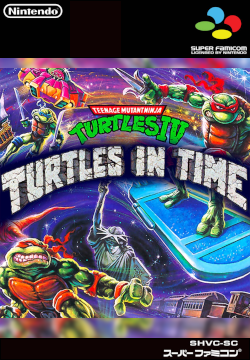
<img src="/assets/img/gamecovers/Teenage Mutant Hero Turtles IV - Turtles in Time.png" alt="Teenage Mutant Hero Turtles IV - Turtles in Time" />
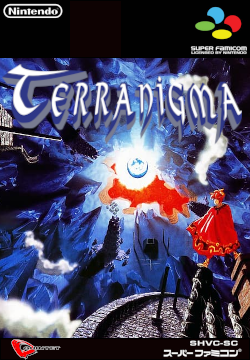
<img src="/assets/img/gamecovers/Terranigma.png" alt="Terranigma (NTSC v1.0 + 8x16 Font v1.0)" />
<img src="/assets/img/gamecovers/Trials of Mana (World) (Collection of Mana).png" alt="Trials of Mana (World) (Collection of Mana)" /></p>
</details>

<p>This is day of 46 <a href="https://100daystooffload.com">#100DaysToOffload</a> and post 14 of <a href="https://weblog.anniegreens.lol/weblog-posting-month-2024">#WeblogPoMo2024</a>.</p>]]></content><author><name>joelchrono</name><email>me@joelchrono.xyz</email></author><category term="gaming" /><category term="emulation" /><category term="design" /><summary type="html"><![CDATA[I have spent the past couple of days making my own game covers for PS1 and SNES games to display on my Miyoo Mini Plus, so I wrote about it.]]></summary></entry><entry><title type="html">You should use SSHFS</title><link href="https://joelchrono.xyz/blog/you-should-use-sshfs/" rel="alternate" type="text/html" title="You should use SSHFS" /><published>2024-05-13T22:40:05-06:00</published><updated>2024-05-13T22:40:05-06:00</updated><id>https://joelchrono.xyz/blog/you-should-use-sshfs</id><content type="html" xml:base="https://joelchrono.xyz/blog/you-should-use-sshfs/"><![CDATA[<p>So during my adventures setting up my Miyoo Mini Plus, one of its most neat features has been its ability to connect to it via SSH and FTP, at least with Onion OS installed.</p>

<p>FTP seems to work decently well, but the protocol itself comes with its limitations, at least for my usecase.</p>

<p>I have been working on <a href="https://fosstodon.org/@joel/112437467439485151">creating my own artwork for the games</a> I have in my device, using a 360x250 template for the box size to take almost half the screen on the Miyoo, <a href="https://fosstodon.org/@joel/112434703125234901">So far so good!</a>.</p>

<p>Because of the SSH functionality built-in, I don’t need to power off the device, remove the SD card, plug it in, drag and drop and the eject the sd card and power the thing back on.</p>

<p>All I need is to run:</p>

<div class="language-plaintext highlighter-rouge"><div class="highlight"><pre class="highlight"><code>sshfs onion@miyoo.ip.address:/home/SDCARD/ /whatever/mounting/directory/
</code></pre></div></div>

<p>And there I go, access the files from there.</p>

<p>Another neat thing is that the files behave almost exactly as if it was all just a regular folder.</p>

<p>On FTP for example, image thumbnails don’t show up, and I can’t really run commands inside those folders as quickly.</p>

<p>With SSHFS, thumbnails load correctly, to the system is just a folder with pictures like every other.</p>

<p>With SSHFS I can stream whatever video file I want from my server, and do a bunch of other normal file system things do. It doesn’t feel like anything weird is happening, it doesn’t feel like its special or super cool. But it just works</p>

<p>This is day 45 of <a href="https://100daystooffload.com">#100DaysToOffload</a> and post 13 of <a href="https://weblog.anniegreens.lol/weblog-posting-month-2024">#WeblogPoMo2024</a>.</p>]]></content><author><name>joelchrono</name><email>me@joelchrono.xyz</email></author><category term="emulation" /><category term="linux" /><category term="software" /><summary type="html"><![CDATA[Just a short post appreciating the usefulness of SSHFS]]></summary></entry><entry><title type="html">Transferring PSP PS1 save files to Miyoo Mini Plus</title><link href="https://joelchrono.xyz/blog/transferring-psp-ps1-savefiles-to-miyoo-mini-plus/" rel="alternate" type="text/html" title="Transferring PSP PS1 save files to Miyoo Mini Plus" /><published>2024-05-12T23:13:11-06:00</published><updated>2024-05-12T23:13:11-06:00</updated><id>https://joelchrono.xyz/blog/converting-savefile-format-on-ps1-games-from--vmp-to--mri</id><content type="html" xml:base="https://joelchrono.xyz/blog/transferring-psp-ps1-savefiles-to-miyoo-mini-plus/"><![CDATA[<p>Once again I’m here writing some quick notes on the adventures I had today setting up my Miyoo Mini Plus.</p>

<p>I had a few PS1 games on EBOOT.PBP format on my PSP, which have worked quite well so far, but the savefile format only works on the PSP itself and nothing more.</p>

<p>Since my move to the Miyoo Mini Plus, and me deciding to switch my PS1 gaming to it from the time being, I had to figure out how to transfer those savefiles over.</p>

<p>First off: figuring out which savefile is which.</p>

<p>The easiest way to know what save corresponds to what game is to open the game in you PSP, save, exit and then connect the device to a computer and sort by date.</p>

<p>The next best way is to look for your game in the <a href="https://psxdatacenter.com/ntsc-u_list.html">PSX Data Center</a> using Ctrl+F (there are lists for games in PAL and Japanese regions which can be seen there as well) and then finding the corresponding code.</p>

<p>The PSP has its savefiles located in the path <code class="language-plaintext highlighter-rouge">PSP/SAVEDATA/</code> and it probably contains a bunch of folders with titles like this <code class="language-plaintext highlighter-rouge">SLES01734</code> or <code class="language-plaintext highlighter-rouge">SLUS00585</code>, the file that has a matching code will be the one.</p>

<p>Opening the folder you will find a PNG file, usually of the game cover art, which will confirm it is the game we want.</p>

<p>Finally, you can use the online website <a href="https://savefileconverter.com/#/ps1/psp">Save File Converter</a> to convert your saves from the PSP’s <code class="language-plaintext highlighter-rouge">.VMP</code> to proper PS1 save files in the <code class="language-plaintext highlighter-rouge">.mcr</code> format.</p>

<p>Note that The Miyoo Mini Plus will <strong>not recognize this filename extension</strong>, however it is as simple as <strong>renaming</strong> the filename extension to <code class="language-plaintext highlighter-rouge">.srm</code> instead.</p>

<p>Now, the format of the ROM file itself is a different story.</p>

<p>PSP runs <code class="language-plaintext highlighter-rouge">EBOOT.PBP</code> files, you can use these files in the Miyoo Mini Plus, just copy paste it to the proper location and change the name to <code class="language-plaintext highlighter-rouge">Game_Name.pbp</code>. Note that if the file comes with some <code class="language-plaintext highlighter-rouge">KEYS.BIN</code> and other extra files, it will probably not work in the MM+, but I haven’t looked into how to fix that.</p>

<p>The Miyoo Mini Plus supports <code class="language-plaintext highlighter-rouge">.chd</code> and the regular <code class="language-plaintext highlighter-rouge">.cue</code> and <code class="language-plaintext highlighter-rouge">.bin</code> roms. The <code class="language-plaintext highlighter-rouge">.chd</code> format is the smallest in size and the compression is lossless, so I see no reason not to use it. The easiest way would be to source it directly in that file format, but you can also convert <code class="language-plaintext highlighter-rouge">.cue/.bin</code> files by using the <code class="language-plaintext highlighter-rouge">chdman</code> command line tool. This is located in the <code class="language-plaintext highlighter-rouge">mame</code> package in Void Linux, it is a standalone program in Arch as well.</p>

<p>Run this command and you are good to go:</p>

<div class="language-bash highlighter-rouge"><div class="highlight"><pre class="highlight"><code>chdman createcd <span class="nt">-i</span> <span class="s2">"Resident Evil 3 - Nemesis (USA).cue"</span>  <span class="nt">-o</span> <span class="s2">"Resident Evil 3 - Nemesis (USA).chd"</span>
</code></pre></div></div>

<p>If you install <code class="language-plaintext highlighter-rouge">parallel</code> you can do batch conversion of files, with this line:</p>

<div class="language-bash highlighter-rouge"><div class="highlight"><pre class="highlight"><code>parallel chdman createcd <span class="nt">-i</span> <span class="o">{}</span> <span class="nt">-o</span> <span class="o">{</span>.<span class="o">}</span>.chd ::: <span class="k">*</span>.cue
</code></pre></div></div>

<p>Which will convert all the <code class="language-plaintext highlighter-rouge">.cue</code>files in the working directory to <code class="language-plaintext highlighter-rouge">.chd</code>.</p>

<p>Feel free to check the official documentation for more information about <a href="https://onionui.github.io/docs/emulators/psx">running PS1 games on Onion OS</a>.</p>

<p>This is day 44 of <a href="daystooffload.com/">#100DaysToOffload</a> and post 12 of <a href="https://weblog.anniegreens.lol/weblog-posting-month-2024">#WeblogPoMo2024</a></p>]]></content><author><name>joelchrono</name><email>me@joelchrono.xyz</email></author><category term="emulation" /><category term="psp" /><category term="gaming" /><category term="tutorial" /><category term="linux" /><summary type="html"><![CDATA[How to turn the PS1 savefiles of games played on PSP, to a regular savefile usable in PS1 emulators and retro emulation devices like the Miyoo Mini Plus]]></summary></entry><entry><title type="html">Fix Activity Tracker duplicates in Miyoo Mini Plus (Onion OS)</title><link href="https://joelchrono.xyz/blog/fix-activity-tracker-duplicates-miyoo-mini-plus/" rel="alternate" type="text/html" title="Fix Activity Tracker duplicates in Miyoo Mini Plus (Onion OS)" /><published>2024-05-11T09:29:35-06:00</published><updated>2024-05-11T09:29:35-06:00</updated><id>https://joelchrono.xyz/blog/fix-activity-tracker-duplicates-miyoo-mini-plus</id><content type="html" xml:base="https://joelchrono.xyz/blog/fix-activity-tracker-duplicates-miyoo-mini-plus/"><![CDATA[<p>I have been having fun with my Miyoo Mini Plus, and after installing Onion OS on it, I found its Activity Tracker app to be one of my favorites. However, I ran into an annoying problem since I got some duplicated entries, after I changed the ROM filename, or after I replaced the ROM with a patched one.</p>

<figure class="img">
  <picture>
    <source srcset="/assets/img/blogs/2024-05-11-onion-os-activity-tracker-app.webp" type="image/webp" />
    <source srcset="/assets/img/blogs/2024-05-11-onion-os-activity-tracker-app.png" type="image/png" />
    <img class="mx-auto" src="/assets/img/blogs/2024-05-11-onion-os-activity-tracker-app.png" alt="The Activity Tracker app in Onion OS is great! But the duplicate entries..." />
  </picture>
  <figcaption class="caption">The Activity Tracker app in Onion OS is great! But the duplicate entries...</figcaption></figure>

<p>The easiest way to fix this is to rename the ROM to the what it was before.<sup id="fnref:1"><a href="#fn:1" class="footnote" rel="footnote" role="doc-noteref">1</a></sup></p>

<p>This fixes the problem from there on? But what about the duplicated entries that are already saved?</p>

<p>Well, this will be easier if you have some basic knowledge of how a database or a spreasheet works, it is not very hard, but still a bit scary.</p>

<p>The Activity Tracker data is stored in the path <code class="language-plaintext highlighter-rouge">/Saves/CurrentProfile/play_activity/play_activity_db.sqlite</code>, it should be the only file in the folder. <strong>Make a copy of the file and put it somewhere safe.</strong></p>

<p>I will use <a href="https://sqlitebrowser.org/">DB Browser for SQLite</a>, a cross-platform program that will let you access the database and edit it, just drag and drop it there, pretty much.</p>

<figure class="img">
  <picture>
    <source srcset="/assets/img/blogs/2024-05-11-this-is-what-the-program-looks-like-after-opening-the-database.webp" type="image/webp" />
    <source srcset="/assets/img/blogs/2024-05-11-this-is-what-the-program-looks-like-after-opening-the-database.png" type="image/png" />
    <img class="mx-auto" src="/assets/img/blogs/2024-05-11-this-is-what-the-program-looks-like-after-opening-the-database.png" alt="This is what the program looks like after opening the database" />
  </picture>
  <figcaption class="caption">This is what the program looks like after opening the database</figcaption></figure>

<p>Go to the <em>Browse Data</em> tab, and in the Table picker you will find two tables to choose from. In the <code class="language-plaintext highlighter-rouge">rom</code> table, you will find a list of ROMS, make sure to check for any duplicated names, and note the <code class="language-plaintext highlighter-rouge">id</code> of them, you should choose on of them to keep.</p>

<figure class="img">
  <picture>
    <source srcset="/assets/img/blogs/2024-05-11-the-table-contents.webp" type="image/webp" />
    <source srcset="/assets/img/blogs/2024-05-11-the-table-contents.png" type="image/png" />
    <img class="mx-auto" src="/assets/img/blogs/2024-05-11-the-table-contents.png" alt="The table contents" />
  </picture>
  <figcaption class="caption">The table contents</figcaption></figure>

<p>For this example, let’s note the Chrono Trigger duplicated entries, with the values <code class="language-plaintext highlighter-rouge">16</code> and <code class="language-plaintext highlighter-rouge">17</code>, you could delete one of them, it is not really necessary, but if you want to tidy up the database, I guess you can do it.</p>

<p>Go to the other table, named <code class="language-plaintext highlighter-rouge">play_activity</code>, the information found here can be a little bit harder to parse, but it’s not that big of a deal.</p>

<figure class="img">
  <picture>
    <source srcset="/assets/img/blogs/2024-05-11-play_activity-table-with-a-filter-enabled.webp" type="image/webp" />
    <source srcset="/assets/img/blogs/2024-05-11-play_activity-table-with-a-filter-enabled.png" type="image/png" />
    <img class="mx-auto" src="/assets/img/blogs/2024-05-11-play_activity-table-with-a-filter-enabled.png" alt="play_activity table with a filter enabled" />
  </picture>
  <figcaption class="caption">play_activity table with a filter enabled</figcaption></figure>

<p>All you need to do, is use the filter in the <code class="language-plaintext highlighter-rouge">rom_id</code> column to find the id’s you want to change, and then edit each individual entry, just click on the cell, type the value you want and hit Enter. You could also execute some simple SQL to accelerate the process:</p>

<div class="language-sql highlighter-rouge"><div class="highlight"><pre class="highlight"><code><span class="k">UPDATE</span> <span class="n">play_activity</span> <span class="c1">---the table name</span>
<span class="k">SET</span> <span class="n">rom_id</span> <span class="o">=</span> <span class="n">chosen_value</span> <span class="c1">---whatever id value you chose</span>
<span class="k">WHERE</span> <span class="n">rom_id</span> <span class="o">=</span> <span class="n">old_value</span><span class="p">;</span> <span class="c1">---the id value that will be replaced</span>
</code></pre></div></div>

<p>After that, all the entries will be unified to a single <code class="language-plaintext highlighter-rouge">rom_id</code>. Once you are done, remember to click the <em>Write Changes</em> button.</p>

<p>You can load up your SD card and you should see all your play time unified on a single entry! If game art is missing, or game names are incorrect, you can use this same method to edit the <code class="language-plaintext highlighter-rouge">rom</code> table as well, but editing file names might be easier for that.</p>

<p>So, I think this is pretty much it, I don’t write as many tutorials since most of the time there are better ones out there and I would rather link to those, but I could not find any guidance on this problem, and I decided to write my own. I hope it is useful for you!</p>

<p>This is day 43 of <a href="https://100daystooffload.com">#100DaysToOffload</a> and post 11 of <a href="https://weblog.anniegreens.lol/weblog-posting-month-2024">#WeblogPoMo2024</a>.</p>
<div class="footnotes" role="doc-endnotes">
  <ol>
    <li id="fn:1">
      <p>You should also change the filename of the savestates, and the save file itself, and the game cover if there is any. Quite a chore, maybe I’ll make some script for that one day. <a href="#fnref:1" class="reversefootnote" role="doc-backlink">&#8617;</a></p>
    </li>
  </ol>
</div>]]></content><author><name>joelchrono</name><email>me@joelchrono.xyz</email></author><category term="tutorial" /><category term="emulation" /><category term="software" /><category term="linux" /><summary type="html"><![CDATA[So if you ever edit the name of your ROM files you might run into some problems in your Miyoo Mini's Activity Tracker App, here's how I fixed it!]]></summary><media:thumbnail xmlns:media="http://search.yahoo.com/mrss/" url="https://joelchrono.xyz/assets/img/blogs/2024-05-11-onion-os-activity-tracker-app.png" /><media:content medium="image" url="https://joelchrono.xyz/assets/img/blogs/2024-05-11-onion-os-activity-tracker-app.png" xmlns:media="http://search.yahoo.com/mrss/" /></entry><entry><title type="html">First Contact with Emulation</title><link href="https://joelchrono.xyz/blog/first-contact-with-emulation/" rel="alternate" type="text/html" title="First Contact with Emulation" /><published>2024-05-10T16:17:57-06:00</published><updated>2024-05-10T16:17:57-06:00</updated><id>https://joelchrono.xyz/blog/first-contact-with-emulation</id><content type="html" xml:base="https://joelchrono.xyz/blog/first-contact-with-emulation/"><![CDATA[<p>When I was a young boy we used to visit some family friends every once in a while, usually on Sunday after church, the adults had their conversations, and I was usually with my sister watching TV (Discovery Kids!), or probably being annoying to the younger member of that family.</p>

<p>He was maybe 17 or so years old, and the coolest guy I knew. We kind of played basketball together—he would lift me up so I could score points. I also remember he had an NES, the 101 model with red accents and a smaller controller that also had red buttons, I got to play Super Mario Bros on it a couple of times.</p>

<p>However, he also had a <em>personal computer</em>, and a <em>laptop!</em> Great technology, kinda like a TV but you could move stuff on it! To be honest I didn’t really understand or cared about computers just yet.</p>

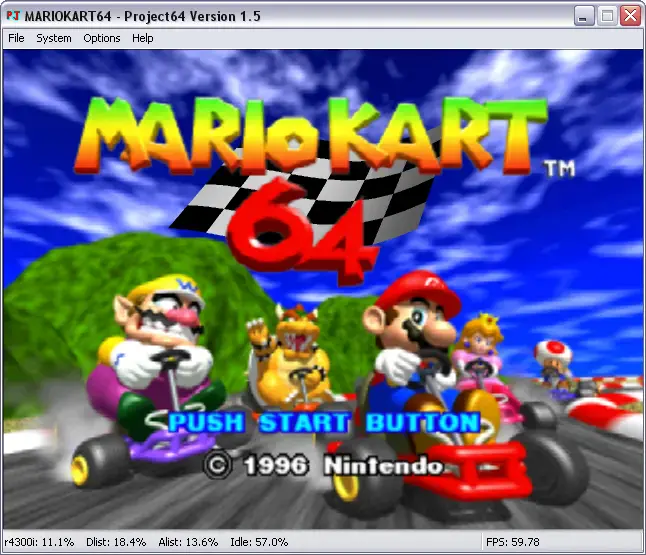
<p>It was circa 2005, when I went to his room—his door was always open—and I saw him very focused on his desk. It was quite a weird setup, he was pressing keys in the laptop keyboard, but the action was happening in the computer monitor<sup id="fnref:1"><a href="#fn:1" class="footnote" rel="footnote" role="doc-noteref">1</a></sup>. I believe the OS was Windows XP, it had a window open, with the title: <em>Project 64 version 1.6</em><sup id="fnref:2"><a href="#fn:2" class="footnote" rel="footnote" role="doc-noteref">2</a></sup> with a funny looking icon with the letters “PJ”, which looked like it was made with the Comic Sans font, with cyan and red colors.</p>

<p>I had no idea of what anything meant, I knew how to read, but I was simply amazed at what the window itself displayed.</p>

<p>There was a green dinosaur on top of a kart or something, going around and around in a circuit! It was throwing shells at other karts, and getting boosts after stepping on a yellow platform with red stripes.</p>

<p>He was playing Mario Kart 64.</p>

<figure class="img">
  <picture>
    <source srcset="/assets/img/blogs/2024-05-10-mario-kart-emulation.webp" type="image/webp" />
    <source srcset="/assets/img/blogs/2024-05-10-mario-kart-emulation.webp" />
    <img class="mx-auto" src="/assets/img/blogs/2024-05-10-mario-kart-emulation.webp" alt="Mario Kart 64 running on Project 64" />
  </picture>
  <figcaption class="caption">Mario Kart 64 running on Project 64</figcaption></figure>

<p>I had never heard of it, when I was even younger I lived in a more rural area, so seeing those polygons was quite something. He only allowed me to watch—I suspect he wanted to break his lap times or something—but it was fun! The race was in a really muddy track, and he was jumping a wall on it and getting first place instantly, there was another road with the colors of the rainbow, and he was flying through it somehow!</p>

<p>It really left a big impression on me, and I sooo wanted to play myself, I think he allowed me to do it a couple times, I remember a track made of snow and ice where penguins go and crash with you mercilessly, throwing you into the ocean and turning you into an ice cube. I was really bad at it no doubt, I probably raced backwards and did other dumb things children do, but I didn’t care, I was playing Nintendo 64 on a computer!</p>

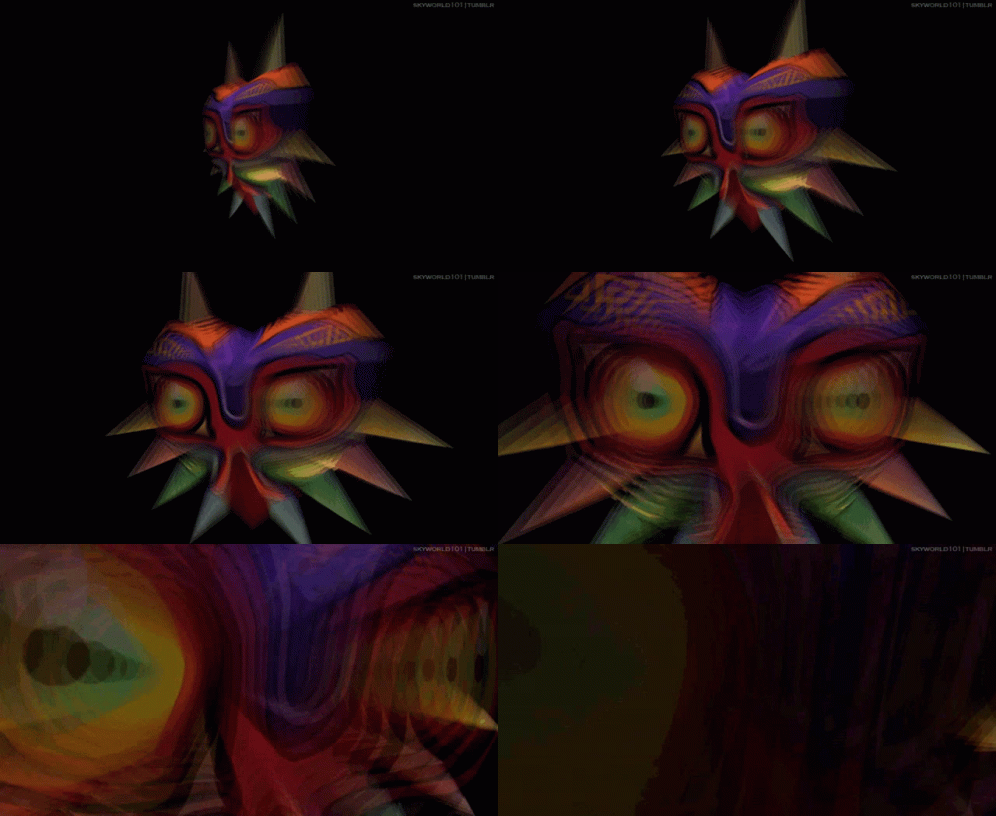
<p>Another time, same place, he was playing a different game, he didn’t allow me to play this one at all, he knew I would not be able to handle it. I remember seeing a very scary face, rotating on itself and getting closer and closer, there was creepy music in the background and some sort of laugh? The face was shaped like a heard, it had big yellow round eyes, and many horns poking out of it, it had no mouth <del>and it could not scream</del>. It wasn’t a face, it was a mask, and then happier, but still eerie music started playing.</p>

<p>It was <em>The Legend of Zelda: Majora’s Mask</em>.</p>

<figure>
<img src="/assets/img/blogs/2024-05-10-majoras-mask.gif" />
<figcaption>Majora's Mask Rotating</figcaption>
</figure>

<p>He loaded up the game, and he was in a very weird place, built of bricks and stone—it seemed like an infinite labryinth—he had to be very careful to not fall down of a ledge or something, it looked quite complicated and my brain does not remember much more. I think he was solving some sort of puzzle involving light and mirrors puzzle but I—</p>

<p>It wasn’t until 2012 or so, that the thought of installing this thing myself finally came to my mind. I don’t remember much of this period of my childhood, Project 64’s website was quite barebones, I recall installing version 1.6 again, simply because that’s what I knew, newer versions existed already, but I kind of didn’t like the new logo on their website. It looks like I saved myself some trouble by accident, since many new versions came bundled with malware back then. I was no computer geek back then, at the time I even used websites like Softonic to install programs so—feel free to shame 12 year old me in the comments.</p>

<p>The website I found the ROMs on… I don’t quite remember, it was definitely a website in Spanish, with links full of shorteners and ads left and right. Somehow I pushed past all that and got my hands in some nice ROMS, there were some in .n64 format, and others in z64 format. Regardless, I didn’t even know what a file format was. Most of them worked fine: <em>Super Smash Bros</em>, <em>Majora’s Mask</em>, <em>Ocarina of Time</em>, <em>Destruction Derby</em>, <em>Rampage</em>, <em>Bomberman 64</em>, and also <em>Paper Mario 64</em>! That last one was really fun, but it also crashed my computer at one important bit of the story—which was in English and I didn’t really get—so I didn’t stick to it. To this day I haven’t played it, maybe soon.</p>

<p>The rest of the games gave me many awesome moments and memories. I didn’t play Zelda until much later because it still scared me, but I recall setting up a 3-player layout on a single keyboard! To play some Smash Bros with friends and race each other on Mario Kart 64.</p>

<figure>
<img src="/assets/img/blogs/2024-05-10-smash-bros-n64.gif" />
<figcaption>Super Smash Bros was epic</figcaption>
</figure>

<p>My favorite character to fight as was Fox, and my favorite to race with was Yoshi—just like my friend before me. I was the best among my friends at that place, but I never really went for the great tricks my older friend could pull off. Still, since nobody else had an emulator at home I could practice more often. Those were good times.</p>

<p>There are many other stories of mine regarding emulation, like the time I discovered Gameboy and SNES emulation, or the first time I installed one on my phone! But those stories are for another day—maybe even tomorrow to be honest.</p>

<p>Please, feel free to share your story as well! How did you find out about emulation, I would love <strong><a href="https://joelchrono.xyz/contact/">getting some emails about this</a></strong>.</p>

<p>This is day 42 of <a href="https://100daystooffload.com">#100DaysToOffload</a> and post 10 of <a href="https://weblog.anniegreens.lol/weblog-posting-month-2024">#WeblogPoMo2024</a></p>
<div class="footnotes" role="doc-endnotes">
  <ol>
    <li id="fn:1">
      <p>Looking back it was probably just a VGA cable plugged to the monitor, I was a kid ok? <a href="#fnref:1" class="reversefootnote" role="doc-backlink">&#8617;</a></p>
    </li>
    <li id="fn:2">
      <p>I don’t know why he didn’t play in fullscreen, probably to save some frames? <a href="#fnref:2" class="reversefootnote" role="doc-backlink">&#8617;</a></p>
    </li>
  </ol>
</div>]]></content><author><name>joelchrono</name><email>me@joelchrono.xyz</email></author><category term="storytime" /><category term="emulation" /><category term="personal" /><category term="tech" /><summary type="html"><![CDATA[This is a treasured memory of mine and I decided to write it here, my first experience with emulation.]]></summary><media:thumbnail xmlns:media="http://search.yahoo.com/mrss/" url="https://joelchrono.xyz/assets/img/blogs/2024-05-10-mario-kart-emulation.webp" /><media:content medium="image" url="https://joelchrono.xyz/assets/img/blogs/2024-05-10-mario-kart-emulation.webp" xmlns:media="http://search.yahoo.com/mrss/" /></entry><entry><title type="html">Miyoo Mini Plus first impressions</title><link href="https://joelchrono.xyz/blog/miyoo-mini-plus-first-impressions/" rel="alternate" type="text/html" title="Miyoo Mini Plus first impressions" /><published>2024-05-08T23:22:36-06:00</published><updated>2024-05-08T23:22:36-06:00</updated><id>https://joelchrono.xyz/blog/miyoo-mini-plus-first-impressions</id><content type="html" xml:base="https://joelchrono.xyz/blog/miyoo-mini-plus-first-impressions/"><![CDATA[<p>My Miyoo Mini Plus is here and I already love it. Here are some bullet points:</p>

<ul>
  <li>The buttons feel good, the screen looks great, the speaker is much better than I expected.</li>
  <li>Installing OnionOS was a breeze, setting up the emulators was fine, transferring my ROMs from my PSP was simple.</li>
  <li>Getting SSH working was fun, using SSHFS to access it all from my computer was awesome to see, although it was a little slow.</li>
  <li>Transferring save files was alright, I had to delete the save states generated by Miyoo Mini Plus automagically for them to be recognized, or maybe figure out how to reset a ROM is better.</li>
  <li>The GBA save file format of the PSP emulator I used is .sav, the mGBA’s format used by Miyoo Mini Plus is .srm, but there are online converters so it wasn’t that painful.</li>
  <li>The SNES file format is also .srm, but on my psp the .srm was in uppercase, but it was easy to edit that as well.</li>
  <li>The GBA version of Final Fantasy VI sounds awful and runs slower, I might have to fiddle with the emulation settings, but I’ll stick to the SNES run I already had, which runs so much better than PSP.</li>
  <li>Metroid Fusion, the first game I tried, ran wonderfully though.</li>
</ul>

<p>I can’t wait to play more of this tomorrow!</p>

<p>This is day 40 of <a href="https://100daystooffload.com">#100DaysToOffload</a> and post 8 of <a href="https://weblog.anniegreens.lol/weblog-posting-month-2024">#WeblogPoMo2024</a>.</p>]]></content><author><name>joelchrono</name><email>me@joelchrono.xyz</email></author><category term="gaming" /><category term="emulation" /><category term="short" /><summary type="html"><![CDATA[I got my Miyoo Mini Plus and here are my quick thoughts on it. TL;DR: I love it]]></summary></entry><entry><title type="html">What’s on my PSP?</title><link href="https://joelchrono.xyz/blog/what-is-on-my-psp/" rel="alternate" type="text/html" title="What’s on my PSP?" /><published>2023-08-27T16:56:59-06:00</published><updated>2023-08-27T16:56:59-06:00</updated><id>https://joelchrono.xyz/blog/what-is-on-my-psp</id><content type="html" xml:base="https://joelchrono.xyz/blog/what-is-on-my-psp/"><![CDATA[<p>I am very far behind on my quota of blog content, so I wanted to make a blog today since I got some free time and have managed to overcome my laziness for a little bit, maybe 400 words or so. An internet friend of mine, <a href="https://lowkey.zone/@jp">@jp</a> has managed to get a hand on a PSP, and has written a <a href="https://moddedbear.com/discovering-the-psp-in-2023/">couple</a> articles <a href="https://moddedbear.com/a-psp-update/">about it</a>. I promised him to write about some of my favorite games and tools that I’ve used in my journey, after owning a PSP for the last 11 years and getting as much juice out of it as I can.</p>

<ul id="markdown-toc">
  <li><a href="#games" id="markdown-toc-games">Games</a>    <ul>
      <li><a href="#psp-games" id="markdown-toc-psp-games">PSP Games</a></li>
      <li><a href="#ps1-games" id="markdown-toc-ps1-games">PS1 Games</a></li>
      <li><a href="#homebrew-games" id="markdown-toc-homebrew-games">Homebrew Games</a></li>
    </ul>
  </li>
  <li><a href="#emulators" id="markdown-toc-emulators">Emulators</a></li>
  <li><a href="#homebrew-tools" id="markdown-toc-homebrew-tools">Homebrew Tools</a></li>
  <li><a href="#plugins" id="markdown-toc-plugins">Plugins</a></li>
  <li><a href="#conclusion" id="markdown-toc-conclusion">Conclusion</a></li>
</ul>

<h1 id="games">Games</h1>

<p>There is a huge library of games native for the PSP, and I’ve played quite a lot of them. From original, exclusive titles, to ports identical to home consoles such as the PS2 and PS3. And of course, native support for a ton of PS1 games, with official releases and the option to port title to the console, with varying degrees of success. Here are some of the games I have.</p>

<h2 id="psp-games">PSP Games</h2>

<p>The PSP uses the .iso format on his games, that usually come packaged into UMDs, this little disk is the storage medium chosen by Sony for his handheld, and it kinda sucks. Thankfully, once you mod a PSP, it is very easy to extract your ISO files, and they are also easy to come across if you sail the seven seas, <em>I very much implore you to avoid doing that since Sony may get poor and run out of money to produce high quality products like the Play Station Portal, you know?</em></p>

<p>Anyway, I got my games on a microSD card, thanks to a memory stick adaptor, very cheap and easy to get, I can’t say I’ve played every single one of them, I recently removed quite a bit of games I had completed already, such as Ys Seven, Jeanne D’Arc and a few I can’t remember, here is a list with the ones currently in my device:</p>

<ul>
  <li><strong>Burnout Legends</strong>: A fantastic racing arcade game with a bunch of destruction and fun courses. A few of the mods are kinda boring (I am looking at you Pursuit), but I’ve played a bunch of this game lately, I don’t have to think, just seek and destroy.</li>
  <li><strong>Lumines</strong>: This is the game that exists when you try to make Tetris while you avoid making Tetris, add a fantastic soundtrack that keeps you <em>in the zone</em> and this is fantastic. Really fun to lose time.</li>
  <li><strong>Metal Slug Anthology</strong>: Its Metal Slug, what else do you want? I have to be honest I haven’t gotten too far but it’s always fun.</li>
  <li><strong>Monster Hunter Portable 2nd G FUC</strong>: This is a patched version of the japanese version of Freedom Unite, with English translation and some extra mission and nice quality of life improvements.</li>
  <li><strong>Monster Hunter Portable 3rd (English Patched v5)</strong>: This game never came out of Japan, so the english patch is all we got, it’s not 100% but it’s perfectly playable if you’ve played other games in the series.</li>
  <li><strong>The Legend of Heroes: Trails in the Sky</strong>: The JRPG series I want to get into one of these days, it’s fantastic so far, but a little difficult. The grind is real but it is how it is.</li>
</ul>

<details>
<summary>
Games I am not currently playing, but they're there
</summary>
<ul>
<li>Crimson Gem Saga</li>
<li>Crisis Core: Final Fantasy VII</li>
<li>Dante's Inferno</li>
<li>Echochrome</li>
<li>Exit</li>
<li>Final Fantasy IV The Complete Collection</li>
<li>Killzone Liberation</li>
<li>Mega Man Powered Up</li>
<li>Patapon 2</li>
<li>Rengoku 2: The Stairway to H.E.A.V.E.N</li>
<li>Star Wars The Force Unleashed</li>
<li>Tales of Eternia</li>
<li>Wipeout Pure</li>
</ul>
</details>

<h2 id="ps1-games">PS1 Games</h2>

<p>When it comes to PS1 games things change a little, most of them are JRPGs or Resident Evil, channels like <a href="https://www.youtube.com/@TheSphereHunter">The Sphere Hunter</a> and others got me into a Resident Evil craze, and I came across Parasite Eve in 2018, even read the novel. Regardless, I still haven’t finished any of them, despite the amount of media I’ve consumed about them. Here’s the list:</p>

<ul>
  <li><strong>Final Fantasy VII</strong>: No need for an explanation. This is considered one of the greates game on the console, while its successors improve on their graphics, the story and nostalgia factor of this one is strong, even though I never had a PS1 growing up.</li>
  <li><strong>Klonoa: Door to Phantomile</strong>: A platformer that many consider better than Crash Bandicoot, it is really fun and has some fantastci 3D mechanics that I imagine were great for its time. Enjoyable, still need to play it more.</li>
  <li><strong>Metal Gear Solid</strong>: Great game, clearly. I am stuck with Psycho Mantis, but it’s because I am lazy to keep trying… It’s been like that for 4 years…</li>
  <li><strong>Parasite Eve</strong>: This game looks and plays great, other than the slow movement speed. A unique setting and fantastic cinematics and artwork. If only I could get out of the Hospital area please…</li>
  <li><strong>Resident Evil 3</strong>: This game is genuinely scary to me, I don’t know why I started with 3, but it’s quite a challenge. I have to come back to it.</li>
  <li><strong>Suikoden II</strong>: I have almost as much progress as FFVII on this one, a very fun 2D pixelart jrpg that has not aged at all, looks and plays fantastic.</li>
  <li><strong>Xenogears</strong>: This one is also great, but I still have to do progress on it, plays great and the art is awesome,it kinda looks like Octopath Traveler with its 3D environments and 2D character design.</li>
</ul>

<details>
<summary>
Games I am not currently playing, but they're there
</summary>
<ul>
<li>Aconcagua</li>
<li>Chrono Cross</li>
<li>Final Fantasy VIII </li>
<li>Final Fantasy XI </li>
<li>Legend of Dragoon </li>
<li>Parasite Eve II </li>
<li>Resident Evil 1 DC</li>
<li>Resident Evil 2</li>
<li>Silent Hill</li>
</ul>
</details>

<h2 id="homebrew-games">Homebrew Games</h2>

<ul>
  <li><a href="https://www.gamebrew.org/wiki/Cave_Story_PSP">Cave Story</a>: Before Celeste, before Shovel Knight, before the indie game scene was a thing people cared about, there was Cave Story. This game is really fun, and it has been ported everywhere, you should play it now, it’s even available in many Linux repositories, and the PSP version rules too.</li>
  <li><a href="https://www.gamebrew.org/wiki/Celeste_PSP">Celeste</a>: Speaking of Celeste, the Pico-8 version that precedes the game everyone loves, has been ported to the PSP too and it works just as you would expect it to. A fun challenge.</li>
  <li><a href="https://github.com/LukeZGD/DDLC-LOVE">DDLC-LOVE</a>: This is a port of Doki Doki Literature Club, a visual novel everyone needs to play at some point, don’t let its looks deceive you, there is a lot more. The port is kinda hard to play due to the small screen but I have it because it’s cool.</li>
  <li><a href="https://www.gamebrew.org/wiki/Doom_for_the_PSP">Doom</a>: Yes, it runs Doom.</li>
  <li><a href="https://archive.org/details/open-tyrian-pspplus.-7z">Tyrian</a>: A space shooter (not in space) that has also been ported everywhere since it has a FOSS version (OpenTyrian), it’s quite fun and challenging.</li>
  <li>Minecraft: Some random clone of Minecraft, I don’t remember exactly which version I got but it’s pretty nice, just surf the net a bit and you will find many versions.</li>
  <li><a href="https://github.com/z2442/sm64-port">Super Mario 64</a>: This is a source port of the game, and it runs pretty decently! A bit laggy sometimes, but what else do you want?</li>
  <li><a href="http://www.zincland.com/powder/index.php?pagename=release">Powder</a>: Powder is a roguelike, I haven’t played it but I got it because I wanted to.</li>
  <li><a href="https://mega.nz/#!h3xjwY6D!3ct0dRPFNP97EesQguhYWqq94qBzEiQGyUaLp5OLwHs">Tome 2.3.5</a>: Tales of Middle Earth, I haven’t played it but it seems to be some sort of text based adventure, please if you have played it tell me what’s up.</li>
</ul>

<h1 id="emulators">Emulators</h1>

<p>I found a pretty complete list of emulators you can check <a href="https://psp-archive.github.io/emulators/all-emulators-for-PSP.html">here</a>. I don’t play every single system so here are the ones I have installed myself:</p>

<ul>
  <li><a href="https://archive.org/details/masterboy.-7z">MasterBoy 2.02</a>: This is an emulator for the Game Boy, Game Boy Color, Game Gear and Master System, quite a powerful emulator with a fantastic interface, it works pretty well.</li>
  <li><a href="https://archive.org/details/nintendo-nester-j-ao-ex-r-3.7z">NesterJ AoEX</a>: For the NES, works pretty nicely, since the PSP is plenty powerful, I got a couple of homebrew games too.</li>
  <li><a href="https://archive.org/details/s9xTYLme_mod.7z">s9xTYLme Mod</a>: There are a ton of weird versions floating around on the net, the amount of forks and mods done for this emulator is kinda annoying, there is a whole story out there regarding the original dev and the times his work got stolen by others and claimed as their own. The culture in the homebrew scene at the time seems to be a shaky one, and this emulator is where it shows the most.</li>
  <li><a href="https://archive.org/details/gp-sp-kai-v-3.4-test-4-b-230fat.-7z">UO gpSP kai</a>: An Emulator for the Game Boy Advance. It runs fantastic when the PSP is overclocked, I have played to completion multiple games here, such as Minish Cap and both Metroid entries for this console, works wonderfully.</li>
</ul>

<h1 id="homebrew-tools">Homebrew Tools</h1>

<ul>
  <li><a href="http://wololo.net/downloads/index.php/download/479">PSPFILER</a>: A file manager for the PSP</li>
  <li><a href="http://foosa.do.am/load/fusa_gamepad_version_03/3-1-0-33">FusaGamePad</a>: Use your PSP as a gamepad for your PC or any supported device.</li>
  <li><a href="https://www.brewology.com/downloads/download.php?id=11319&amp;mcid=1">hbsorter</a>: When you have so many games you sometimes want to sort them, this tool does it. Your categories need to start with “CAT_” if you want this to work with that plugin.</li>
  <li><a href="https://mega.nz/#!kqQXgSYY!5aweW-69_QZDx78eePx8u7I6iyZ9MOY6zsz4DIu9pzQ">psp-ftpd</a>: An FTP server for the PSP. You have to have an open hotspot from your phone or laptop since most Wi-Fi routers don’t support old WPA or WEP security protocols the PSP knows.</li>
  <li><a href="https://psp.brewology.com/downloads/download.php?id=12439&amp;mcid=1">pspkvm</a>: Execute JAVA programs from your PSP! A lot of java games can be played now too!</li>
</ul>

<h1 id="plugins">Plugins</h1>

<ul>
  <li><a href="https://www.pspunk.com/game-categories-lite/">Game Categories</a>: A fantastic way to organize a big game library, I personally have a category for PSP, PSX, Homebrew Games, Homebrew Apps and Emulators.</li>
  <li><a href="https://www.gamebrew.org/wiki/QuickBoot_Mod_PSP">Quickboot</a>: This tool lets me start a game while playing something else. This is great, since exiting a game and opening another one the normal way is so much slower.</li>
  <li><a href="https://www.gamebrew.org/wiki/PSPStates_Menu_Pict_Mod_PSP">PSPStates</a>: Save states for PSP games, doesn’t work in some titles and doesn’t work on PS1 titles, but when it works, it does so wonderfully.</li>
  <li><a href="https://github.com/albe/joysens">Joysens</a>: I used to have a joystick with drift, this plugin allowed me to configure the sensitivity and deadzone of it, right now I don’t use it but it can come handy in the future if you can’t afford a physical replacement.</li>
</ul>

<h1 id="conclusion">Conclusion</h1>

<p>This took me a lot longer than I expected, I feel like I could have done a single article for many of the things I wrote today. Regardless, I am happy I finally did it. Its been fun to write something again, even if it took me a while to get back into it.</p>

<figure class="img">
  <picture>
    <source srcset="/assets/img/blogs/2023-08-27-psp-2023.webp" type="image/webp" />
    <source srcset="/assets/img/blogs/2023-08-27-psp-2023.png" type="image/png" />
    <img class="mx-auto" src="/assets/img/blogs/2023-08-27-psp-2023.png" alt="My psp still rocking in 2023" />
  </picture>
  <figcaption class="caption">My psp still rocking in 2023</figcaption></figure>

<p>This is day 54 of <a href="https://100daystooffload.com">#100DaysToOffload</a></p>]]></content><author><name>joelchrono</name><email>me@joelchrono.xyz</email></author><category term="psp" /><category term="gaming" /><category term="emulation" /><summary type="html"><![CDATA[The PSP is a great console, with a huge library of its own, but there are a lot of other things to enjoy on it, and I decided to write once again and talk about the homebrew, plugins and programs I got on mine.]]></summary><media:thumbnail xmlns:media="http://search.yahoo.com/mrss/" url="https://joelchrono.xyz/assets/img/blogs/2023-08-27-psp-2023.png" /><media:content medium="image" url="https://joelchrono.xyz/assets/img/blogs/2023-08-27-psp-2023.png" xmlns:media="http://search.yahoo.com/mrss/" /></entry><entry><title type="html">My psp is back in shape</title><link href="https://joelchrono.xyz/blog/my-psp-is-back-in-shape/" rel="alternate" type="text/html" title="My psp is back in shape" /><published>2022-08-28T08:26:07-05:00</published><updated>2022-08-28T08:26:07-05:00</updated><id>https://joelchrono.xyz/blog/my-psp-is-back-in-shape</id><content type="html" xml:base="https://joelchrono.xyz/blog/my-psp-is-back-in-shape/"><![CDATA[<p>So I just managed to fix pretty much all the problems I had with my psp, as I’ve mentioned before, my joystick was broken, but now its fixed, and then sometime later, my charger stopped working since the cable got damaged, but now I managed to fix that too.</p>

<p>Finally, I am able to play the PSP library again, as well as keep playing via emulators as I had done during the previous years.</p>

<p>I went ahead and gave a try to one of the God of War games, and I gotta say it still looks really, really awesome. Its obviously nothing close to how the latest game looks like, but the fluidity and the gameplay is top notch console quality.</p>

<p>Also, the SD card I had used with my Raspberry Pi got swapped with another one that had less storage, since I didn’t have a need for a bigger one due to using an HDD to store everything.</p>

<p>So now I have a PSP with 64GB of storage and a big library at my disposal. I really missed playing games with the analog stick. I know its not the best stick ever designed, but I have nostalgia for it! Even if playing Monster Hunter will kill my thumb once again, I am here for it.</p>

<p>My psp is quite beat up at this point due to the use, I am also considering to get a new shell for it, but I am not into repairing and modding stuff myself, any advice on that would be appreciated!</p>

<p>This wasn’t that big of a blog to be honest, so that’s pretty much it today.</p>

<figure class="img">
  <picture>
    <source srcset="/assets/img/blogs/2022-08-28-psp.webp" type="image/webp" />
    <source srcset="/assets/img/blogs/2022-08-28-psp.jpeg" type="image/jpeg" />
    <img class="mx-auto" src="/assets/img/blogs/2022-08-28-psp.jpeg" alt="my psp" />
  </picture>
  </figure>]]></content><author><name>joelchrono</name><email>me@joelchrono.xyz</email></author><category term="psp" /><category term="gaming" /><category term="emulation" /><summary type="html"><![CDATA[My psp has been with me since 2012, and using it to this day has always been fun. Now its back in shape, a fixed analog stick, more storage and more cool things]]></summary><media:thumbnail xmlns:media="http://search.yahoo.com/mrss/" url="https://joelchrono.xyz/assets/img/blogs/2022-08-28-psp.jpeg" /><media:content medium="image" url="https://joelchrono.xyz/assets/img/blogs/2022-08-28-psp.jpeg" xmlns:media="http://search.yahoo.com/mrss/" /></entry><entry><title type="html">Almost completing videogames</title><link href="https://joelchrono.xyz/blog/almost-completing-videogames/" rel="alternate" type="text/html" title="Almost completing videogames" /><published>2022-01-07T22:22:19-06:00</published><updated>2022-01-07T22:22:19-06:00</updated><id>https://joelchrono.xyz/blog/almost-completing-videogames</id><content type="html" xml:base="https://joelchrono.xyz/blog/almost-completing-videogames/"><![CDATA[<p>So, there are quite a lot of different games that I have played and completed, be it games on my PSP or on my computer, I have never had a proper console, but I did have one of those “Poly Station” kinda things that only had the same 5 NES games over and over again. I got quite a bit of use out of that, until the joysticks broke.</p>

<p>As time goes on, a lot of other games were also played, but ended up losing interest in them, and never got completed, sometimes because the games were boring, others because I got mad at them.</p>

<p>I recently acquired a couple of PC games that I am enjoying so far, Hollow Knight is quite amazing and challenging, and I am enjoying it quite a bit. Axiom Verge too is going just fine CrossCode remains unplayed because of graphical glitches that I have been unable to solve, but maybe it fixes itself at some point.</p>

<p>Among the games I really hate that I haven’t been able to finish, there is Final Fantasy VI. You’ll see, there is this tower, which is the only thing between me and the final dungeon, and you are only able to use magic, and there is this one move that can kill your whole party, so you have to use this Lazarus move that revives you after dying, and I just was not able to go down the tower and grind with normal enemies to get it, so I just got stuck there. I think I could have won with enough effort, but I lost my save file and I got kinda mad. I might start the game all over again some time soon, but yeah, it really infuriated me.</p>

<p>Another game I haven’t been able to finish despite being basically at the end is Ys Seven, which is an action RPG, pretty epic and fast paced, the last boss (probably? I think there might be another one after it, but I haven’t seen any spoilers) has three phases where I use 3 different parties of characters, I just lose all of my equipment, potions and such, so I think I still have to grind a lot to be able to get it done. Good thing is the game has a decent teleportation system so I think it shouldn’t be that hard.</p>

<p>Yet another game that is stuck in time, is Parasite Eve. This game rocks, I love the battle system, the graphics and everything about it, but I think I mixed the wrong weapons or something, I am stuck at a hospital where I just can’t survive long enough to defeat all the enemies, I run out of mana and health too quickly, I wish I was able to avoid attacks, which is not that hard, I’m just dumb.</p>

<p>Jeanne D’Arc is another game where I got to the final boss (probably) and I think I just went underleveled, the thing is, the game is a tactics game, which means, each playthrough is super long and it takes a while to finish a match. Thankfully, leveling up is not actually that difficult, I just have to get the time and willingness to do so.</p>

<p>The latest game I started that I haven’t gotten around to completing or even playing consistently is Final Fantasy VII, I just can’t really stand the random encounters and the weird controls of each minigame, thankfully I have won most of them in the first try, and the actual battles are really enjoyable, if a bit long because of animations.</p>

<p>However, the one game I really want to finish but I lost the save file alongside FFVI is Terranigma, if you have not played that SNES game, it is one of the better action RPG games I’ve seen, the gameplay is amazing, you can do combos and different kinds of attacks, the dungeons are quite clever and the bosses are also really fun, it’s basically The Legend of Zelda, but harder, better, faster and stronger, at least by SNES standards, it’s not just a simple clone, the story I was able to experience was great, I hope I get the time to finish it soon.</p>

<p>There are a lot of other games I have started, but I have not gone that far on any of them to feel guilty about not completing them, or I am still playing them, just taking it slow. Stuff such as Resident Evil 2 and 3, Xenogears, Cave Story, Suikoden II, Metal Gear Solid, MGS: Peace Walker and others.</p>

<p>I didn’t play some of these because the joystick on my PSP was faulty, but I recently got it fixed, so I can now continue playing them just fine.</p>

<p>Anyways, not a lot of structure this time, but I wanted to have something today, a bit late, but anyways.</p>

<p>This has been day 76 of <a href="https://100DaysToOffload.com">#100DaysToOffload</a></p>]]></content><author><name>joelchrono</name><email>me@joelchrono.xyz</email></author><category term="gaming" /><category term="emulation" /><category term="psp" /><summary type="html"><![CDATA[There are a lot of games that I have started and I just can't bring myself to finish them, and sometimes, there are consequences]]></summary></entry><entry><title type="html">After a couple years, I played Monster Hunter again</title><link href="https://joelchrono.xyz/blog/returning-to-monster-hunter/" rel="alternate" type="text/html" title="After a couple years, I played Monster Hunter again" /><published>2021-06-03T15:20:42-05:00</published><updated>2021-06-03T15:20:42-05:00</updated><id>https://joelchrono.xyz/blog/returning-to-monster-hunter</id><content type="html" xml:base="https://joelchrono.xyz/blog/returning-to-monster-hunter/"><![CDATA[<p>Monster Hunter is one of my favorite franchises, even though, I haven’t actually
played all of the games, I enjoy the content and I love the community around it.</p>

<p>You’ll see, I am not in a position where I can acquire a lot of games and spend
money on consoles or even a decent computer, so, when a friend gifted a PSP
to me on my birthday back in 2012. I was really, <strong>really happy</strong>. It was my
second console, since I already had a Gameboy Advance SP where I only had
a couple decent games, and a pretty low chance of getting more.</p>

<p>One PSP game that affected me quite a lot was  Monster Hunter Freedom Unite. I
played it for hundreds of hours, and I really enjoyed it. However, my joystick
stopped working properly, and I was unable to play it on my PSP. That unfortunate event,
opened the way to a world of older games and emulators that didn’t required an
analog stick, a topic that I will explore in later blogs.</p>

<p>Back to today’s topic, I discovered that I could not only play Monster Hunter
again, thanks to PPSSPP, but also enjoy hunting online for the first time,
thanks to a platform known as Evolve HQ. This tool allowed the creation of
parties and chatrooms where I could interact with other hunters and help each
other out. All I had to do was start my copy of the game using the PPSSPP
emulator and configure the networking settings to the one provided by Evolve,
visible in the GUI. Back then I was playing on Windows using a cheap Xbox-styled
controller.</p>

<p>However, by the end of 2018, Evolve HQ closed its servers (<a href="http://web.archive.org/web/20190404042951/http://blog.evolvehq.com/2018/11/next-step-evolution-updated/">archive</a>), and I stopped playing
for a while. Before that, I was already looking for different ways to play, and
I found out about the <a href="https://hunstermonter.net/">HunsterVerse</a>, a P2P (player
2 player) network that is used to play different PSP games online, mainly the
Monster Hunter franchise. So after Evolve HQ died, I moved there for a few weeks
until, for school reasons, I had to leave the game again, with a few hunts
sparsed here and there.</p>

<h1 id="until-now"><em>Until now.</em></h1>

<p>During the whole pandemic, it never once crossed my head the idea to spent some
time playing there. I wouldn’t want it any other way though, since I learned a
lot about other things such as Linux and Game development, which one could argue
are better ways to spend the time instead of infinitely grinding trying to get
the part I need to complete my armor set.</p>

<p>Anyways, I had been cleaning up my emails the last couple days, and while doing that I
found the email I received when signing up for the HunsterVerse, it contained my
OpenVPN profile, which is the tool used by the HunsterVerse network. And I told
myself <em>“Why not give it a try?”</em>, I installed OpenVPN from F-Droid, imported
the file and copy pasted my game and savedata to my android device, and
<em>voila!</em>, back at it again!</p>

<p><strong><em>Just kidding</em></strong>, after 2017, the profile certificate had to be fixed with some new
changes, and I had downloaded the previous one, so I checked my email again and
found a more recent email that contained the new configuration, since I had
asked for it back in 2019 for some quick hunts I did that year.</p>

<p>I downloaded the file, forwarded the emails to a more email address and
got to play! I just re-installed OpenVPN (The F-Droid version didn’t work for some
reason, so Play Store had to be open) and joined a quick match with my small
account, unaware of the new enemy I had to face.</p>

<p>I was barely able to move, I was so used to playing using my controller, that
using touch controls on my phone was painful. I am aware that some players deal
with that and have set their own layouts and custom buttons.</p>

<p>Despite that, I decided to join a room and set up a quick low ranked mission. I
didn’t even had to ask, and a group of hunters joined and after getting ready, we
parted to hunt a Velocidrome, one of the easiest monsters in the game.</p>

<p>The camera controls have always been known for needing a “claw” grip that would
kill your hand over time. I was pretty used to it, but the lack of a tactile
feel made it even harder, along with accidental touches, and a lack of vision
due to my fingers being all over the screen, made it so my teammates had already 
killed the monster in 4 minutes, and I didn’t even manage to find the corpse to
carve some goodies.</p>

<p>Anyways, it was a fun first hunt after a couple years without playing, and since
Summer vacations are coming up soon, I am planning to get myself a controller to
properly play this game and enjoy it like the good old times.</p>

<p>If you didn’t know about the HunsterVerse, I really recommend joining its
<a href="https://discord.gg/YuE42eh">Discord server</a>, even if you don’t play those old
games online, they also have chatrooms for the newer games, such as Monster
Hunter Rise that came out this year.</p>

<p>This has been day 41 of <a href="https://100DaysToOffload.com">#100DaystoOffload</a></p>]]></content><author><name>joelchrono</name><email>me@joelchrono.xyz</email></author><category term="gaming" /><category term="emulation" /><category term="psp" /><category term="android" /><summary type="html"><![CDATA[While cleaning up my email, I remembered the times I spent playing this game online, and after a couple years of hiatus, I decided to do it again!]]></summary></entry></feed>